38
Running the EO-70 on internal battery
The internal battery should be
every two years, or when a service notification is
displayed.
Replacement of lithium batteries or fuel cells by anyone other than trained personnel will
result in dangerous risk (e.g., excessive temperatures, fire or explosion)
any other device component should be disposed of following
appropriate waste management regulations.
The product owner must contact local authorities to identify the adapted way to dispose
parts and accessories that could be dangerous for environment.
Plug device into AC mains power when the remaining capacity of the battery is low.
The internal battery may stop charging when ambient temperatures of 35°C or more are
reached.
device is left in storage for
riod of time the internal battery will
become depleted. If storing your device, recharge the internal battery once every four
months. Never store a device with an empty battery.
Storing the device at temperatures higher than 50°C for
battery ageing. This will not affect the safety of the battery or the device.
The internal battery of the EO-70 allows your SMD device to operate even when mains power is
disrupted or when the device is not connected to the mains. When the EO-70 is operating on internal
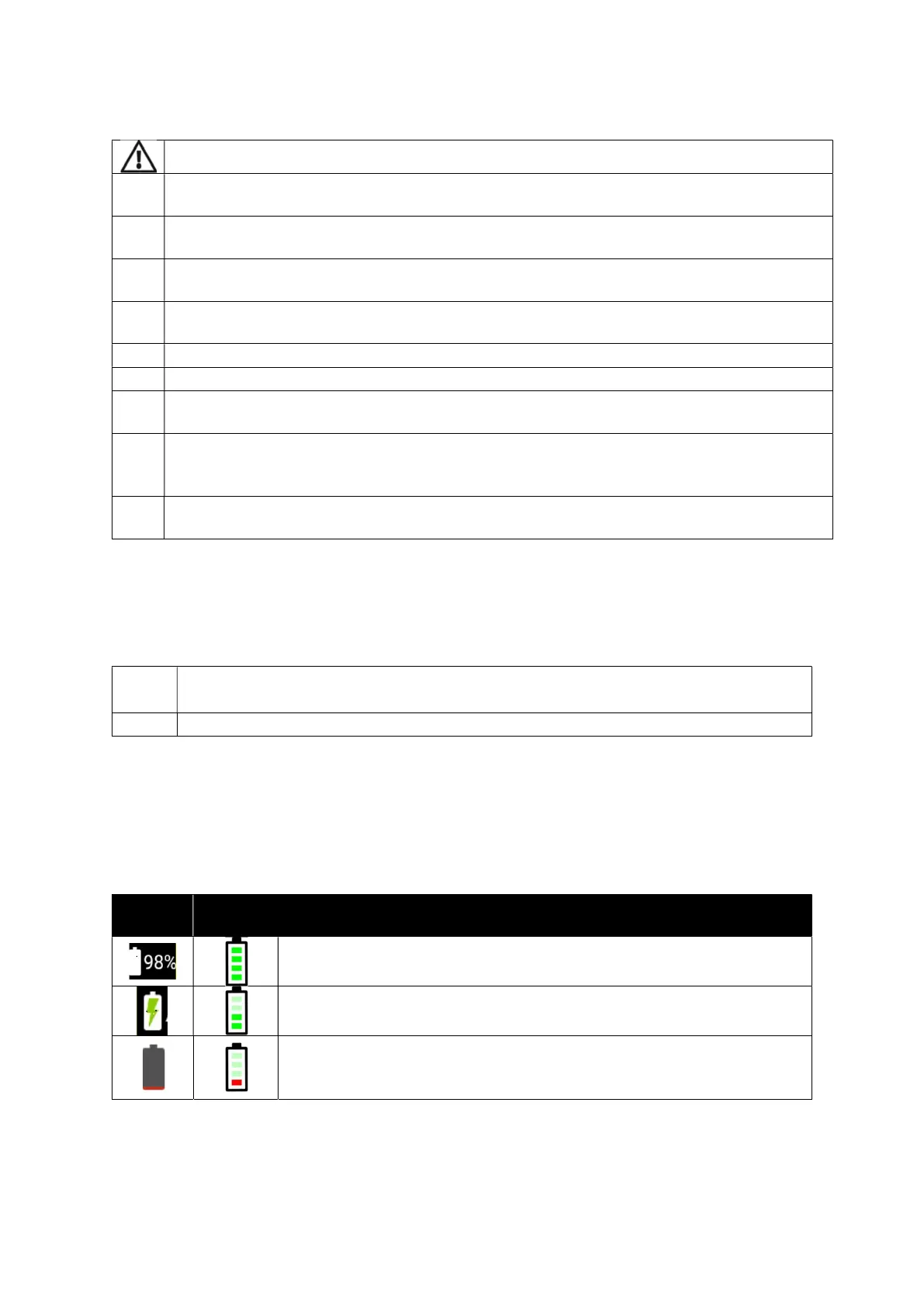
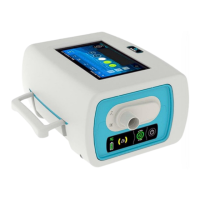
battery power, you are notified of the level of charge in the battery by the battery power source
indicators both on the keyboard and touch screen.
NOTE:
The internal battery continues to charge when the dev
ice is connected to mains power,
even when it is operating or on standby.
The internal battery takes
to fully charge from empty.
Battery run time
When the internal battery is being used to power the device, the amount of charge remaining in the
battery is displayed as shown in the following table.
Screen
Keyboard
Display Description
When the internal battery is in use, the battery charge level is displayed
by percentage on the touch screen and by 4 LEDs on the keyboard.
When the internal battery is charging, the charge battery symbol is
displayed on the touch screen and by scrolling LEDs on the keyboard.
When the internal battery power is low, the charge battery symbol is
displayed in red on the touch screen and the LEDs on the keyboard are
red.


 To Next Page