20
Accessing the settings menu
NOTE:
Do not access settings menu (unlocked mode ) unless directed by a physician.
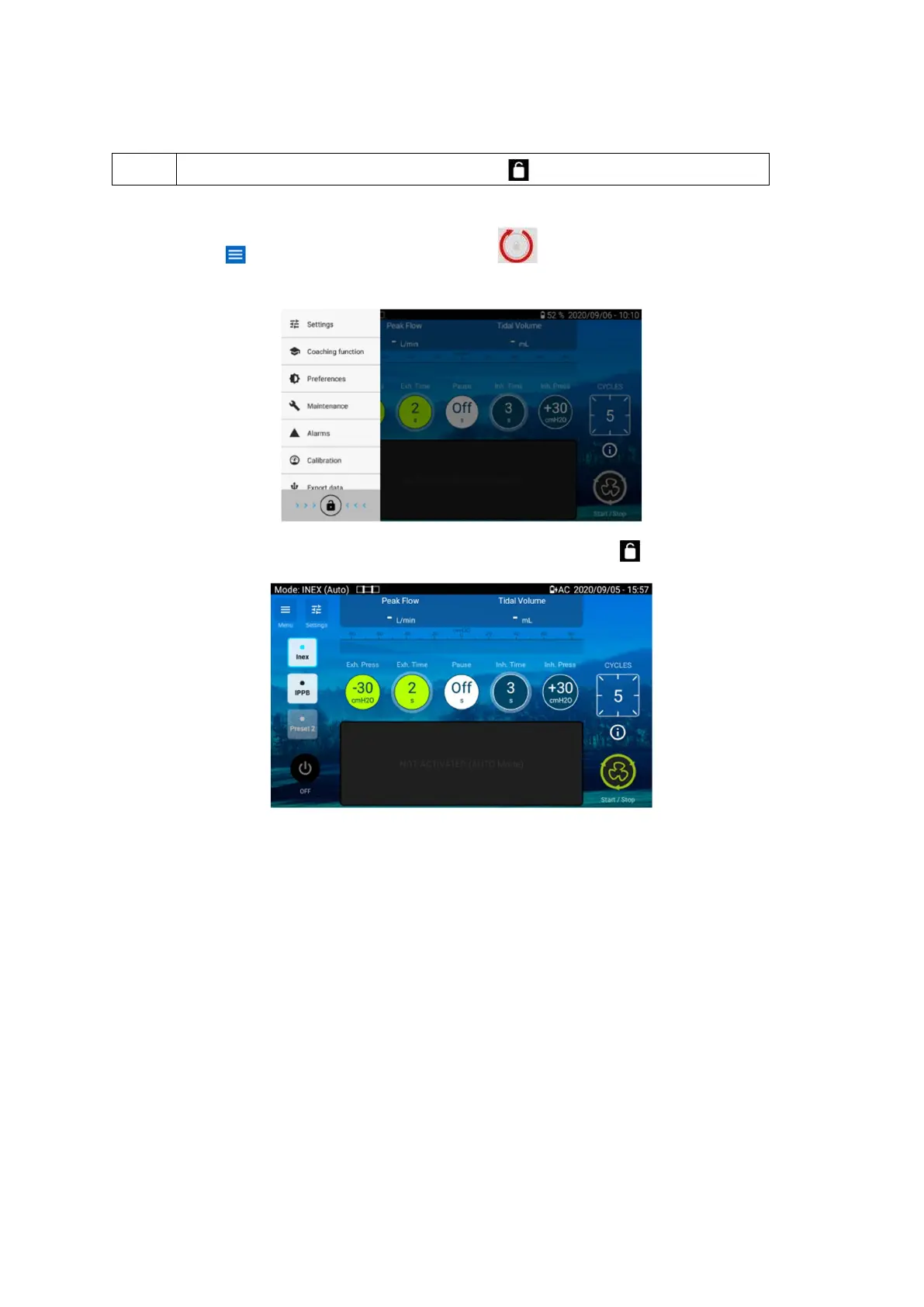
To access the settings Menu
1. Choose and hold down the lock button, until it becomes red. A confirmation
message is displayed. Validate.
2. The settings button on the home screen is now available (no lock . on it)
3. Click on the home page settings for adjustment of the main settings or access the settings
menu to adjust any setting.


 To Next Page