POWERED BY
41
SERIESSERIES
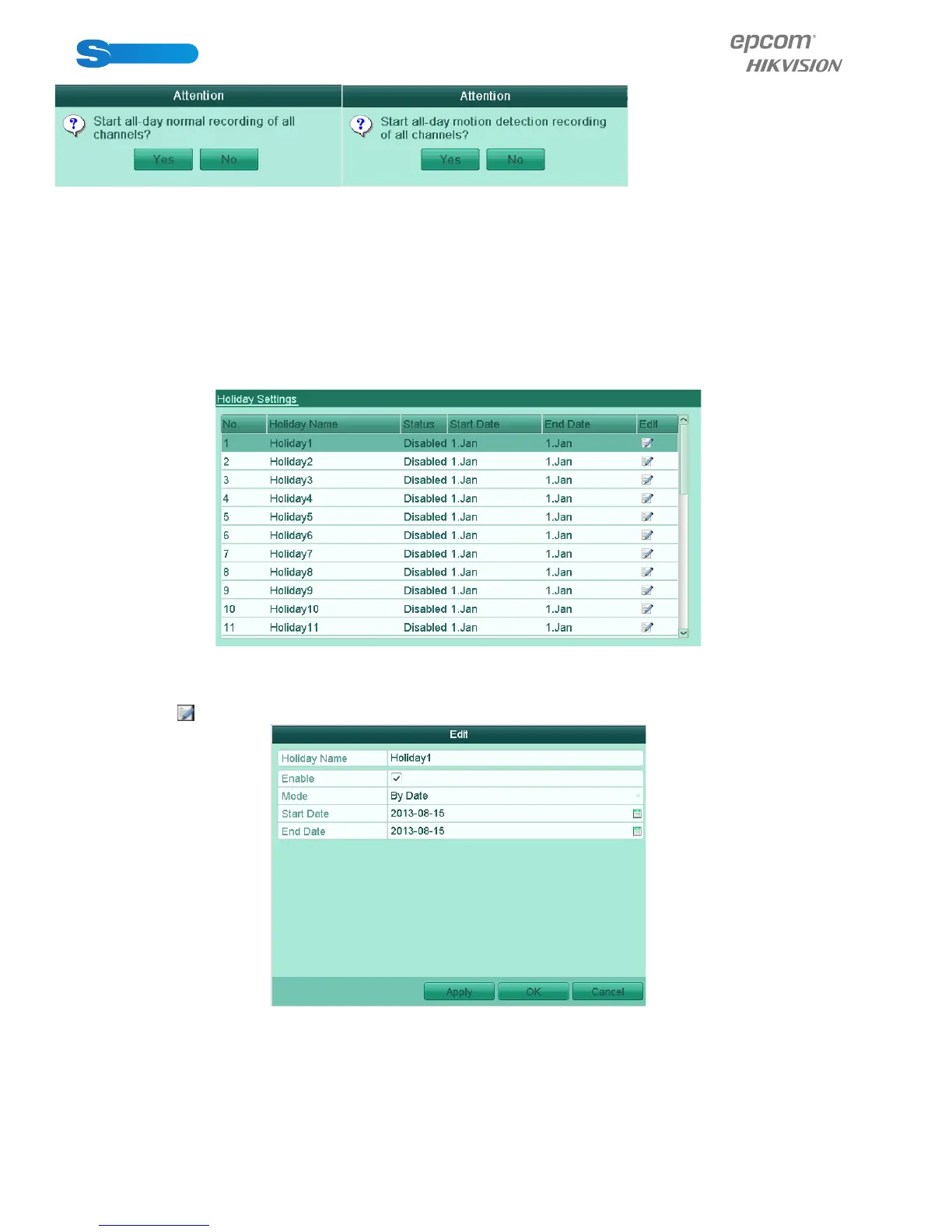
Figure 5.25 Start Normal or Motion Detection Recording
2) Click Yes to enable all-day normal recording or all-day motion detection recording of all channels.
5.6 Configuring Holiday Record
Purpose:
You may want to have different plan for recording on holiday. Follow the steps to configure the record schedule on holiday.
Steps:
1. Enter the Record setting interface.
Menu>Record
2. Choose Holiday on the left bar.
Figure 5.26 Holiday Settings
3. Enable Edit Holiday schedule.
1) Click to enter the Edit interface.
Figure 5.27 Edit Holiday Settings
2) Check the checkbox after Enable.
3) Select Mode from the dropdown list.
There are three different modes for the date format to configure holiday schedule.
4) Set the start and end date.
5) Click Apply to save settings.
6) Click OK to exit the Edit interface.



 To Next Page