POWERED BY
89
SERIESSERIES
If a new alias of the device domain name is defined in the DVR, it will replace the old one registered on the server.
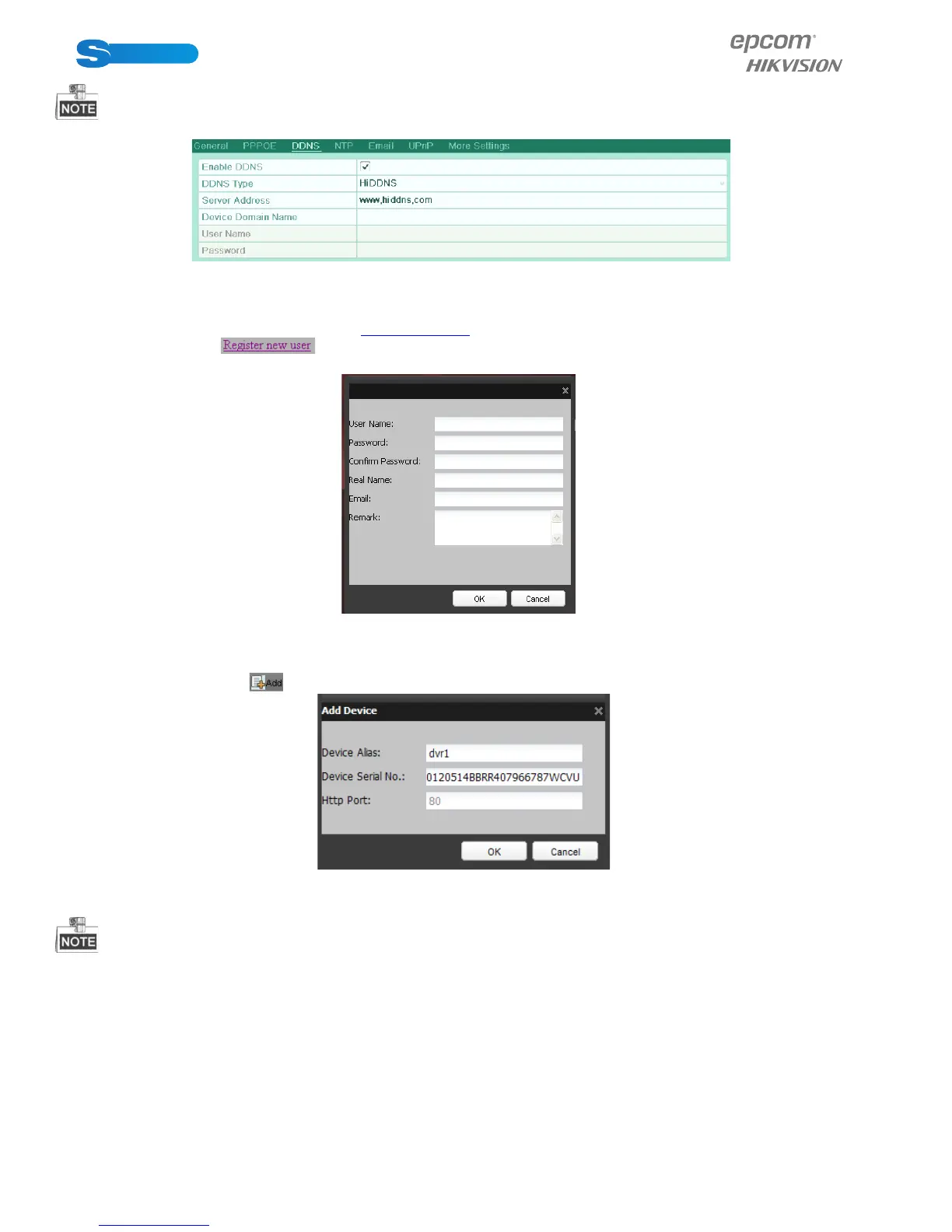
Figure 9.9 HiDDNS Settings Interface
Register the device on the HiDDNS server.
1) Go to the HiDDNS website: www.hiddns.com.
2) Click to register a user account if you do not have one.
3) After registration is successful, use the account and password to log in.
Figure 9.10 Register an Account
4) In the DDNS Management System interface, click the Device Management tab on the left menu bar and
then click to register the device.
Figure 9.11 Register the Device
Only lower-case English alphabet, numeric and ‘-’ can be used in the alias of the device and the alias must be started with
letters of the lower-case English alphabet.
5. Click the Apply button to save and exit the interface.
9.2.3 Configuring NTP Server
Purpose:
A Network Time Protocol (NTP) Server can be configured on your device to ensure the accuracy of system date/time.
Steps:
1. Enter the Network Settings interface.
Menu > Configuration > Network
2. Select the NTP tab to enter the NTP Settings interface.



 To Next Page