POWERED BY
77
SERIESSERIES
8.1 Setting Motion Detection
Steps:
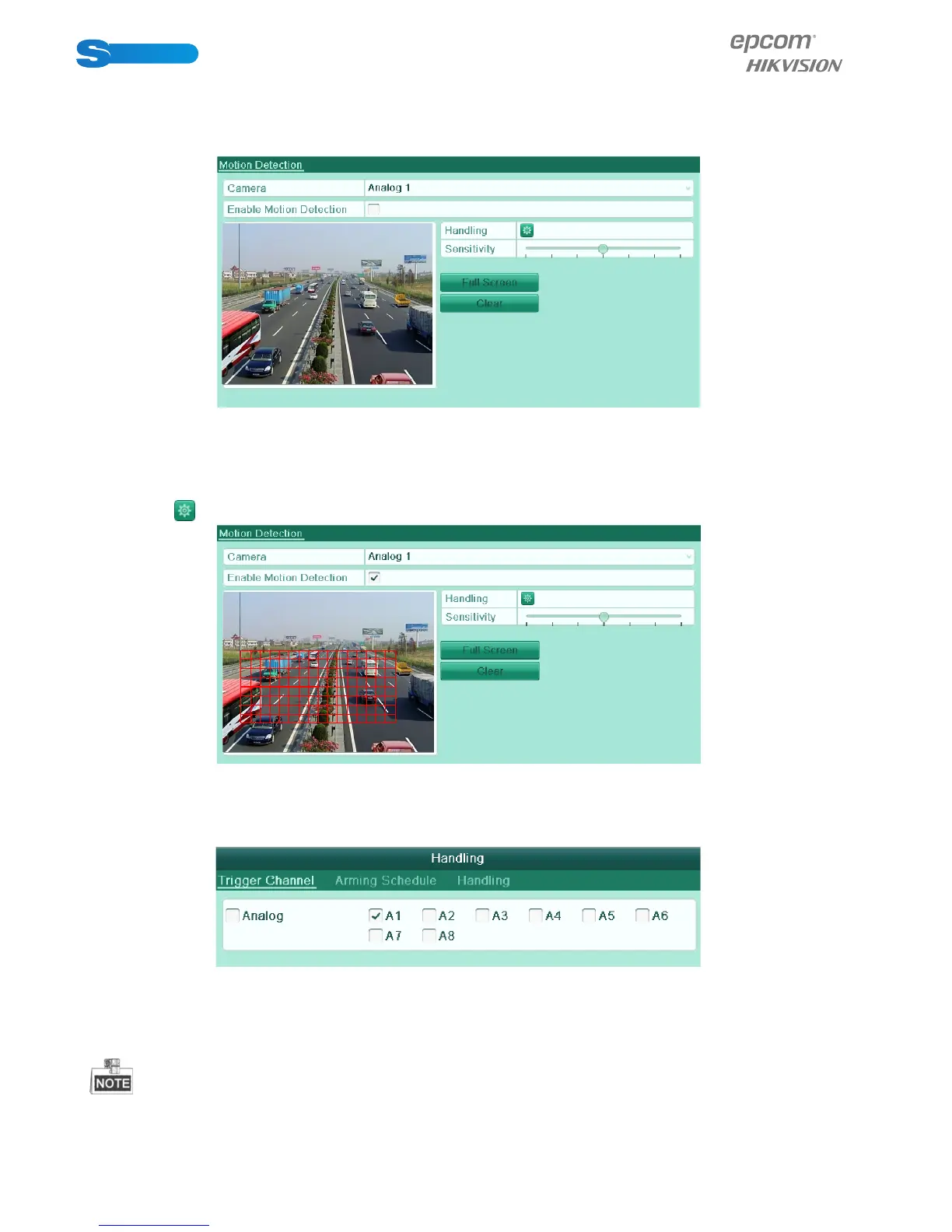
1. Enter Motion Detection interface and choose a camera you want to set motion detection.
Menu> Camera> Motion
Figure 8.1 Motion Detection Setup Interface
2. Set motion detection area and sensitivity.
1) Check the checkbox of Enable Motion Detection to enable motion detection, use the mouse to draw detection area(s)
and drag the sensitivity bar to set sensitivity.
2) Click the icon of Handling to set alarm response actions.
Figure 8.2 Set Detection Area and Sensitivity
3. Click Trigger Channel tab and select one or more channels which will start to record or become full-screen monitoring when
motion alarm is triggered.
Figure 8.3 Set Trigger Camera of Motion Detection
4. Set up arming schedule of the channel.
1) Select Arming Schedule tab to set the channel’s arming schedule.
2) Choose one day of a week and up to eight time periods can be set within each day.
Time periods shall not be repeated or overlapped.



 To Next Page