POWERED BY
48
SERIESSERIES
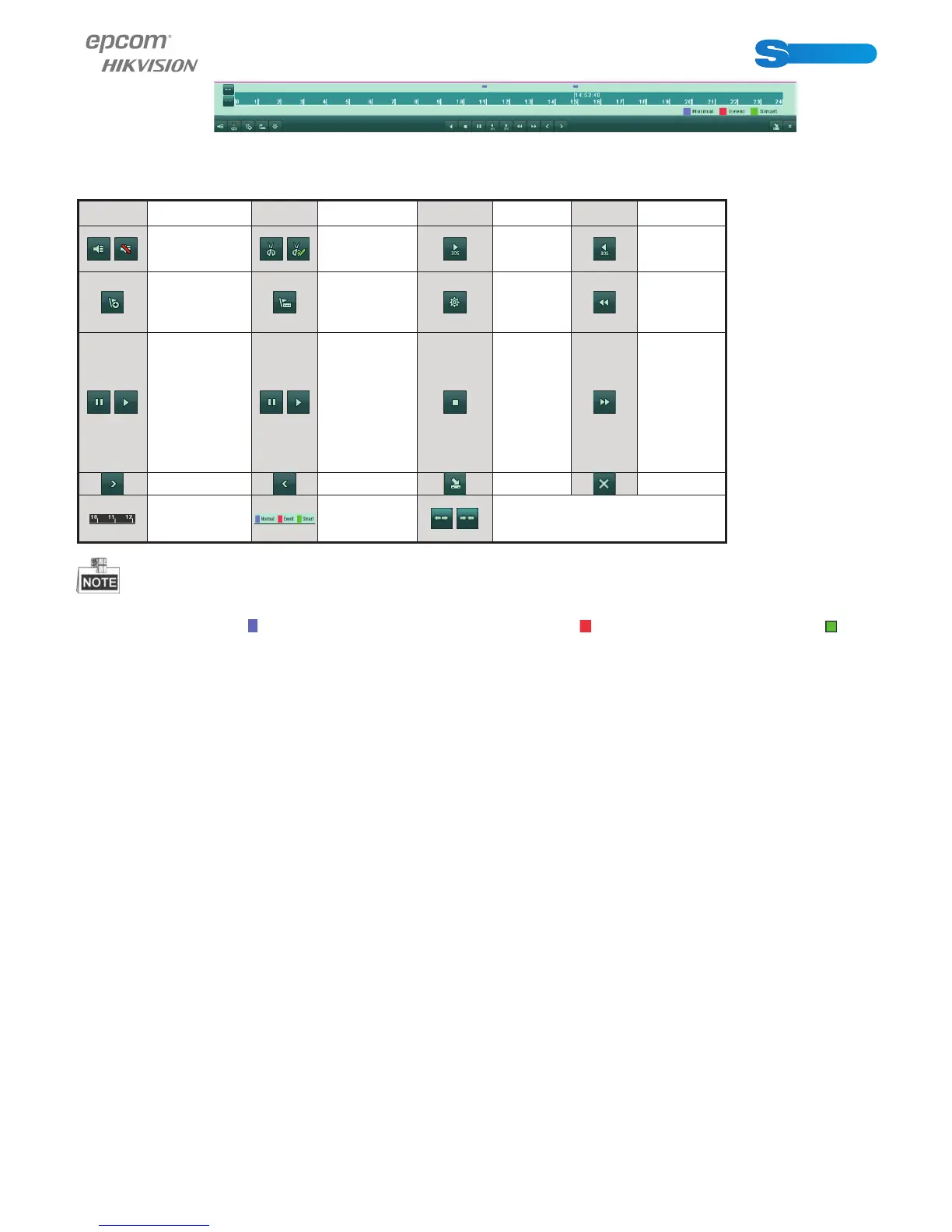
Figure 6.4 Toolbar of All-day Playback
Table 6.1 Detailed Explanation of All-day-playback Toolbar
Button Operation Button Operation Button Operation Button Operation
/
Audio on /
Mute
/
Start/Stop
clipping
30s
forward
30s reverse
Add default
tag
Add customi-
zed tag
Tag mana-
gement
Slow
forward
/
Pause reverse
play/
Reverse play/
Single-frame
reverse play
/
Pause play/
Play/ Sin-
gle-frame play
Stop Fast forward
Previous day Next day Hide Exit
Process bar Video type bar
/
Scaling up/down time bar
Playback progress bar: use the mouse to click any point of the progress bar or drag the progress bar to locate special frames.
About video type bar:
re presents normal recording (manual or schedule); represents event recording (motion); re pre-
sents smart search recording.
6.1.2 Playing Back by Time
Purpose:
Play back video fi les recorded in specifi ed time duration. Multi-channel simultaneous playback and channel switch are supported.
Steps:
1. Enter playback interface.
Menu>Playback
2. Chec k the checkbox before the channel to select channel(s) and click the Detail button to view the record information of the
channel(s). You can click Previous or Next to select the day for viewing the record information.



 To Next Page