POWERED BY
52
SERIESSERIES
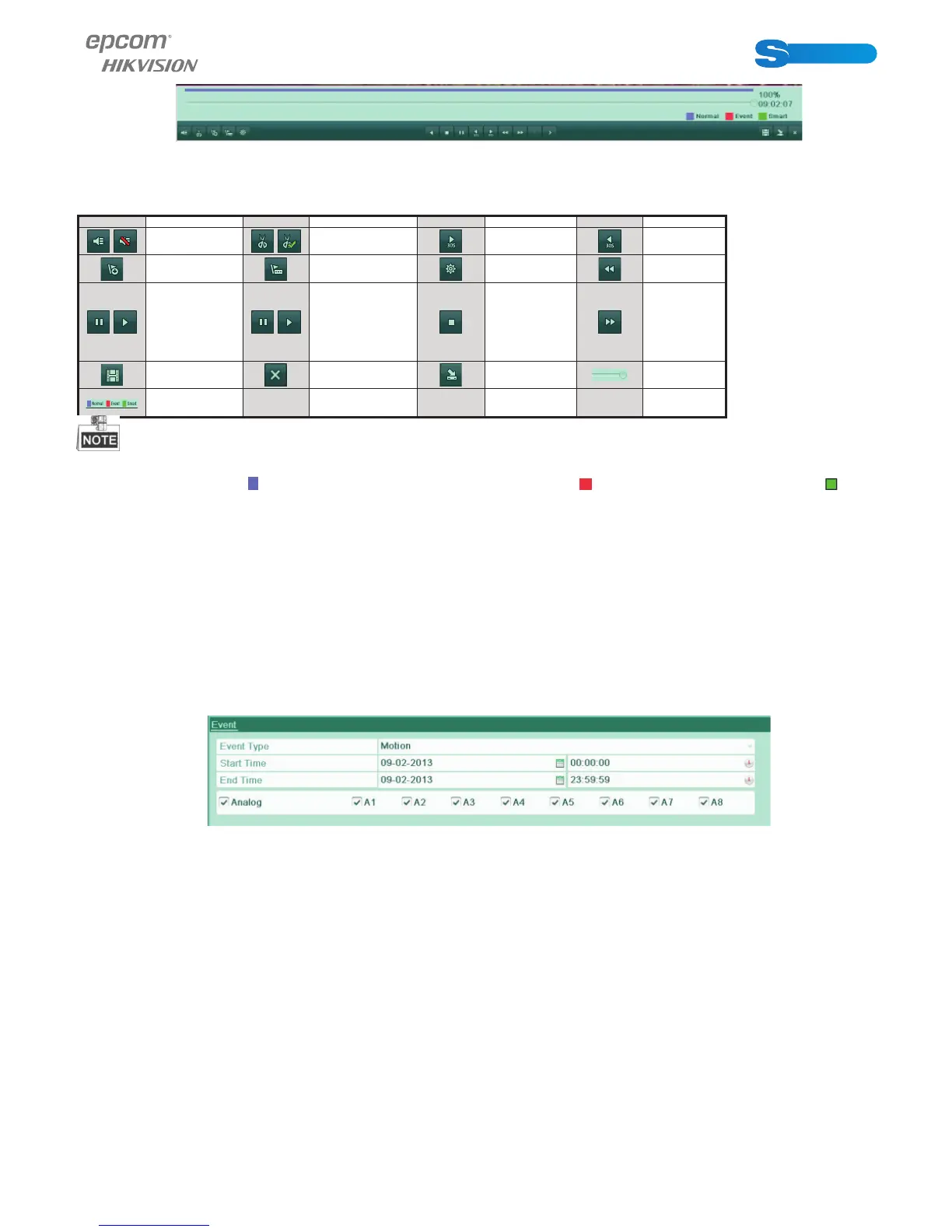
Figure 6.13 Toolbar of Normal Playback
Table 6.3 Detailed Explanation of Normal Playback Toolbar
Button Operation Button Operation Button Operation Button Operation
/
Audio on/
Mute
/
Start/Stop
clipping
30s forward 30s reverse
Add default
tag
Add customi-
zed tag
Tag manage-
ment
Slow
forward
/
Pause reverse
play/Re-
verse play/
Single-frame
reverse play
/
Pause play/Play/
Single-frame
play
Stop
Fast
forward
Video search Exit Hide
Progress
bar
Video type
bar
Playback progress bar: use the mouse to click any point of the progress bar or drag the progress bar to locate special frames.
About video type bar: represents normal recording (manual or schedule); represents event recording (motion); repre-
sents smart search recording.
6.1.4 Playing Back by Event Search
Purpose:
Play back record fi les on one or several channels searched out by restricting event type (motion detection or alarm input). Channel
switch is supported.
Steps:
1. Enter the playback interface.
Menu>Playback
2. Select Event tab to enter the Event Playback interface.
3. Select Motion or Alarm Input as the event type.
4. Set the start time and end time of the record fi les.
5. Select the camera (s) for searching.
Figure 6.14 Video Search by Motion
6. Click Search button to enter the Search Result interface.
The Pre-play and post-play can be confi gured. The Pre-play refers to the time confi gured before the defi ned start time of event
search, and the Post-play refers to the time confi gured after the defi ned end time of event search. For example, when the start
time and end time of event search are set to 12:00:00 - 13:00:00, and the pre-play and post-play time is set to 30s and 20s
respectively, then the actual playback of event video fi le is 11:59:30 ~ 13:00:20.



 To Next Page