EB-E01 series Disassembly and Assembly INTERNAL USE ONLY
SEIKO EPSON 68 Revision A
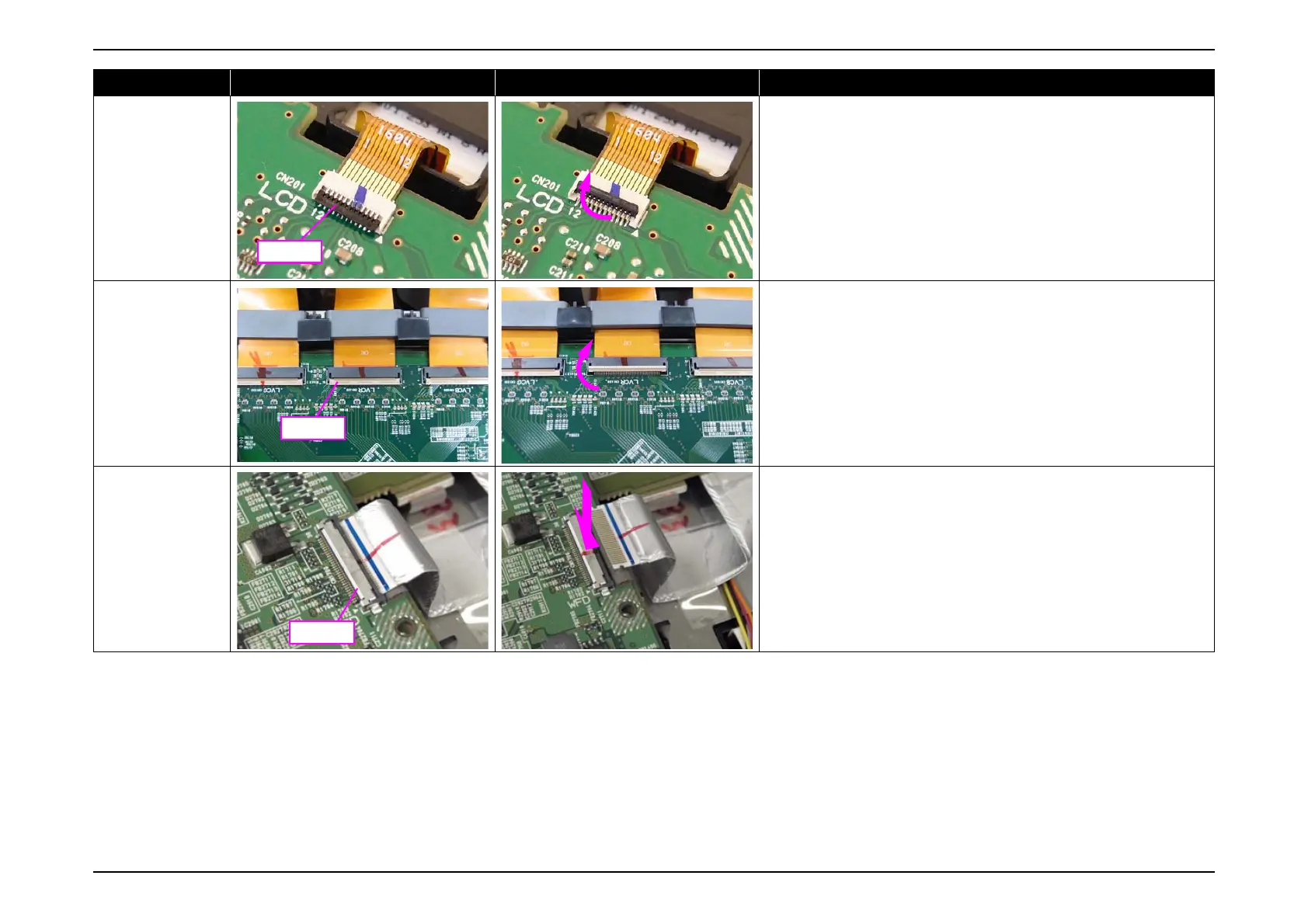
Flip-open type
(FPC)
Flip up the lock (black) on the connector opposite to the FPC to unlock it.
Flip-open type
(Wide FPC)
Flip up the lock (ivory) on the connector opposite to the FPC to unlock it.
[CAUTION] DO NOT mistake the black part of the connector for the lock
because it looks like a lock. Flipping up the black part will damage the
connector.
Push-open type
Press and hold the metal plate with a "PUSH" inscription, and disconnect the
FFC.
Type Locked Unlocked How to unlock connectors



 To Next Page