EB-E01 series Appendix INTERNAL USE ONLY
SEIKO EPSON 188 Revision A
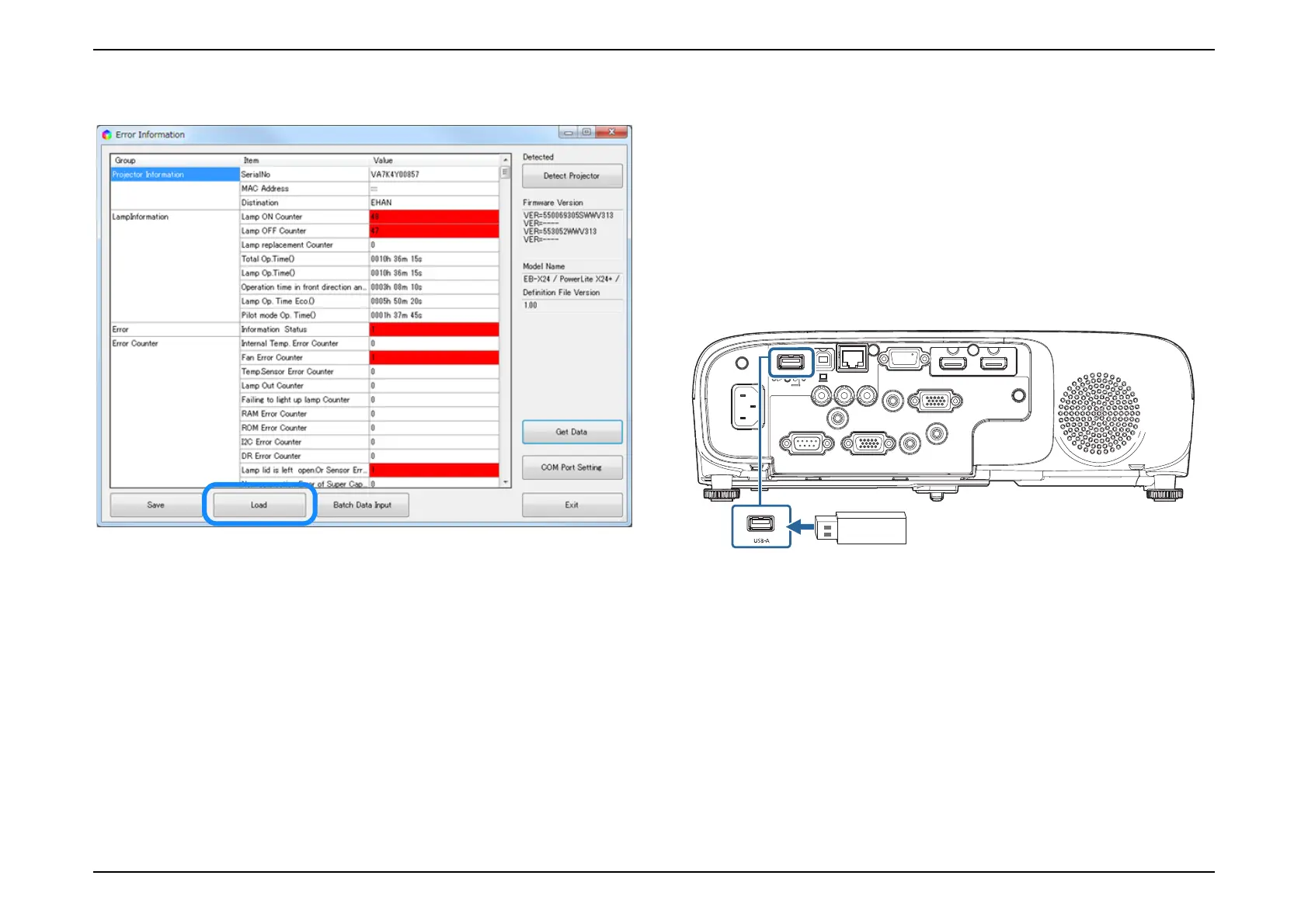
14. [Load] is clicked, you can read the preserved data from an arbitrary folder.
15. The sub screen closes when [Exit] is clicked, and the main screen is
displayed.
16. Close a main screen of a IPS tool and take out power cord of the body after
the confirmation.
4.1.2.3 Confirmation method using a USB memory
A data file of the body is preserved to a USB memory. The data in the USB
memory is confirmed using ISP Tool.
4.1.2.3.1 Acquisition method of data file
A data file of the body is preserved and acquired to a USB memory by the
following procedure.
1. Disconnect the power cord from the projector and check that all of the
indicators on the projector are off.
2. Connect a USB memory to the USB-A terminal of the projector.
3. Put power cord in the body while pressing the [Esc] button of the remote
controller.



 To Next Page