EB-E01 series Appendix INTERNAL USE ONLY
SEIKO EPSON 187 Revision A
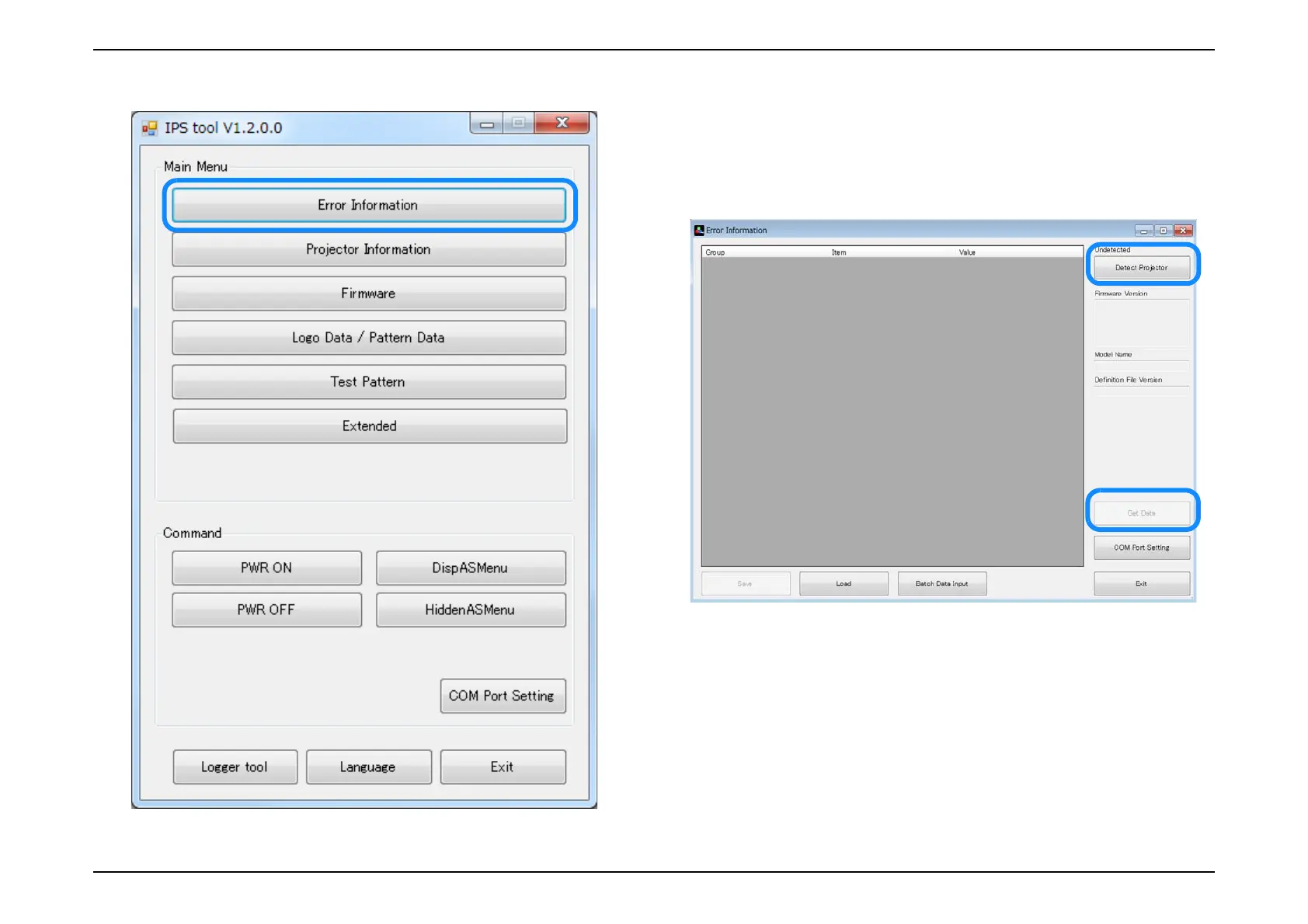
11. [Error Information] of TOP menu is clicked. 12. [Detect Projector] and [Get Data] is clicked and display the error
information. The cell with the numerical value is displayed in red.
(Excluding the Time information)
Note: Please disregard it though “Lamp ON Counter / Lamp OFF Counter” is
displayed in red. (This is a specification of IPS tool.)
13. When the acquired data is preserved, [Save] is clicked to an arbitrary
folder. By sharing the saved file, the IPS tool user can check the error
information.



 To Next Page