EB-E01 series Appendix INTERNAL USE ONLY
SEIKO EPSON 186 Revision A
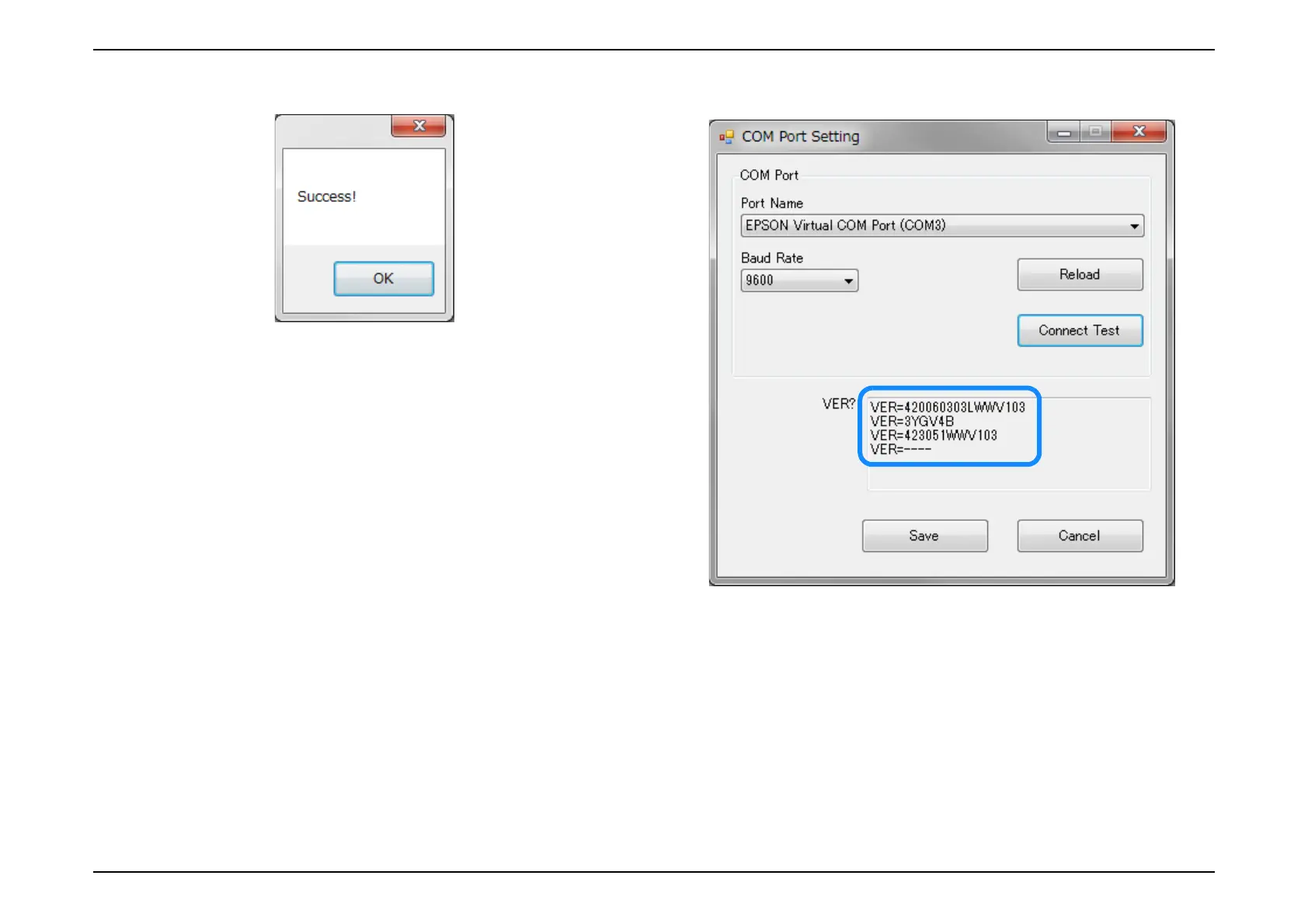
8. When the communication succeeds, [OK] is clicked. 9. Confirm the firmware version in the VER? Column.
When the communication is not normal then error is displayed. Please confirm
the communication status.
10. If setting is OK, [Save] is clicked.



 To Next Page