186 Using the Printer Driver For Macintosh
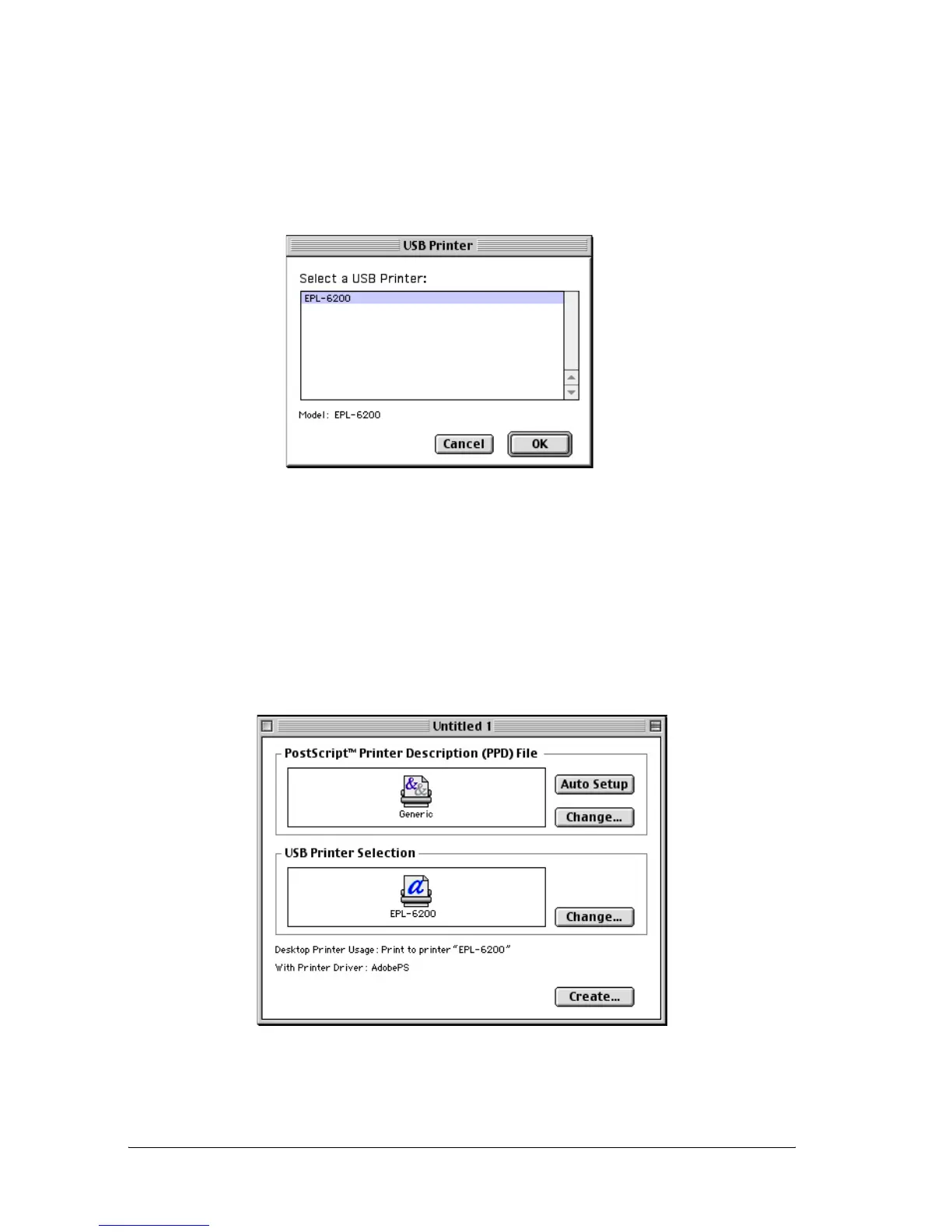
3. Click Change under USB Printer Selection in the dialog box
that appears to select the printer. The dialog box shown below
will be displayed, showing a list of connected USB printers.
Select the EPL-6200 printer from the list, and then click OK.
4. Click Auto Setup to select the PostScript Printer Description
(PPD) file. When a PPD file is selected, the selected printer
name will be displayed under the printer icon. If the printer
name is incorrect, click Change, and then select the correct
PPD file. The PPD files are located in System
Folder\Extensions\Printer Descriptions.



 To Next Page