Replacing Consumable Products 313
9
9
9
9
9
9
9
9
9
9
9
9
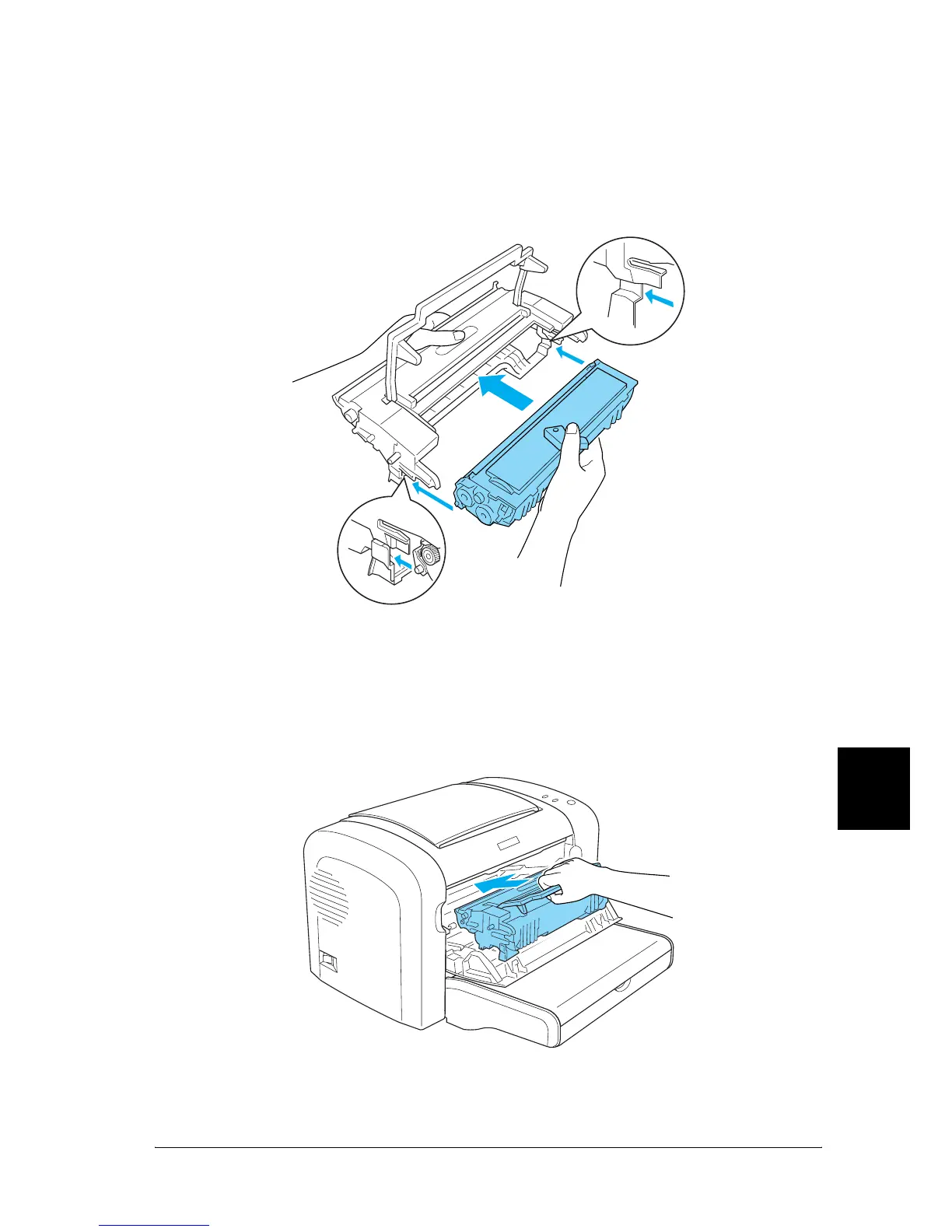
7. Carefully insert the developer cartridge into the
photoconductor unit’s casing until it clicks into place, making
sure that the pins on both sides of the developer cartridge are
aligned with the grooves on the casing.
8. Hold the photoconductor unit’s casing by its handle and
insert it into the printer. Slide it gently into the opening until
it locks into place.



 To Next Page