Using the Printer Driver For Windows 51
3
3
3
3
3
3
3
3
3
3
3
3
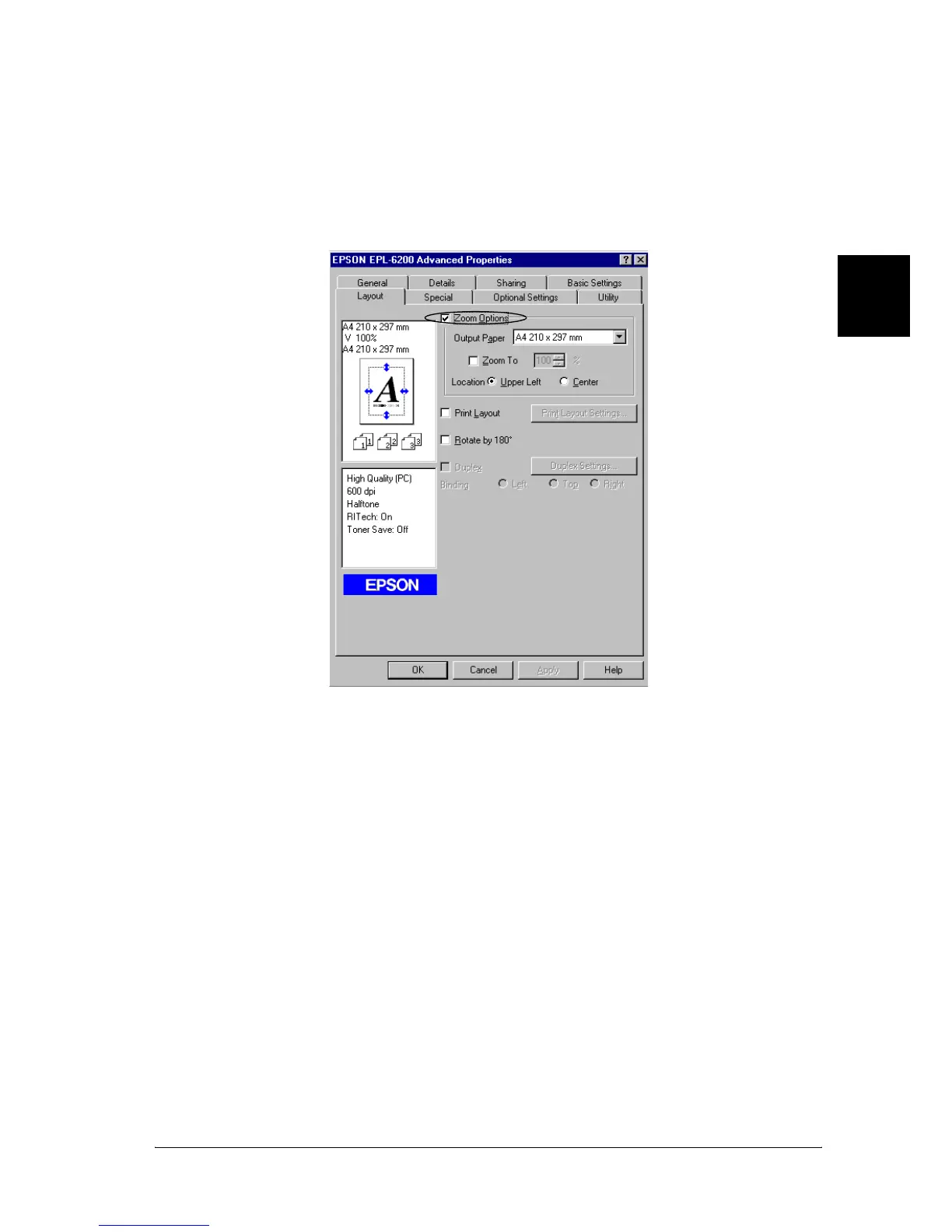
To automatically resize pages to fit the output paper
1. Click the Layout tab.
2. Select the Zoom Options check box.
3. Select the desired paper size from the Output Paper
drop-down list. The page will be printed to fit on the paper
you have selected.
4. Select Upper Left for Location to print the enlarged or
reduced page image at the upper left corner of the paper.
Select Center to print the enlarged or reduced page image
with centering.
5. Click OK to accept the settings.
To resize pages by a specified percentage
1. Click the Layout tab.



 To Next Page