Using the Printer Driver For Windows 63
3
3
3
3
3
3
3
3
3
3
3
3
Avoiding Insufficient Memory Error (EPL-6200L only)
When you print graphics or a large amount of data, the printer
may stop due to insufficient memory. Follow the steps below to
avoid memory errors and continue printing.
Note:
Print quality will decrease when you use this function.
1. Click the Optional Settings tab.
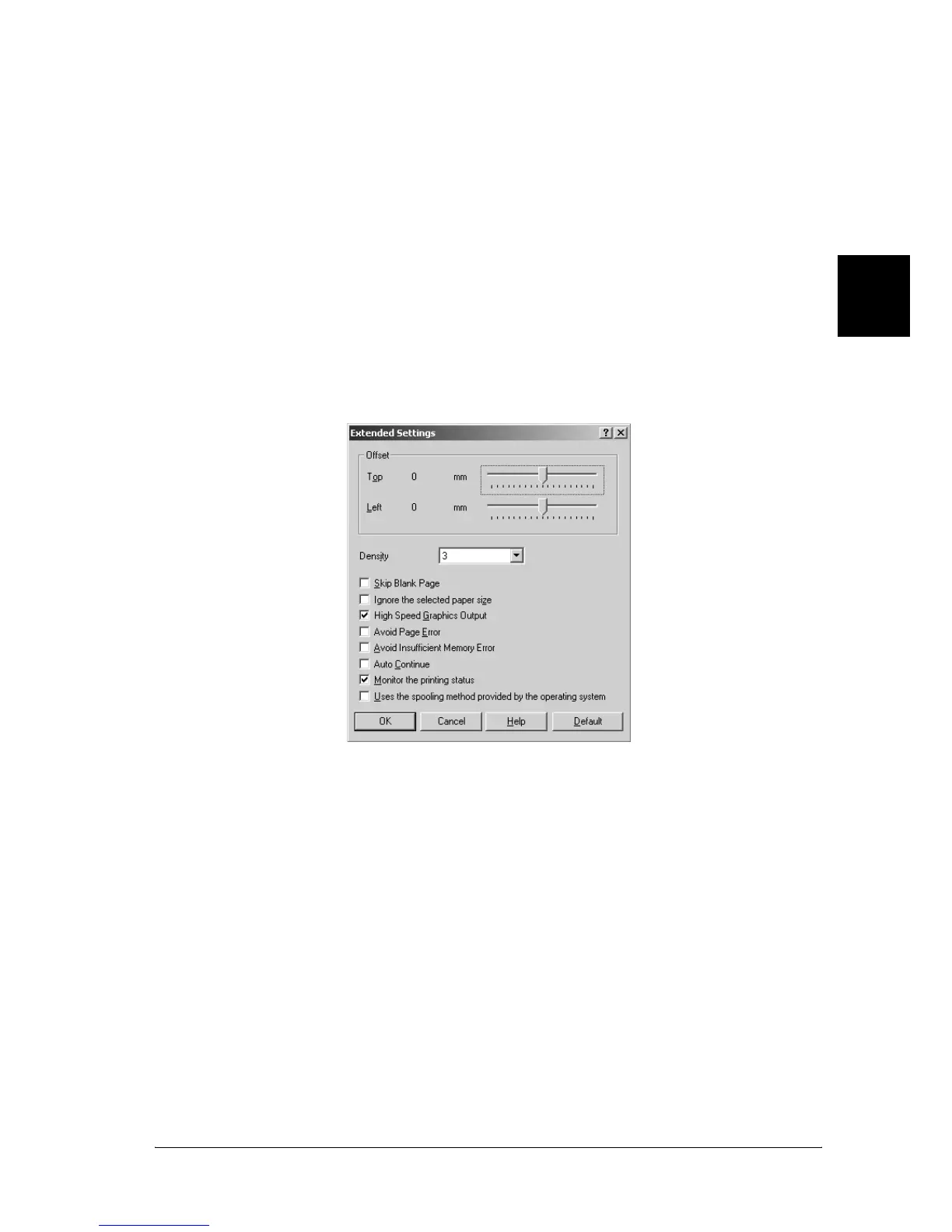
2. Click Extended Settings. The following dialog box appears.
Note:
This screen is a Windows XP, 2000, and NT 4.0 screen.
3. Select the Avoid Insufficient Memory Error check box.
4. Click OK to accept the settings.



 To Next Page