13
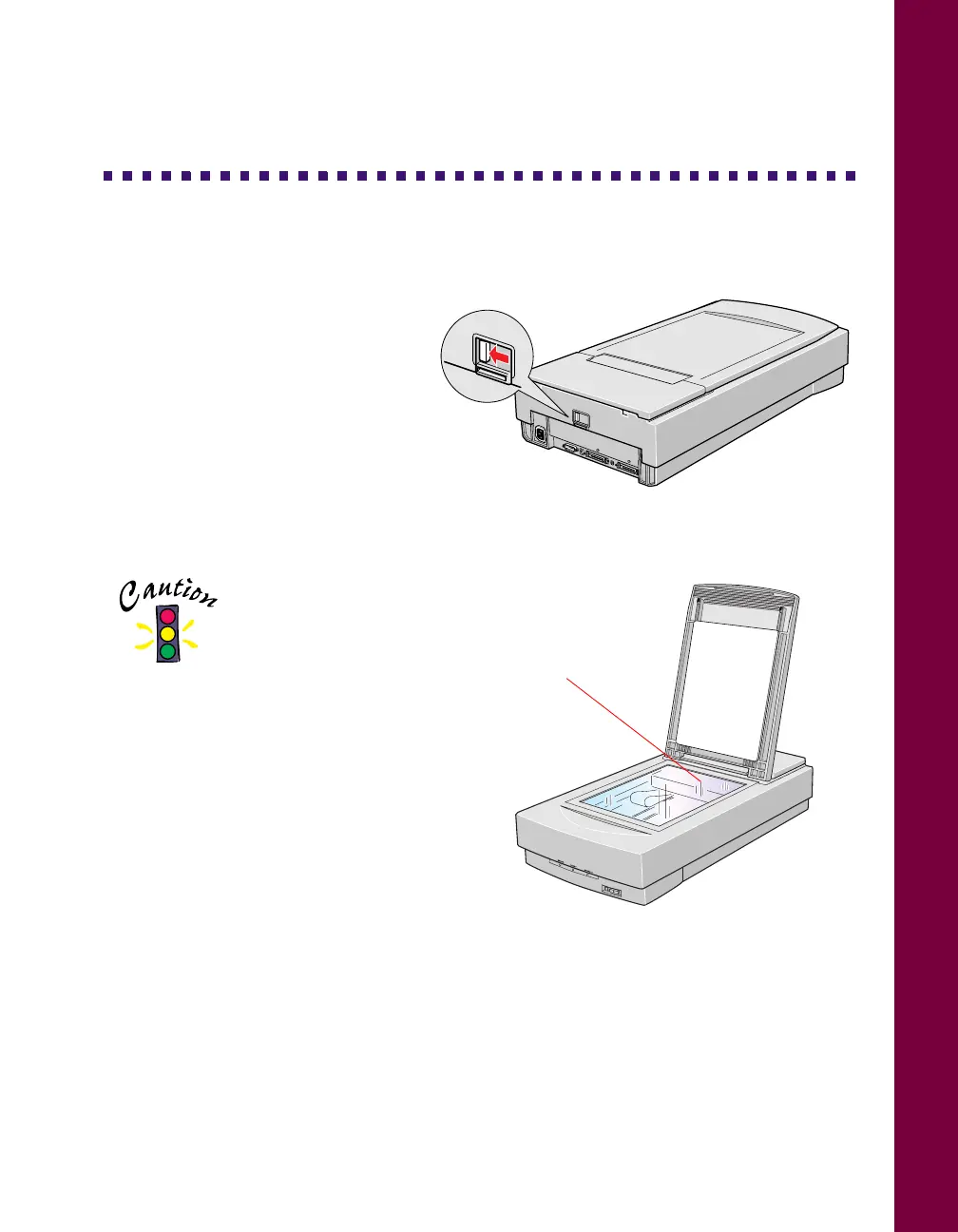
Unlock the Scanner
Before connecting the scanner to a
power source, you must release the
transportation lock, located on the
back of the scanner.
Slide the transportation lock to the
unlocked position, as shown.
If you can’t slide the transportation
lock easily, turn the scanner on;
then, after the
P OPERATE light
starts flashing red, turn the scanner off and try again.
Always lock the
scanner carriage
before transporting it;
otherwise, the scanner
may be damaged. Be sure the scanner
lamp is in the home position (toward
the back of the scanner). To ensure
this, always turn off the scanner before
locking the carriage. See “Transporting
the Scanner” on page 54 for more
information.
0
1
2
3
4
5
6
7
SCSI
ID
OPTION
TERMINATOR
SW
LOCK
UNLOCK
ON
OFF
LOCK
UNLOCK
home position













 To Next Page