46
Before transporting the scanner, be sure to reinstall the shipping screw in the hole
labeled CLAMP, and slide the transportation lock at the back of the scanner to the
LOCK position.
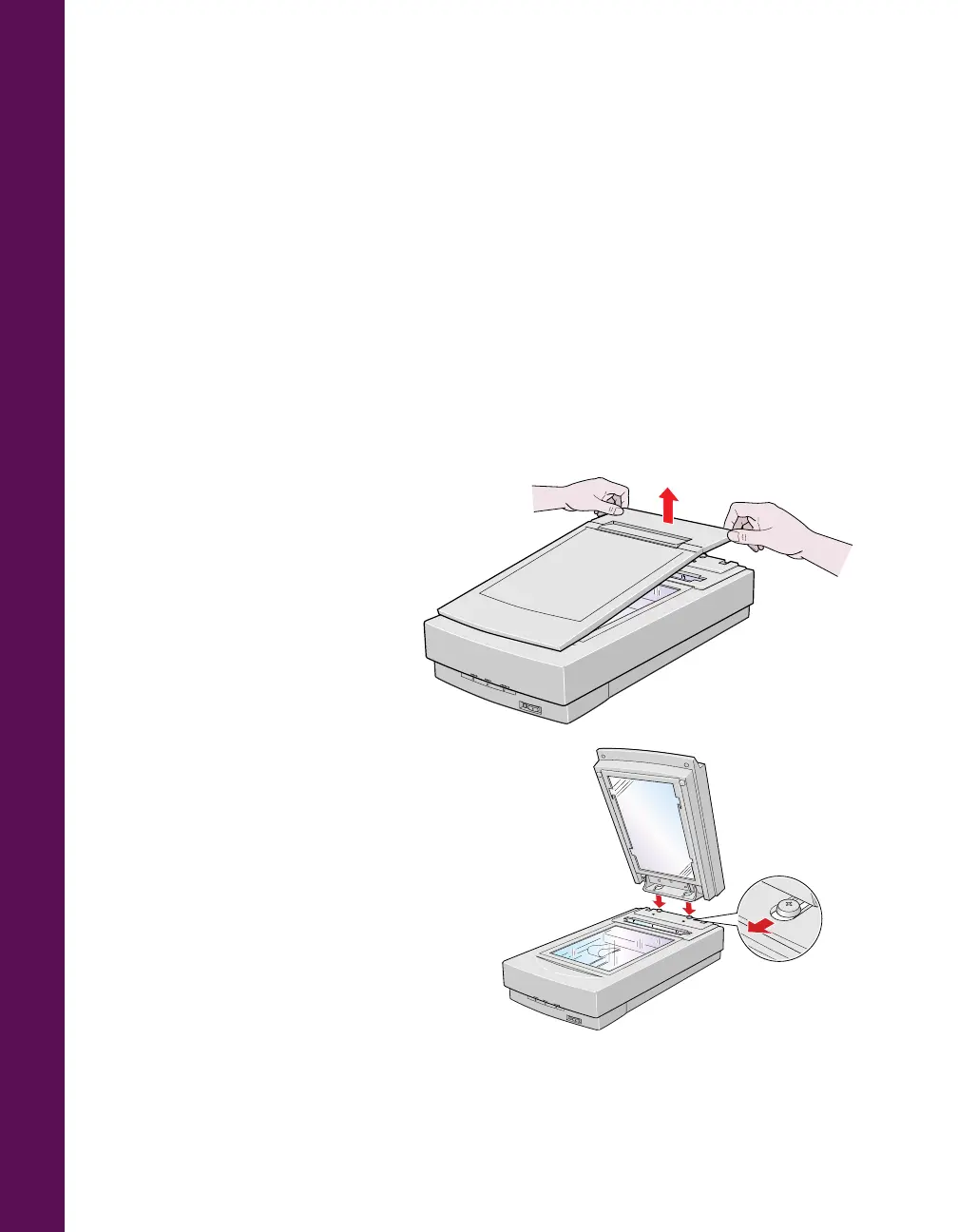
Installing the Transparency Unit
Follow these steps to install the transparency unit on the scanner.
1. Make sure the scanner is turned off. Then unplug the power cable from the
scanner.
2. Remove the document cover
by grasping the back of the
document cover as shown and
easing the cover up.
3. Make sure the document table
is clean and dust free.
4. Position the slots on the
transparency unit’s mounting
bracket over the heads of the
two mounting screws located at
the back of the scanner. Slide
the transparency unit forward
slightly until the two holes in
front of these slots are aligned
with the screw holes at the back
of the scanner.













 To Next Page