56
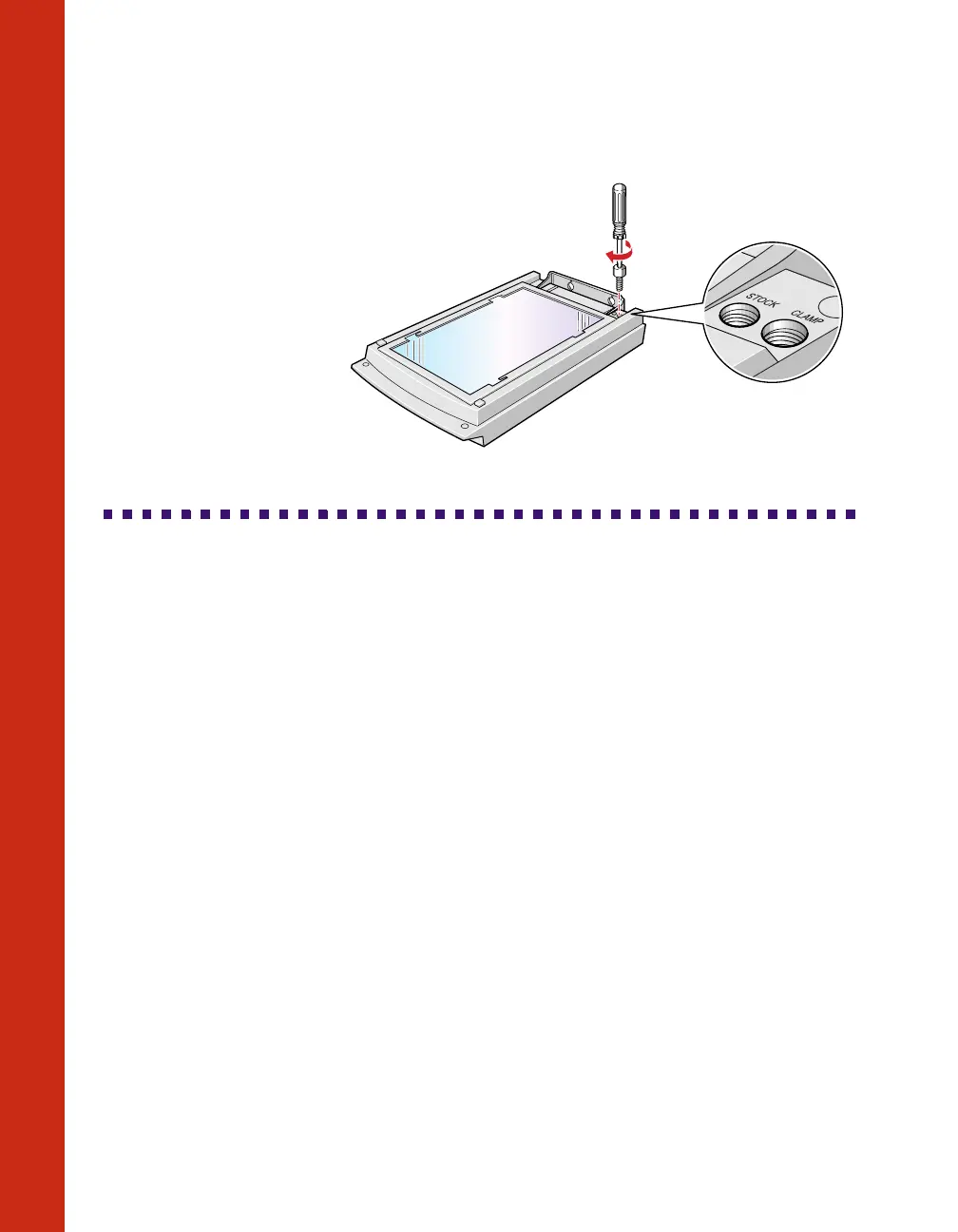
2. Reinstall the
transparency unit’s
shipping screw in the
hole marked CLAMP.
Cleaning the Scanner
To keep your scanner operating at its best, you should clean it periodically. Before
cleaning, unplug the power cord.
Use a soft cloth to clean the outer case with mild detergent dissolved in water.
If the document table glass gets dirty, clean it with a soft, dry cloth. If the glass is
stained with grease or other hard-to-remove material, use a small amount of glass
cleaner on a soft cloth to remove it. Wipe off any remaining liquid with a dry cloth.
Be sure there’s no dust on your document table. Dust can cause white spots to appear
in your scanned image.













 To Next Page