39
The command you choose from the File menu differs from one
host application to another. With other host applications, you
might choose Acquire or Select Source instead of Import.
If you have the Artist or Professional model and have installed
LaserSoft SilverFast 4.0, just click File, SilverFast [Epson] to start
the scanner software. Because LaserSoft SilverFast 4.0 is a
Photoshop plug-in, you can open the driver directly from the File
menu. You don’t need to select a Twain source.
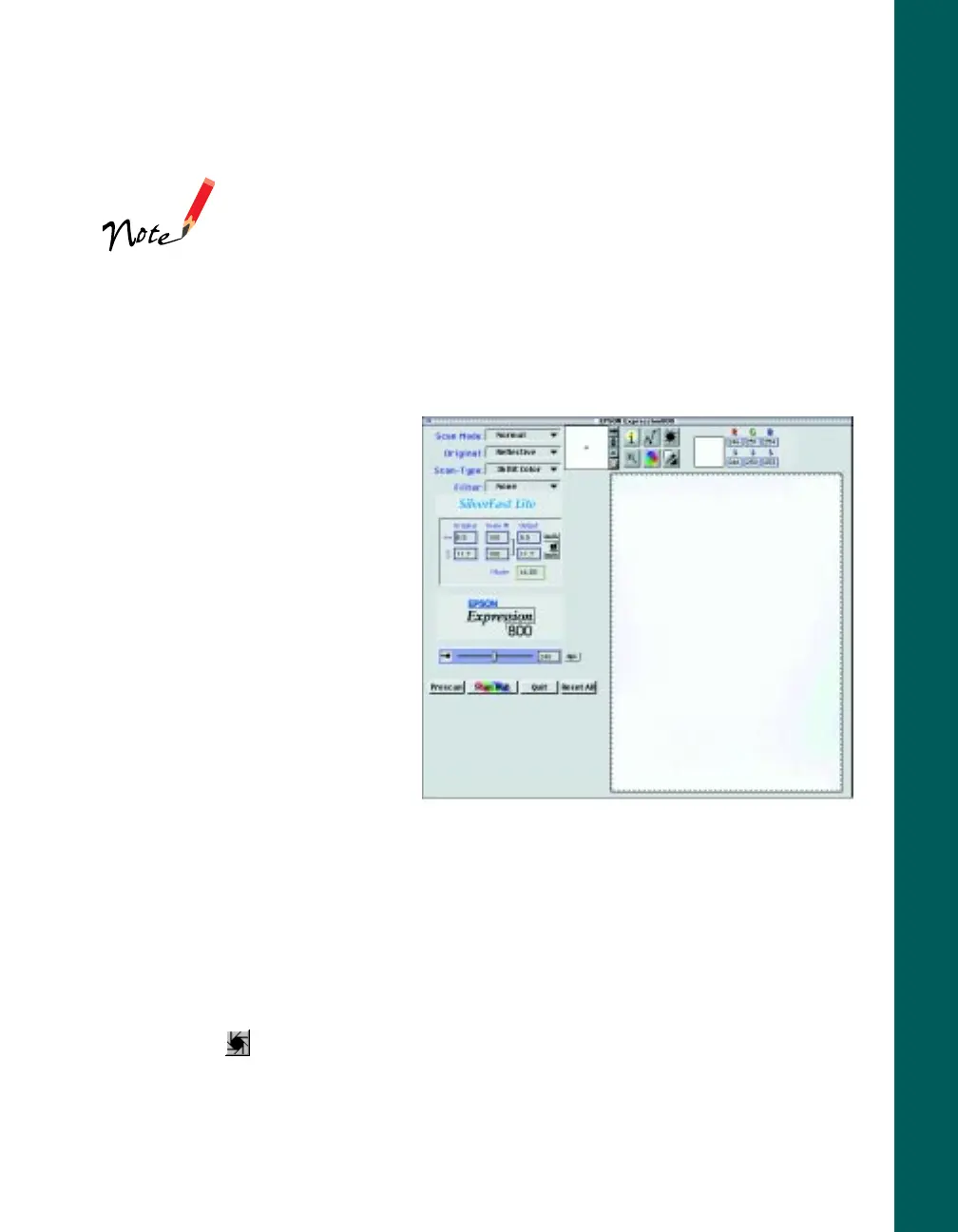
3. Open the scanner software.
For example, choose Import
from Photoshop 5.0 LE’s File
menu.
In Windows, select
TWAIN_32.
On a Macintosh, select
TWAIN_Acquire.
The LaserSoft SilverFast Lite
main window appears.
4. Select your Scan Mode,
Original, and Scan-Type.
For example, to scan a single
Polaroid photograph, you might choose
Normal
as your
Scan Mode
,
Spectra
Polaroid
as your
Original
, and
36 Bit Color
as your
Scan-Type.
5. Click the
Prescan
button to preview your scan. You see the preview on the right
side of the main window.
6. Click and drag the selection marquee to the edges of your image to define the
scan area.
7. Click the
Auto Adjust
button to automatically set the highlight, shadow, and
midtones.













 To Next Page