53
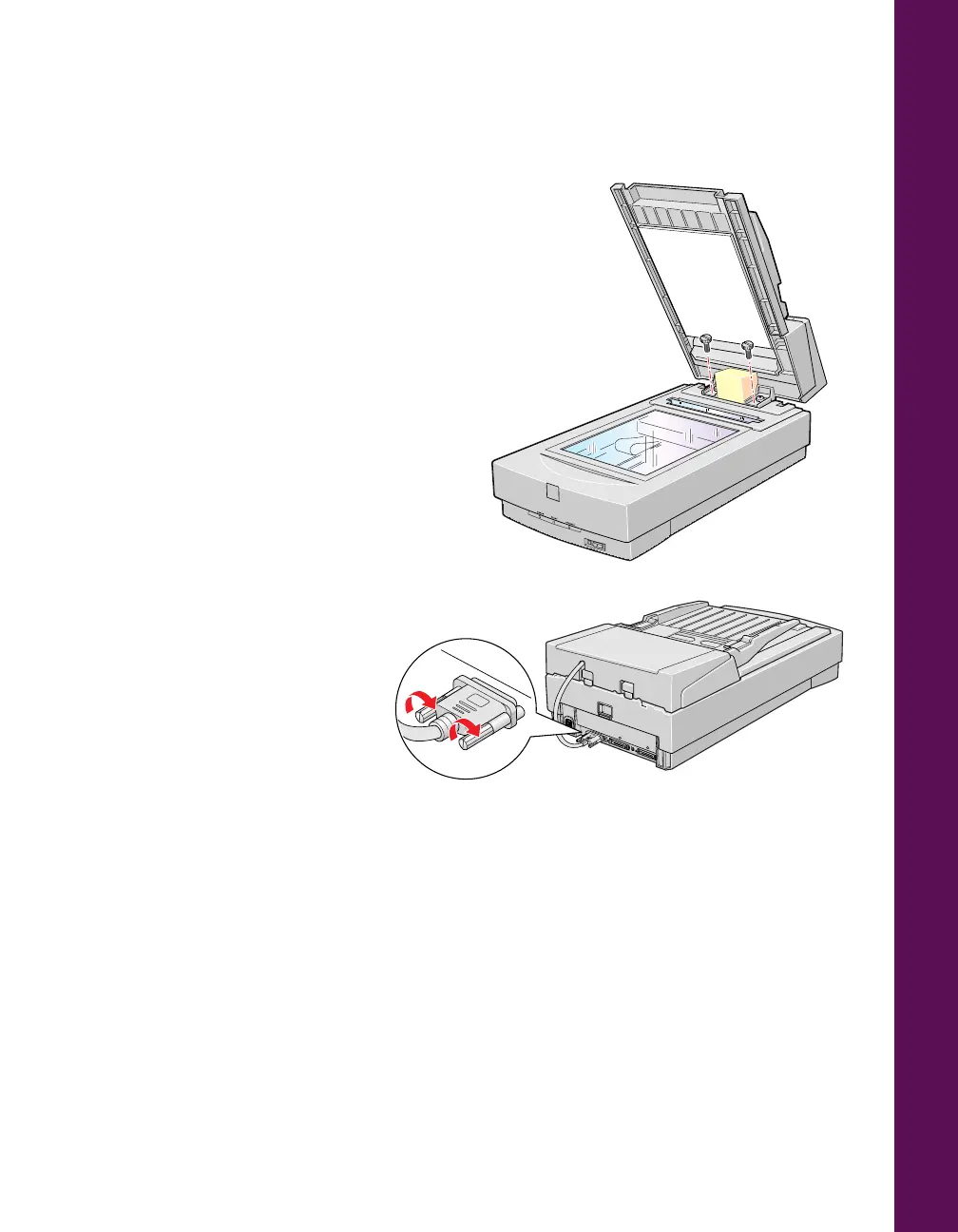
5. Insert the two installation screws that
came with the auto document feeder
into the screw holes, then tighten the
screws with a coin.
6. Remove the protective foam block
from the auto document feeder’s
mounting hardware and gently close
the auto document feeder.
7. Attach the auto document
feeder’s connector to the
scanner’s OPTION
interface.
8. Reattach all the scanner
cables and turn on the
scanner.
For instructions on how to use
the auto document feeder, see
your electronic EPSON Expression 800 Reference Guide for paper loading instructions,
then refer to the EPSON TWAIN Pro User’s Guide for scanning instructions.
If you haven’t connected the scanner to your computer, continue with “Connect the
Scanner to Your Computer” on page 15.
0
1
2
3
4
5
6
7
SCSI
ID
OPTION
TERMINATOR
SW
LOCK
UNLOCK
ON
OFF
OPTION













 To Next Page