Maintenance 4. Cable
116 G6 Rev.21
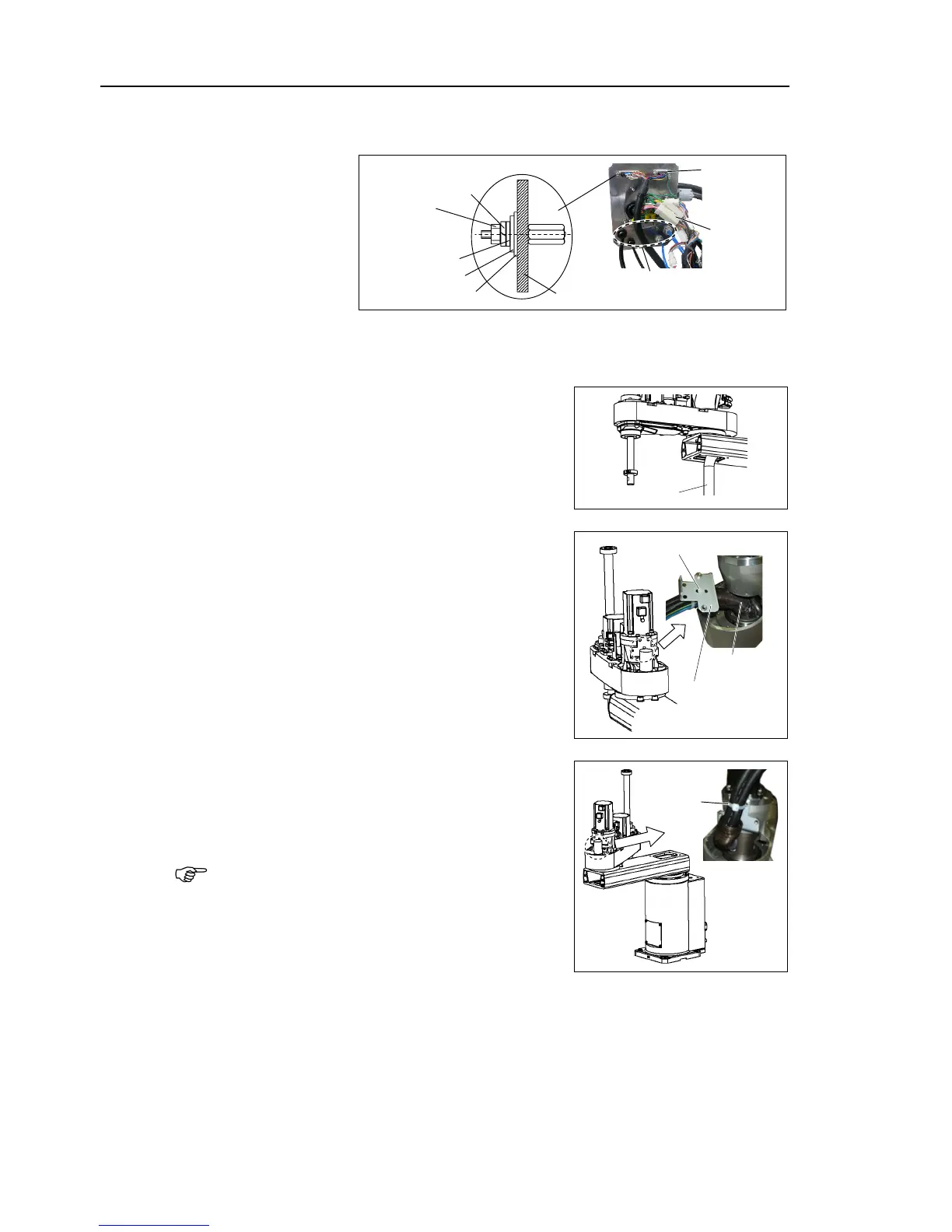
Connect the connectors, air tubes, D-
sub cable, and connectors to the connector plate
) Loosely mount the connector plate with two screws (M4).
For details, refer to Maintenance: 3.4 Connector Plate.
Disconnect the Arm #2 side cables to the lower
part of Arm #1 and pull the cables into Arm #2.
Mount the spring for cable protection to the spring
plate with a wire tie.
Secure the spring plate to Arm 2.
Move Arm #2 until the arm touches the mechanical
stop to make allowance.
Then, band the cables and air tubes with a wire tie.
If you band the cables and tubes without
allowance, the cables are pulled and may be
disconnected during the robot operation. Make
sure to make allowance.
Remove the plastic bags on the Arm side applied in step (2).












 To Next Page