Setup & Operation 4. Setting of End Effectors
64 G6 Rev.21
Eccentric Quantity and the Inertia Setting
CAUTION
■
eccentric quantity of load (weight of the end effector and work piece) must be
or less. The G6 series Manipulators are not designed to work with
Always set the eccentric quantity
parameter according to the eccentric quantity.
Setting a value that is smaller than the actual eccentric quantity may cause
errors, excessive shock, insufficient function of the Manipulator, and/or shorten
the life cycle of parts/mechanisms
.
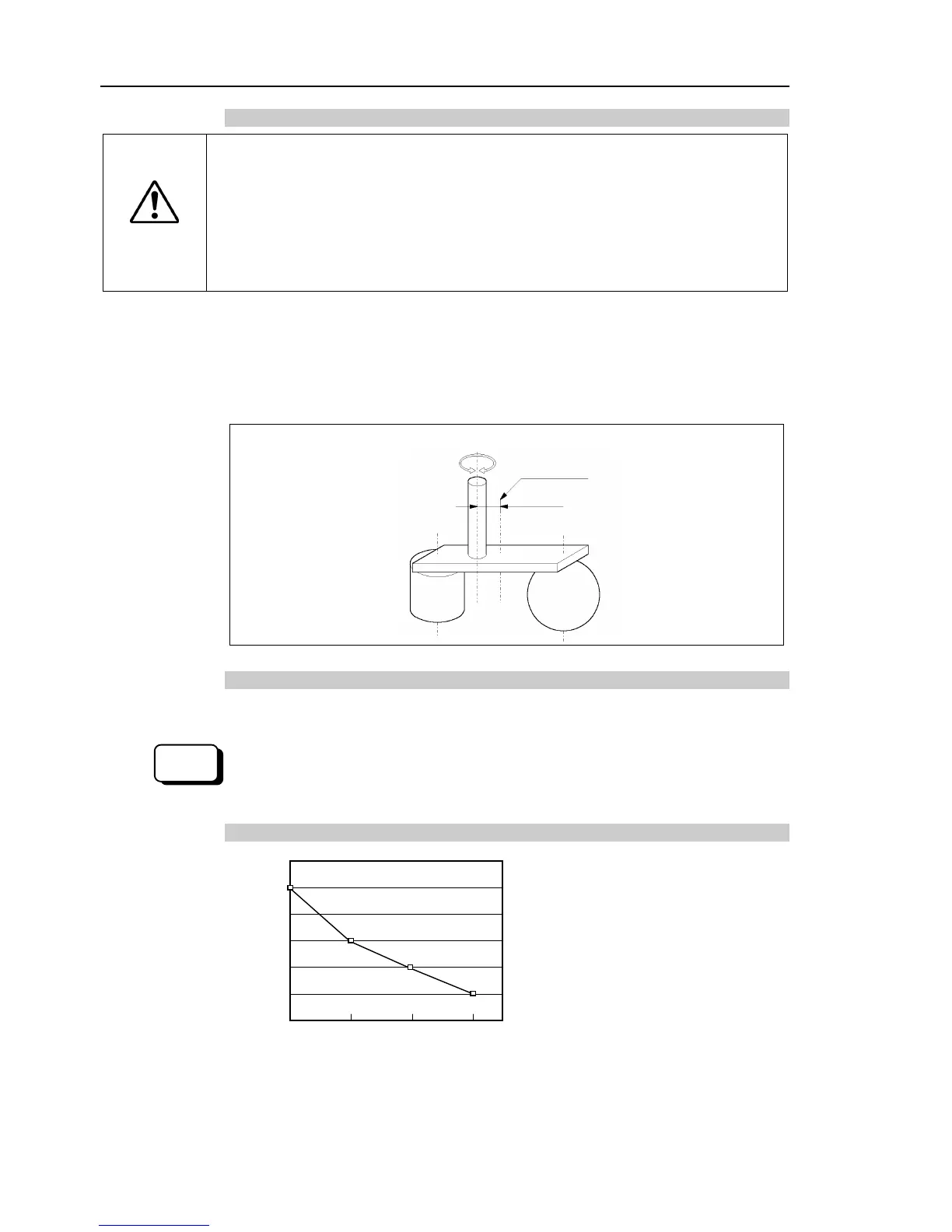
The acceptable eccentric quantity of load in G6 series is 0 mm at the default rating and
150 mm at the maximum. When the eccentric quantity of load exceeds the rating, change
the setting of eccentric quantity parameter of Inertia command. After the setting is
changed, the maximum acceleration/deceleration speed of the Manipulator at PTP motion
corresponding to the “eccentric quantity” is set automatically.
Position of load
’s center of gravity
Eccentric quantity (150 mm or less)
Eccentric Quantity
Eccentric quantity of load on the shaft
The eccentric quantity of load (weight of the end effector and work piece) on the shaft can
be set by “eccentric quantity” parameter of Inertia command.
Enter a value into the [Eccentricity:] text box on the [Inertia] panel
anager]). (You may also execute the Inertia command from the [Command Window].)
Automatic acceleration/deceleration setting by Inertia (eccentric quantity)
* The percentage in the graph is
based on the acceleration /
deceleration at rated eccentricity
(0 mm) as 100%.
0 50 100 150 (mm)
Eccentricity setting












 To Next Page