147
Chapter 3 Handling
3
Displaying the icon
Keeps icon on the task tray so that user can check as needed. The icon is not displayed when default
setting. Follow the steps below to display the icon.
1
Turn the printer ON.
2
Display the printer driver window.
See "How to Display the Printer Driver" on page 78
3
Select [Driver Utilities] tab and click [Monitoring Preferences].
4
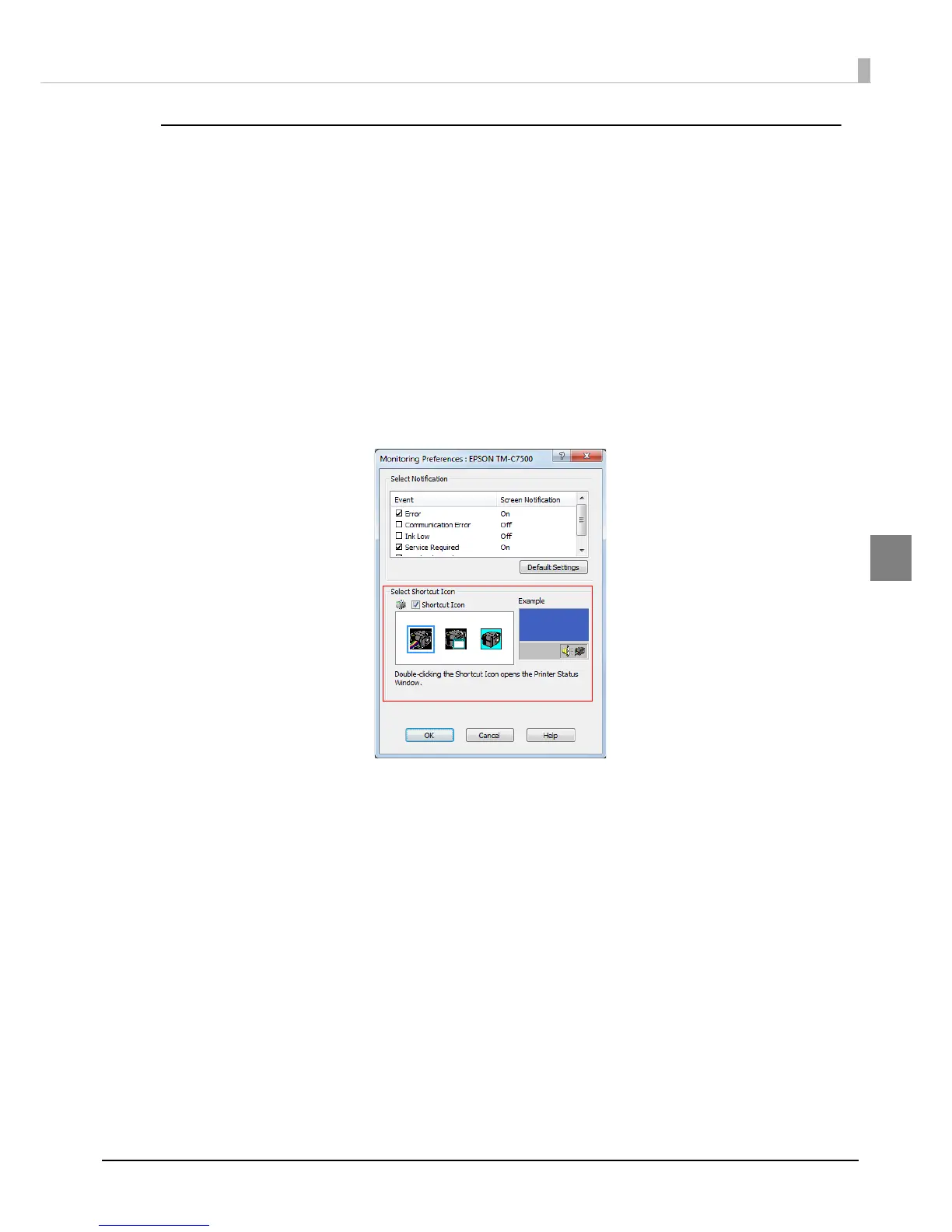
The [Monitoring Preferences] window is displayed. Check the box of
[Shortcut Icon] and select the icon to display on the task bar. Click [OK].


 To Next Page
 Loading...