188
Changing the Paper Width
The printer is initially set to print on 80 mm width paper and you can change the printer to print
on 58 mm width paper by installing the roll paper guide and changing the paper width setting
with the customized value.
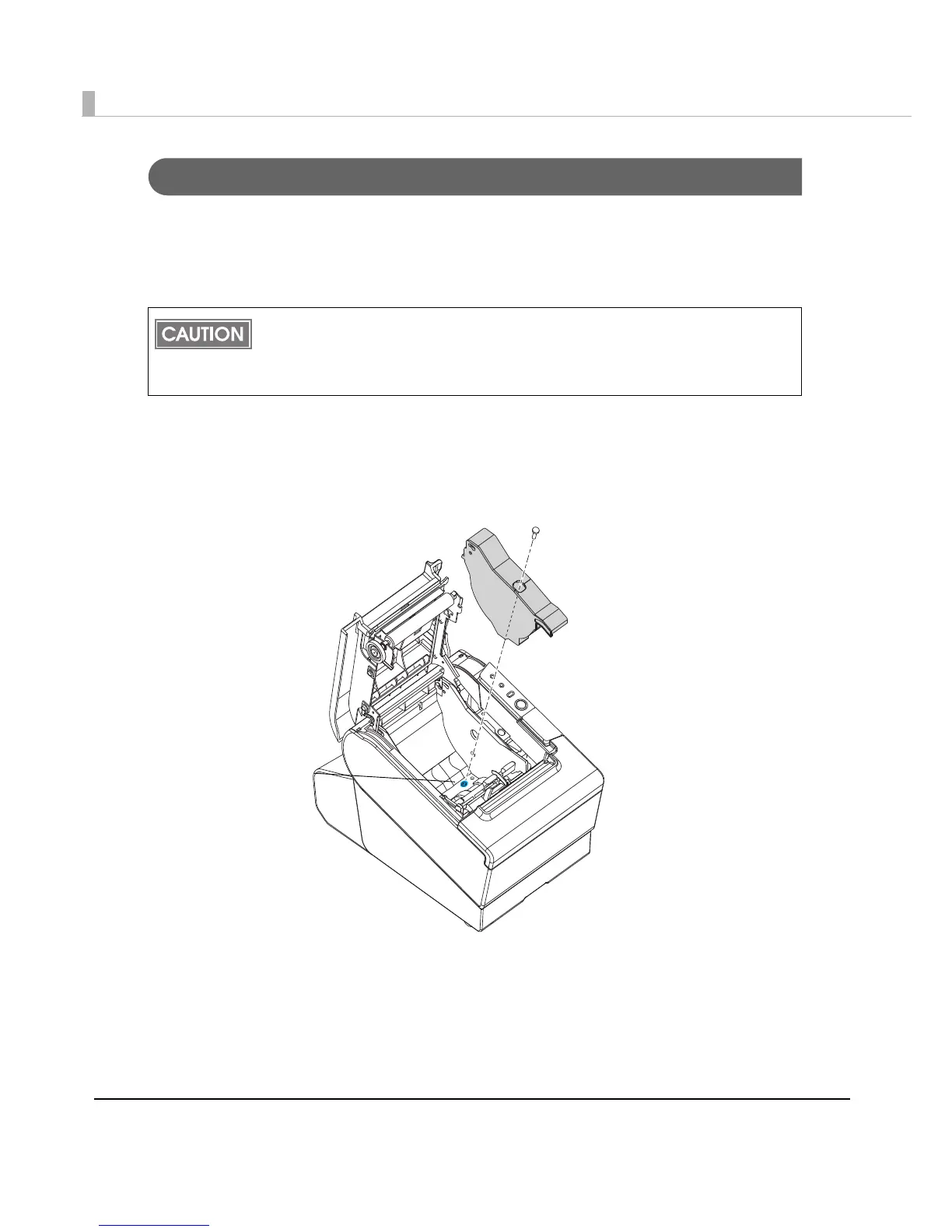
Follow the steps below to install the roll paper guide.
1
Open the roll paper cover.
2
Install the roll paper guide so that the projection on its bottom is aligned
with the hole at the right of the roll paper holder.
Once you change the paper width from 80 mm to 58 mm, you cannot change it back to
80 mm.
If changing the paper width, use TM-T88V-Utility, and change the width on the TM-T88V-
DT or via the network.



 To Next Page
 Loading...