EasyManua.ls Logo

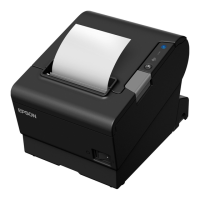
Epson TM-T88V-i - User Manual

Epson TM-T88V-i
258 pages
Print Icon
To Next Page IconTo Next Page
Loading...
User’s Manual
ePOS-Print API
M00042109
Rev.J
Overview
Sample Program
Programming Guide
ePOS-Print API
ePOS-Print Canvas API
Describesthefeaturesanddevelopmentenvironment.
Describeshowtousethesampleprogramandhowto
buildasystem.
DescribeshowtowriteprogramsinWebapplication
development.
DescribestheePOSPrintAPI.
DescribestheePOSPrintCanvasAPI.
Appendix
Describesthespecificationsforprintersus edforePOSPrint,howto
usetherenderingofimagesinHTML5Canvas.
ePOS-Print Editor
DescribestheePOSPrintEditor.

Table of Contents

Other manuals for Epson TM-T88V-i

Questions and Answers

  • J
    Jesse ReyesJul 27, 2025
    What to do if the Error LED is flashing on my Epson TM-T88V-i Printer?
    • R
      ramirezjasmineJul 27, 2025
      If the Error LED on your Epson Printer is flashing, it could be due to several reasons. One common cause is a paper jam. Check the printer for any jammed paper and carefully remove it. Another reason could be that the thermal head is overheating; in this case, printing will stop temporarily and resume automatically once the head cools down. If neither of these situations applies, try turning the printer off, waiting for 10 seconds, and then turning it back on.
  • D
    Dr. Sheri MillerAug 5, 2025
    Why is the Error LED on my Epson TM-T88V-i?
    • C
      christina21Aug 5, 2025
      If the Error LED is on, make sure that the roll paper cover is correctly closed. Also, if the Paper LED is illuminated, verify that the roll paper is correctly installed and that there is still paper available.
  • M
    Michael WaltonAug 15, 2025
    How to fix (Power) LED does not light on Epson TM-T88V-i?
    • G
      Gregory DominguezAug 15, 2025
      Check that the AC adapter is correctly connected to your Epson Printer.

Summary

Overview of ePOS-Print

Overview of ePOS-Print

Describes the features and specifications for ePOS-Print.

Features

Details the functionality and advantages of ePOS-Print.

Operating Environment

Specifies the required software and hardware for ePOS-Print.

System Construction Example

Demonstrates how to build a system using ePOS-Print.

Sample Program

Sample Program System Overview

Provides an overview of the sample program's structure.

Environment Settings

Guides through the necessary configurations for the sample program.

Programming Guide

ePOS-Print API Overview

Explains the ePOS-Print API and its print modes.

Embedding and Document Creation

Details API embedding and print document creation.

Print Transmission and Reception

Covers sending documents and handling results/events.

ePOS-Print Canvas API

ePOS-Print Canvas API Object

Represents the ePOS-Print Canvas API object for printing.

print method

Prints an image rendered in HTML5 Canvas.

Key Properties

Covers essential properties like address, timeout, and status.

Key Events

Covers important events like onreceive and onerror.

ePOS-Print Editor

ePOS-Print Editor Operating Environment

Lists the supported web browsers for the editor.

Displaying ePOS-Print Editor

Instructions on how to launch and use the ePOS-Print Editor.

Creating a Sample Code

Guides on creating sample code using the editor's interface.

Appendix

Printer specifications

Provides detailed technical specifications for various printers.

Paper setting function of TM-L90

Explains how to set paper width and layout for TM-L90.

Rendering in HTML5 Canvas

Describes how to use Web pages for rendering in HTML5 Canvas.

Epson TM-T88V-i Specifications

General IconGeneral
BrandEpson
ModelTM-T88V-i
CategoryPrinter
LanguageEnglish

Related product manuals