4 • Working with ERBEJET 2
36 / 66
80110-801_V23493
2022-03
ml-Signal
You can turn on the ml-Signal in Setup of ERBEJET 2 (see also Setup). A tone sounds
after the emission of every ml separating medium.
Displaying used separating medium, Resetting display
Displaying used separating
medium
Fig. 4-31
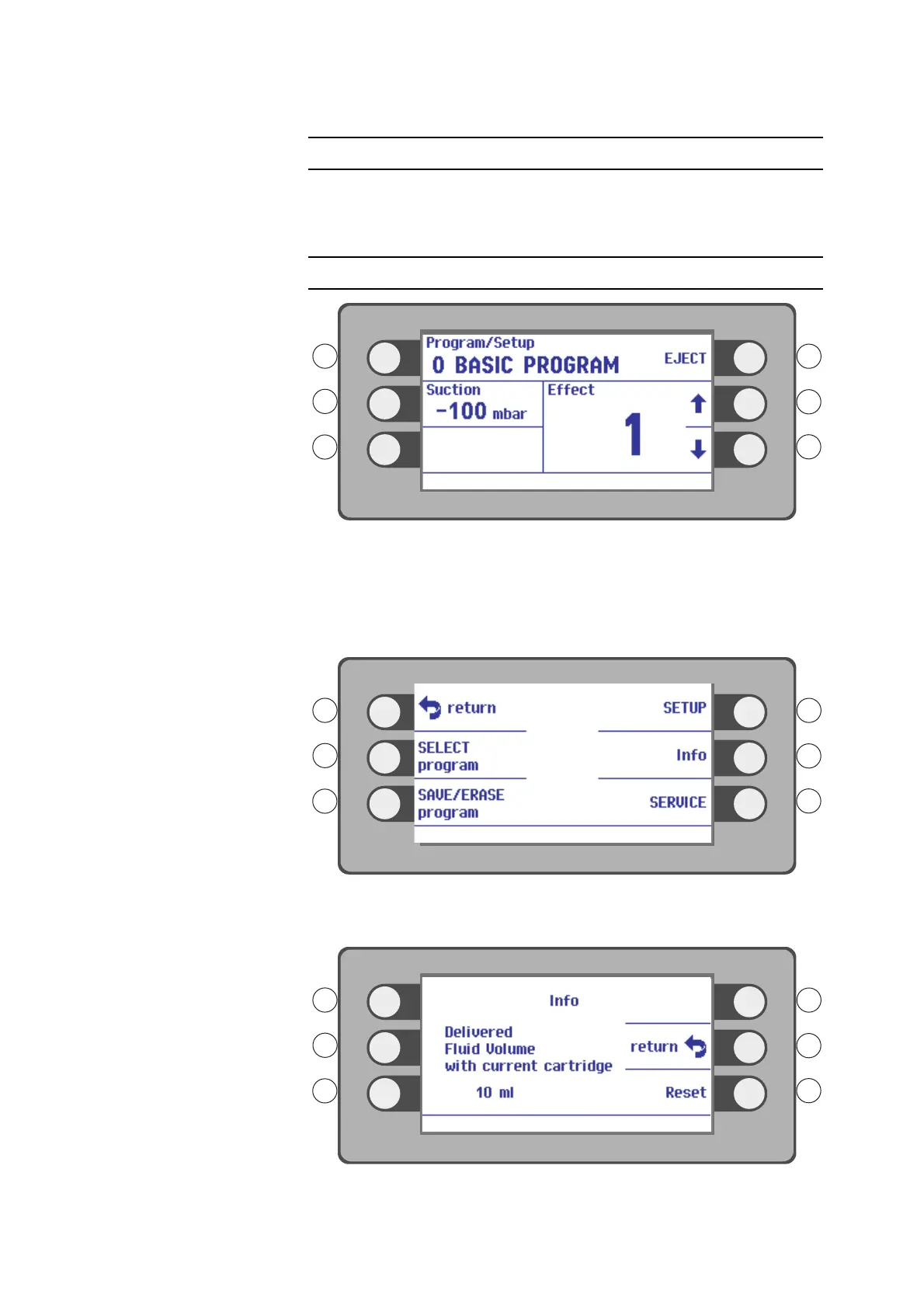
If in the Service Setup menu the option Volume Measurement is turned on, you can
display the amount of used separating medium. To activate this option, contact an
Erbe representative.
1. Press the selection button next to the menu item Program / Setup.
Fig. 4-32
2. Press the Selection button next to the menu item. Info.
Fig. 4-33



 To Next Page