37 / 66
4 • Working with ERBEJET 2
80110-801_V23493
2022-03
Resetting display
When inserting a new pump unit, the display of the liquid volume is automatically reset
to 0. You can also manually reset the display of the liquid volume to 0. This is possible
with every pump unit as often as one likes.
Press the Selection button next to the menu item. Reset.
Having the unit of pressure set
In the Service Setup menu under the menu item Unit of pressure, you can have the
units mbar, psi or kPa set.
When you have the unit psi set, the effect (when set) is converted to psi. Under the
Effect Display, the corresponding psi value temporarily appears.
Accessing Setup
In Setup you can, for example, adjust the unit to the light conditions in the room.
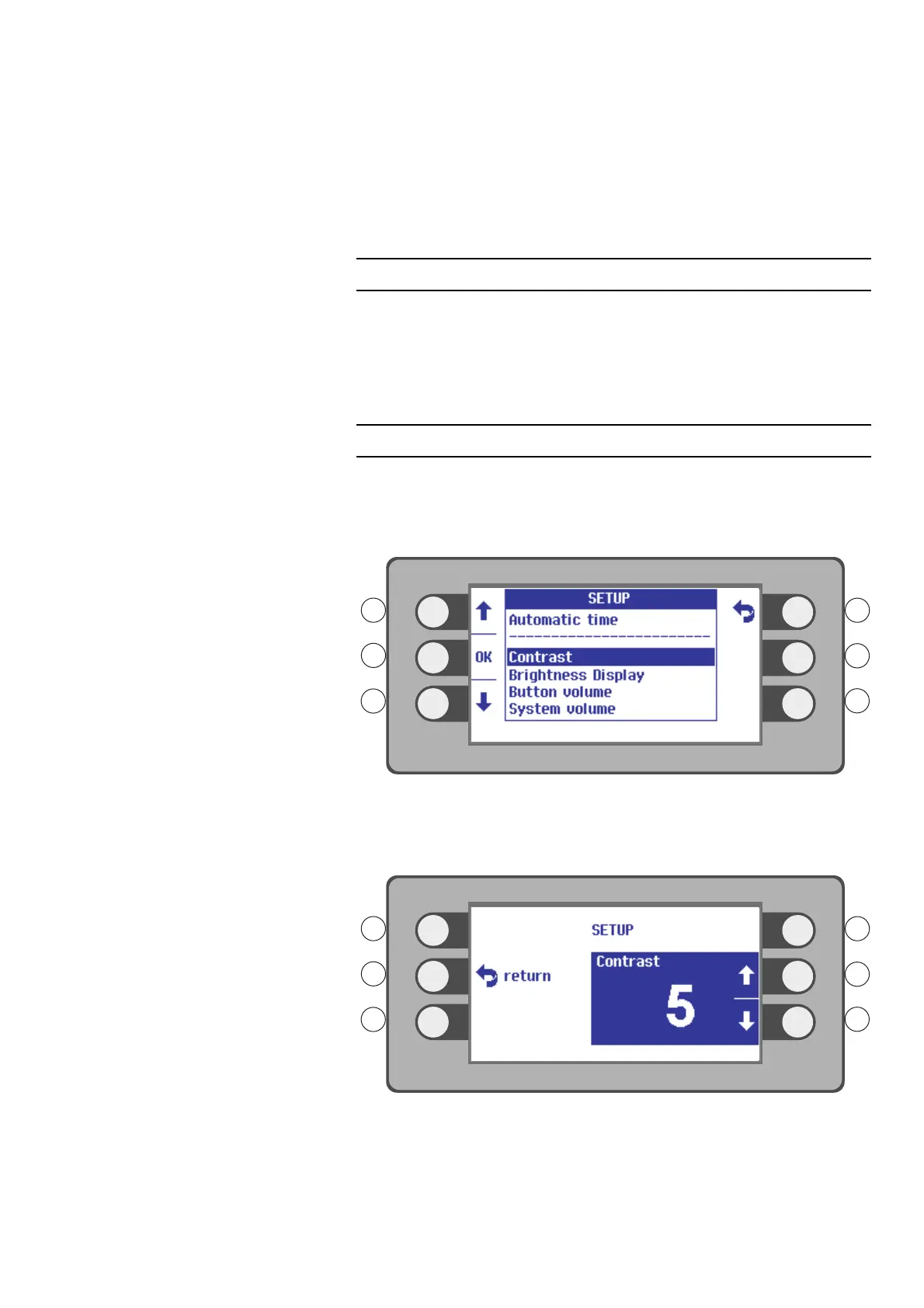
1. Press the selection button next to the menu item Program / Setup.
2. Press the selection button next to the menu item SETUP.
Fig. 4-34
3. Select a Setup setting with the selection buttons L1, L3. Example: Contrast.
4. Confirm your selection. Press the selection button next to the menu item OK.
Fig. 4-35
5. Select a setting with the selection buttons R2, R3. Example: Contrast 5.
6. Confirm your selection. Press the selection button next to the menu item Return.



 To Next Page