9 CONFIGURATION MENU
0460 949 474
- 50 -
© ESAB AB 2021
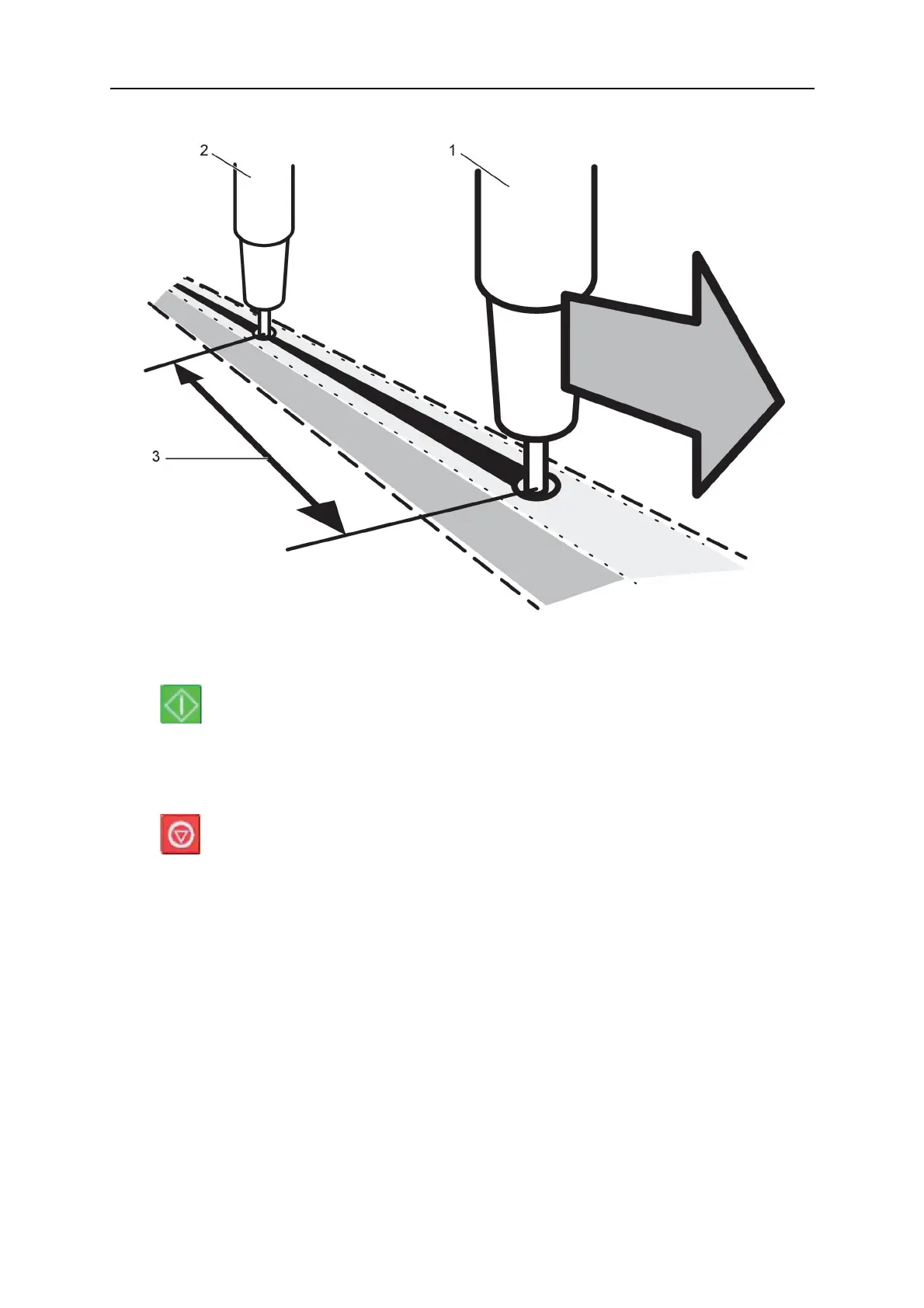
Example, I/O OFF
1. HEAD, Welding head 1 (master) 3. WELD HEAD OFFSET
2. TAIL, welding head 2 (slave)
Press Start, for welding head1 and welding head2 at the same time.
• Welding head1 starts to weld.
• Welding head2 starts to weld first when the start position for welding head1 has been
reached (the distance given WELD HEAD OFFSET).
Press stop, for welding head1 and welding head2 at the same time.
• Welding head1 stops welding but travel motion continues.
• Welding head2 stops welding when it has reached the point where equipment 1
stopped welding (the distance that is given in WELD HEAD OFFSET).
• Welding is complete.
9.3.7 Tandem for Aristo® 1000 power source
Used when welding with two or more welding heads. The welding heads are each controlled
by their own control unit (PEK).
Position the cursor on the TANDEM row and press ENTER. Select ON using the positioning
knob and press ENTER.
The front welding head is selected.



 To Next Page