PAGE 28
FIREBALL INSTALLATION & USER’S GUIDE - M22001-01A1
CHAPTER 2 - SETTING UP FIREBALL
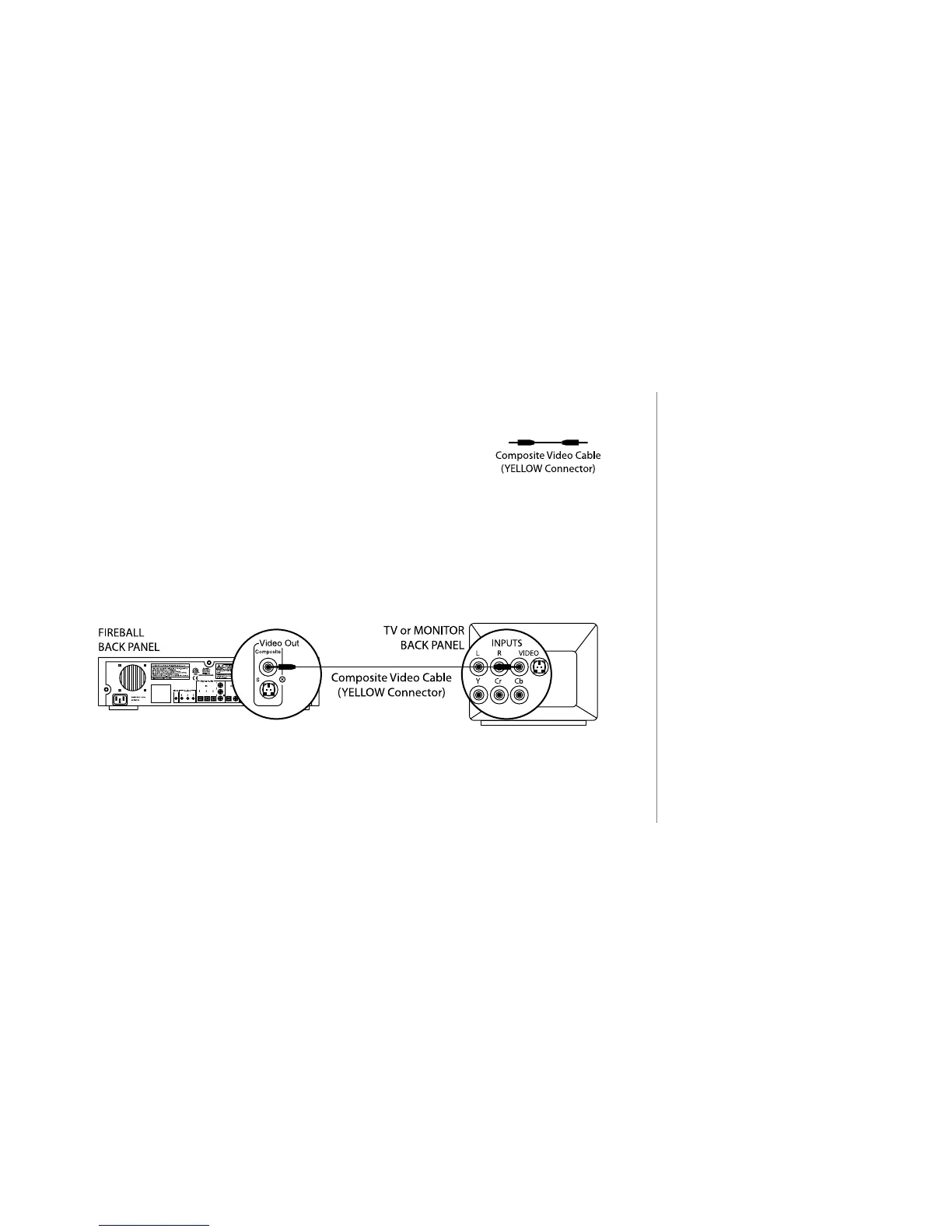
Connecting FireBall to a Composite TV or Monitor
u Use the Composite Video Cable, which can be
identied through its yellow colored connectors.
v Connect one end of the cable to the FireBall Video Out (Composite) port.
w Connect the other end of the cable to the Video In (Composite) port on your
TV or AV Receiver.
2
The cables you receive are black.
The connectors on the cables are
the only portions that are “colored.”
2
If connecting FireBall to a TV or
AV Receiver, there may be several
VIDEO IN ports. Use a VIDEO
IN port that is not currently being
utilized. Also, be sure to inform
your client which port is connected
to FireBall so that the appropriate
video input selection can be made
to access FireBall.



 To Next Page