PAGE 35
FIREBALL INSTALLATION & USER’S GUIDE - M22001-01A1
CHAPTER 2 - SETTING UP FIREBALL
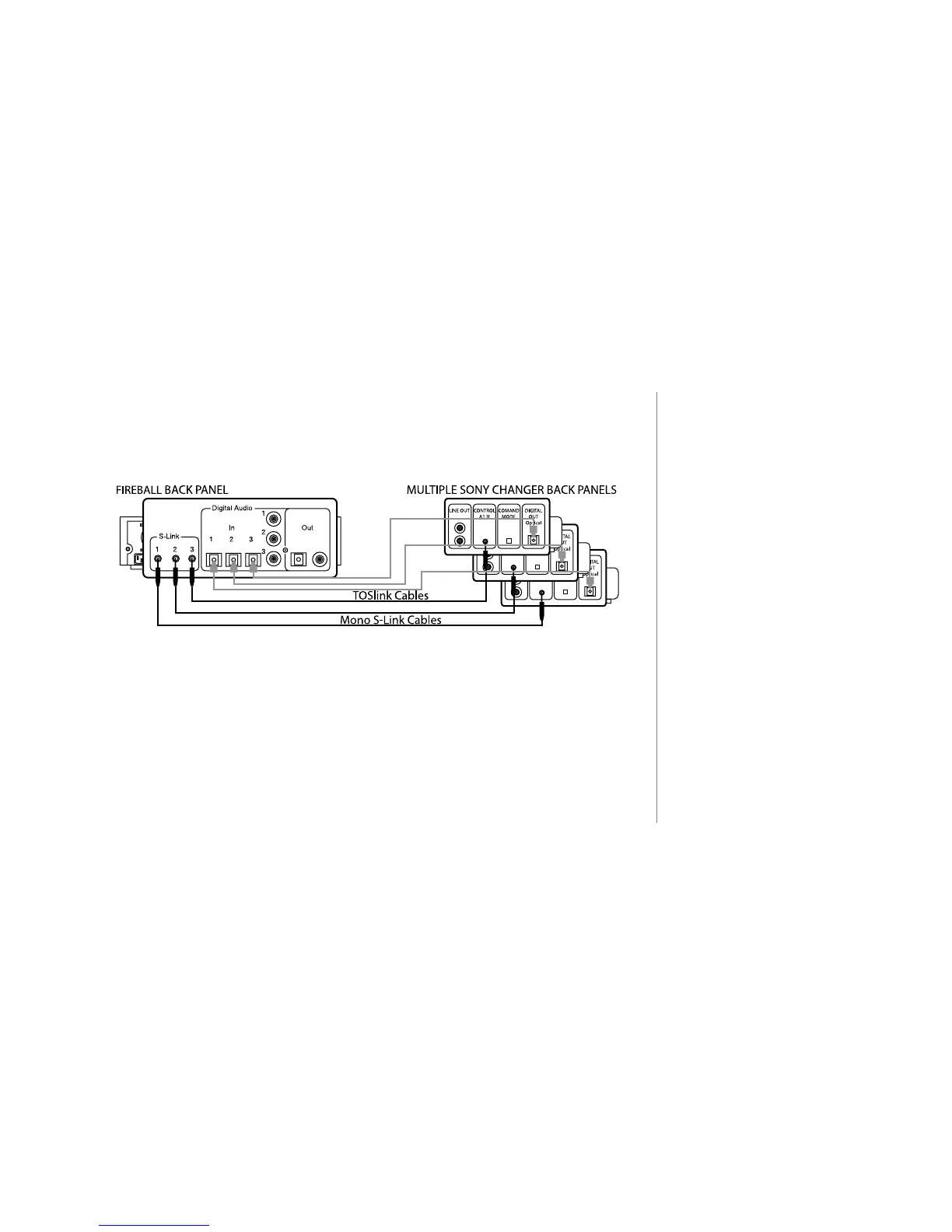
Connecting Multiple Sony Changers
To connect additional Sony changers, repeat steps 1 through 3 using S-
Link Ports 2 and 3.
2
If you need more S-Link cables,
use 6' - 8' standard & mono 1/8"
mini-jack cables. Do not exceed 10'
in length.
2
SCMS encoded discs cannot
be recorded using the digital
connections to FireBall. Analog
audio connections must be used for
this purpose.
IMPORTANT:
Using a TOSlink Cable, connect the Digital Audio Out from your Sony Changer to the
Digital Audio In Port on FireBall. This connection is necessary for CD Playback and
MP3 recording.



 To Next Page