Patching 11
Associating Desks and Patching Channels
Step 1: If you do not see any virtual desks, create one or more desks (see Adding Desks on page
9). Outstations are automatically connected (if present).
Step 2: Select the virtual desk that you want to patch.
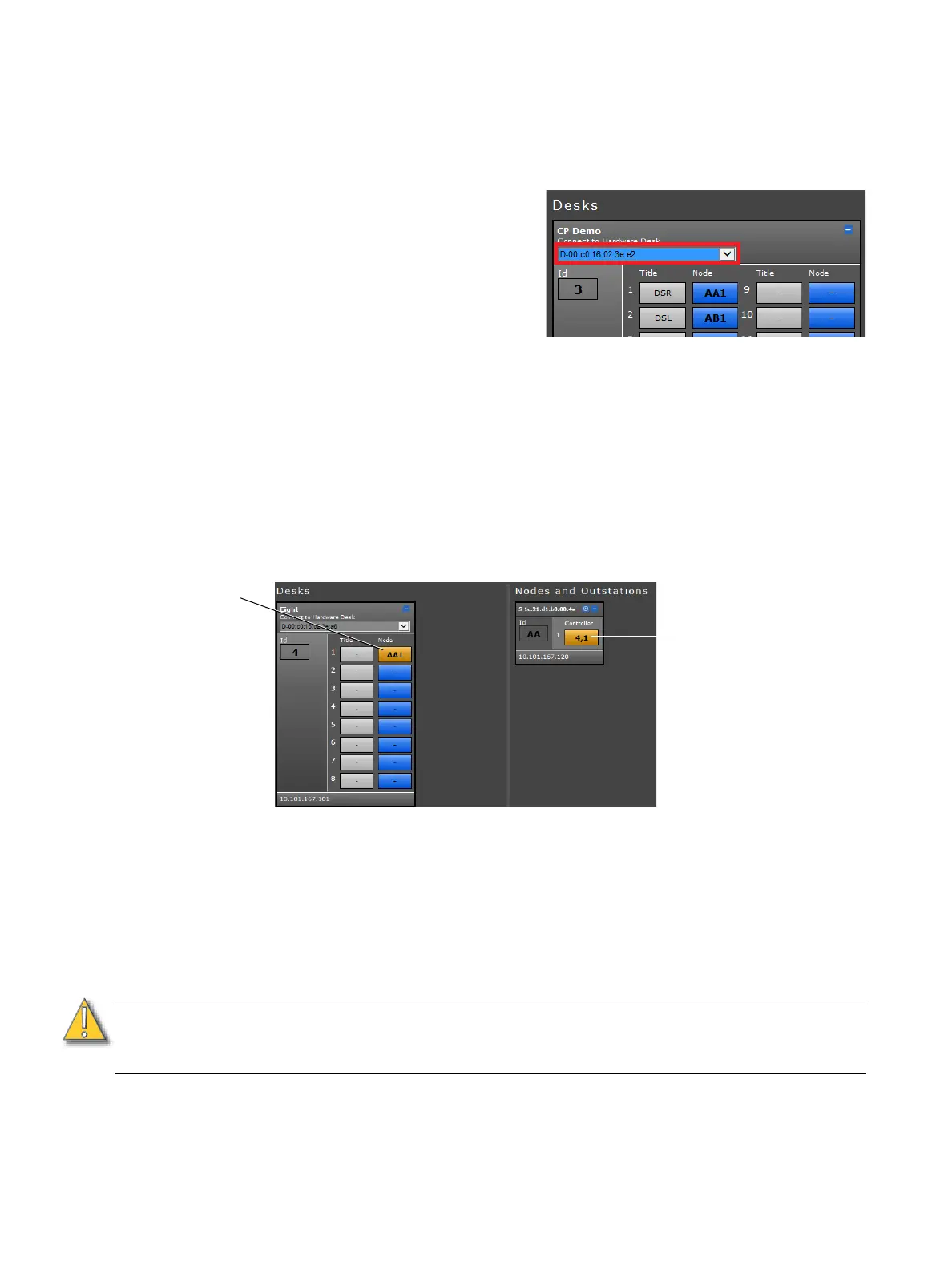
Step 3: Associate the virtual desk with the
hardware desk by choosing the
MAC address (preceded by a "D")
of the hardware desk from the
Connect to Hardware Desk
drop-down list on that virtual desk.
The virtual desk is now enabled
(shown in high contrast) and is
connected to a real hardware desk.
The same connected desk is also enabled in the Cue Editing window.
Step 4: To name channels on the virtual desk, click on a channel’s Title box, type a name for the
channel, and then press RETURN. A maximum of 10 characters is permitted. Repeat for
other channels as required. The channel name will also appear on the screen of the
associated CueSpider outstation.
Step 5: Click one of the blue (channel) boxes on the desk. The box turns amber to indicate it has
been selected.
Step 6: Click one of the blue (channel) boxes on the outstation. This box also turns amber, and
a pair of alphanumeric codes appear in the two boxes. This code corresponds to the
desk ID and channel being used to control the outstation (see the figure below).
Step 7: Repeat this process to patch other channels as required.
Step 8: To remove a channel patch, click the desk channel and then click the patched outstation
channel.
Step 9: When you have finished patching, click the Update Controller button to send the patch
configuration to the controller. A pop-up window indicates that any channels currently
active will be cleared. Click Yes to send the new patch information. You are now ready
to send manual cues (Sending Manual Cues on page 14) or to program cues (see
Programming Cues on page 15).
CAUTION:
When making any changes in the Patch window, you must click the Update
Controller button to send the new information to the network. Failure to do
this will result in all changes being lost.
This channel is
patched to
outstation ID AA
This channel is patched
to desk ID 4, channel 1













 To Next Page