Setting User Preferences 23
User Options
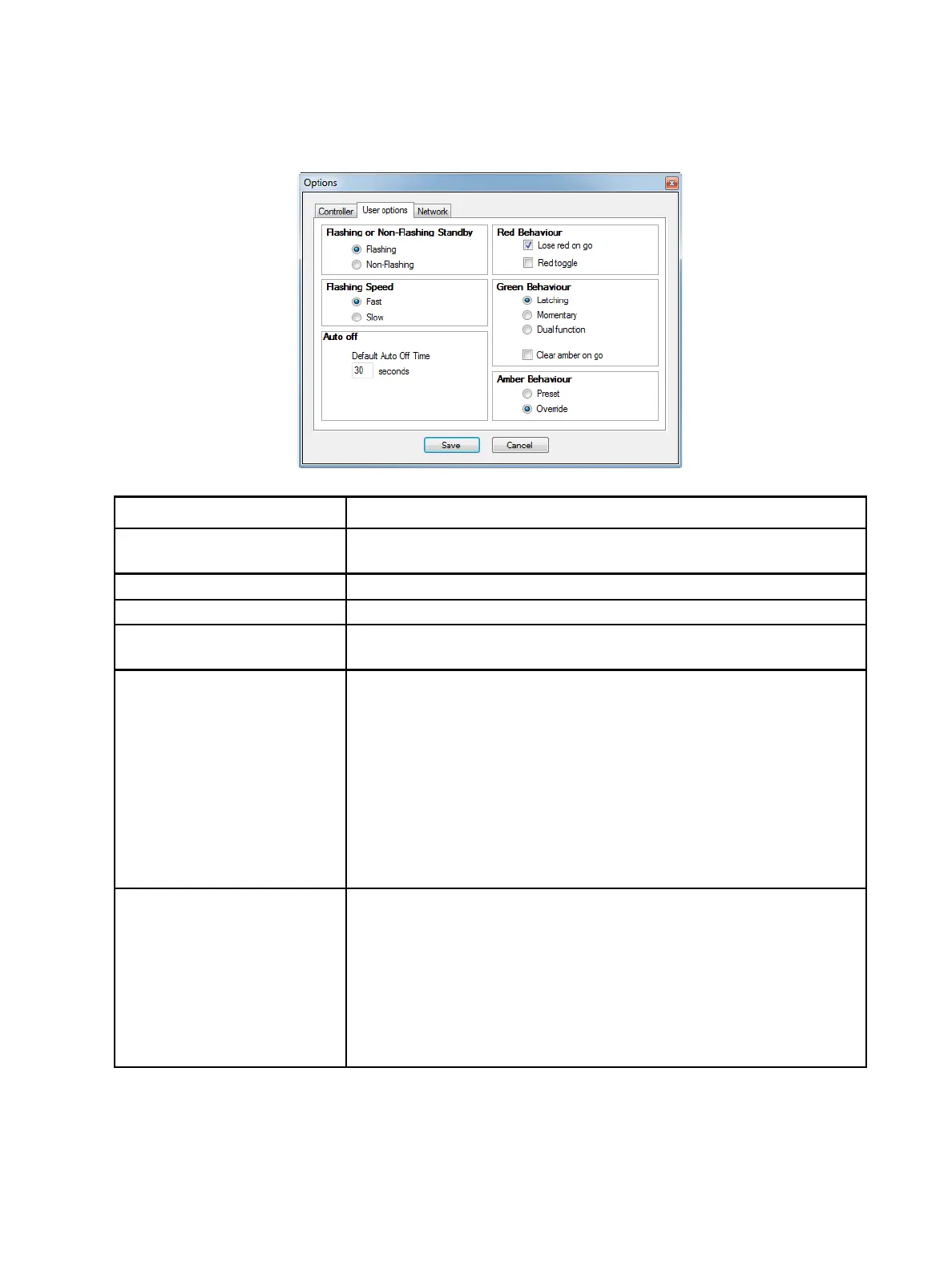
Select File > Options, and then click the User options tab to adjust settings for how the
system behaves.
Field Description
Flashing or Non-Flashing
Standby
Choose whether to have flashing or non-flashing red standby cue lights.
Flashing Speed If you chose flashing cue lights, specify the flashing speed.
Auto Off Specify the default time period used when adding new cues.
Red Behaviour
• Lose red on go: Red light turns off if the green button is pressed.
• Red toggle: Red light turns on when the green light is turned off.
Green Behaviour
• Latching: Green light is turned on when the button is pressed, and it
remains on.
• Momentary: Green light is turned on only for as long as the button is
pressed and held. (Green light goes off when button is released.)
• Dual function: Latching mode is enabled if the button is pressed and
immediately released; Momentary mode is enabled if the button is
pressed and held for a longer period of time (approximately one
second).
• Clear amber on go: Select this option to clear the amber preset light
when the [GO/CLEAR] button is pressed. Otherwise, the amber light
remains on when the [GO/CLEAR] button is pressed.
Amber Behaviour
• Preset: Amber preset buttons are used to preset multiple channels in
order to trigger all selected channels to go at the same time by using
the master [GO/CLEAR] button on the desk.
• Override: Amber preset buttons are used to prevent a channel from
advancing to the next cue even if that action is pre-recorded in the
playback memory. This function is useful when using CueSystem to
cue automation or flying and it becomes necessary to hold a channel in
standby for safety reasons. Releasing the amber preset button will
allow the “held” channel to revert to the current cue in playback.













 To Next Page