10 PISA-E11 User`s Manual
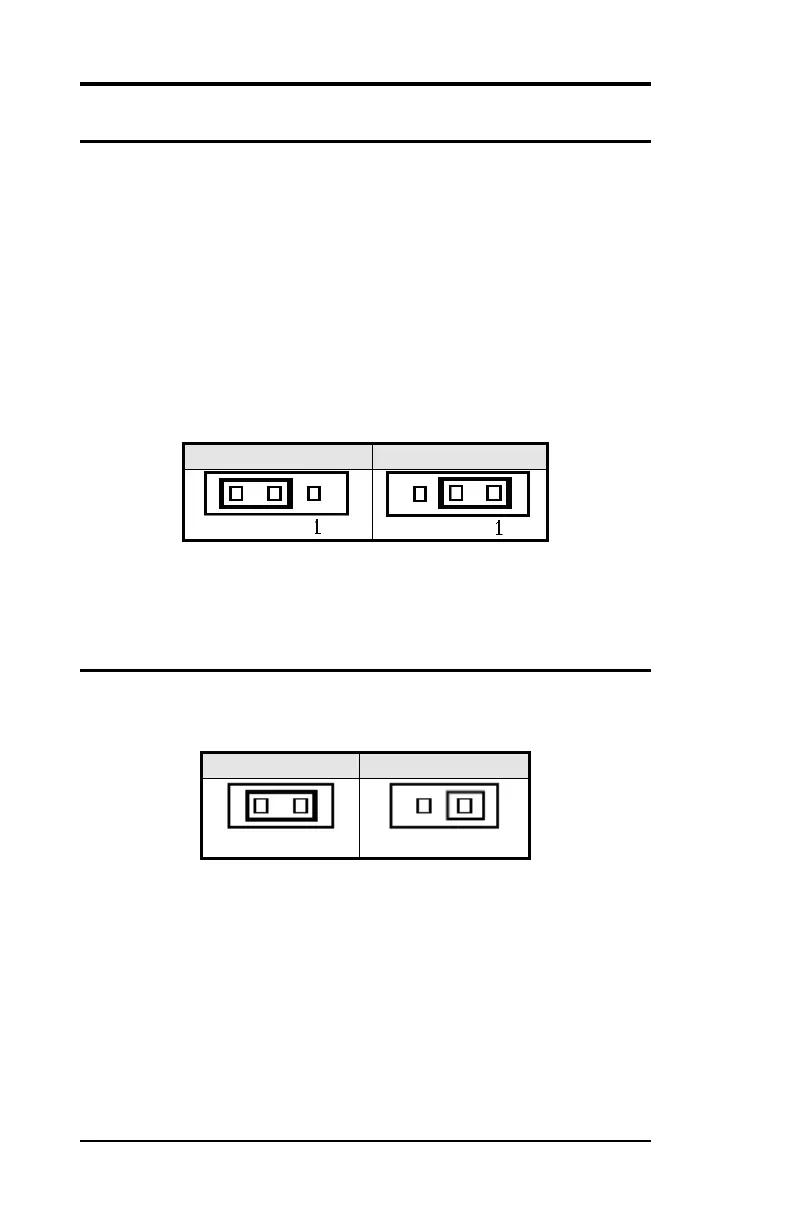
JP1: Clear CMOS RAM Data
This 3-pin Jumper allows the user to disconnect the built-in 3V
battery power to clear the information stored in the CMOS RAM.
To clear the CMOS data:
(1) Turn off the system power.
(2) Remove Jumper cap from pin1&2.
(3) Short the pin2 and pin3 for three seconds.
(4) Put Jumper cap back to pin1 & 2.
(5) Turn on your computer.
(6) Hold Down <Delete> during boot up and enter BIOS setup to
enter your preferences.
JP2: CF Card Mode Selection
This Jumper is to select the CF works as Secondary Channel Master
device or Slave device.



 To Next Page