PISA-E11 User`s Manual 19
ATX_PWR Connector
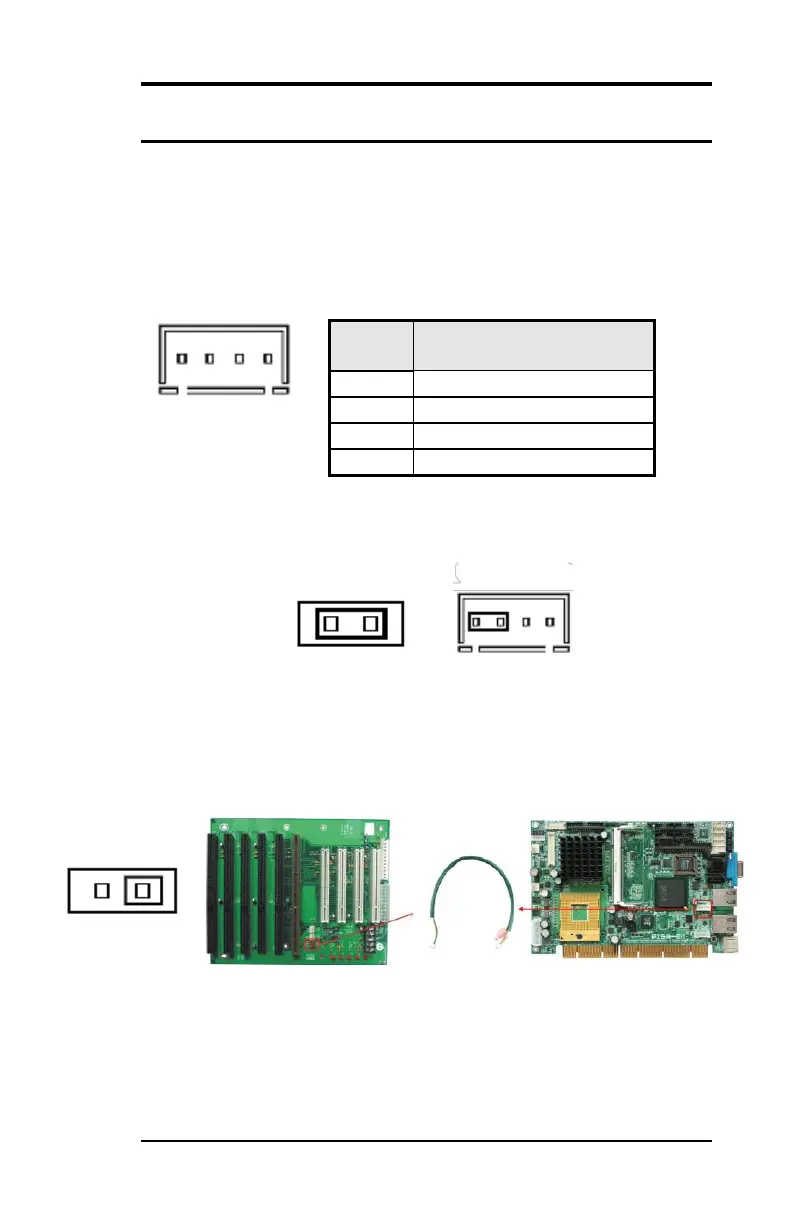
This is a four-pin connector to supports the ATX power and
corresponding back-plane. When your back-plane is configured to
perform ATX power supply Soft-on/off function, you have to connect
the control signals and stand-by power on this connector to your
back-plane by a corresponding cable.
When PWRMODE are chosen as AT Mode, please make sure short
Pin3 & Pin4 of ATX-PWR. The setting is illustrated as below :
When PWRMODE are chosen as ATX Mode, you will need a cable to
connect control signal and 5VSB standby power from backplane to
ATX-PWR connector on PISA-E11.



 To Next Page