The Harmonizer
®
Programmer’s Manual
© 1999-2008 Eventide, Inc. Page 18 of 97 Release 1.3
BASIC FUNCTIONS
All right, so now you have Vsigfile communicating with the Harmonizer (you do,
don’t you?). Now we can take a look at how we actually add, connect, and
manipulate modules in Vsigfile.
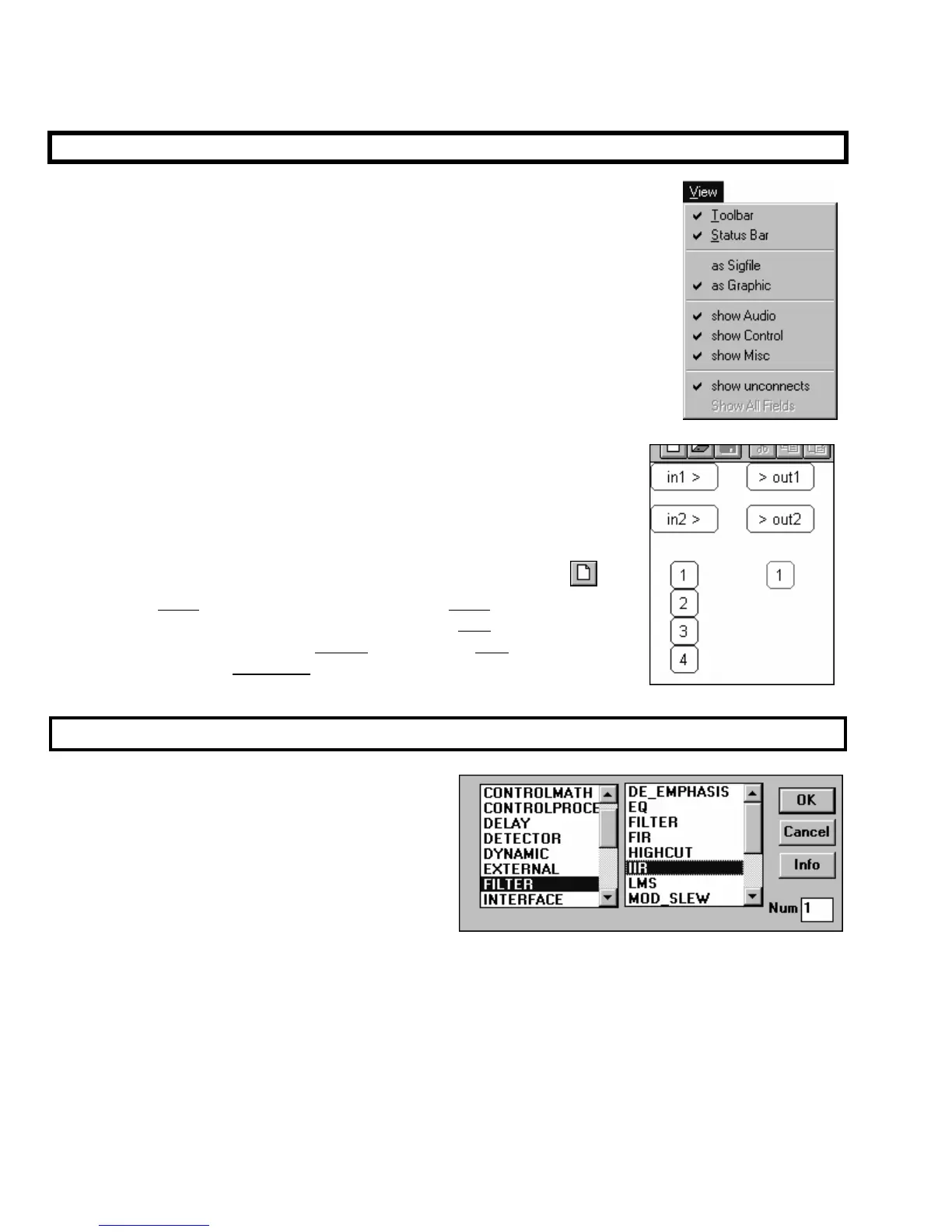
Before we look at anything, verify that the View menu is “checked” as shown to the
right. That way, the structures we describe will be visible to you.
In Vsigfile, signals are color coded:
• audio and mod inputs, outputs, and signals are coded green.
• control inputs, outputs, and signals are coded blue.
• userobject inputs, outputs, and signals are coded pink.
•
The black and white (damn!) screen capture shown to the right is similar to
what you should see if you were to begin a new file (by pressing the
button). The green “ins and outs” correspond to the audio inputs and outputs
to the DSP that will eventually run the program. The blue “1, 2, 3, and 4” on
the left correspond to the “global” control outputs. The pink “1” on the right
corresponds to the first userobject input on the head module.
Adding Modules
Use the Add Module command found under the Edit
menu to add modules to a program. The dialog box
shown to the right opens. The left side of the box
selects a group (a collection of similar modules)
and the right side selects a module type inside that
group. Additionally, you can change the Num field
to insert more than one instance of a particular kind
of module. Go ahead and insert a IIR module
from the “Filter” group as shown above.



 To Next Page