The Harmonizer
®
Programmer’s Manual
© 1999-2008 Eventide, Inc. Page 79 of 97 Release 1.3
Modifying Complex Modules
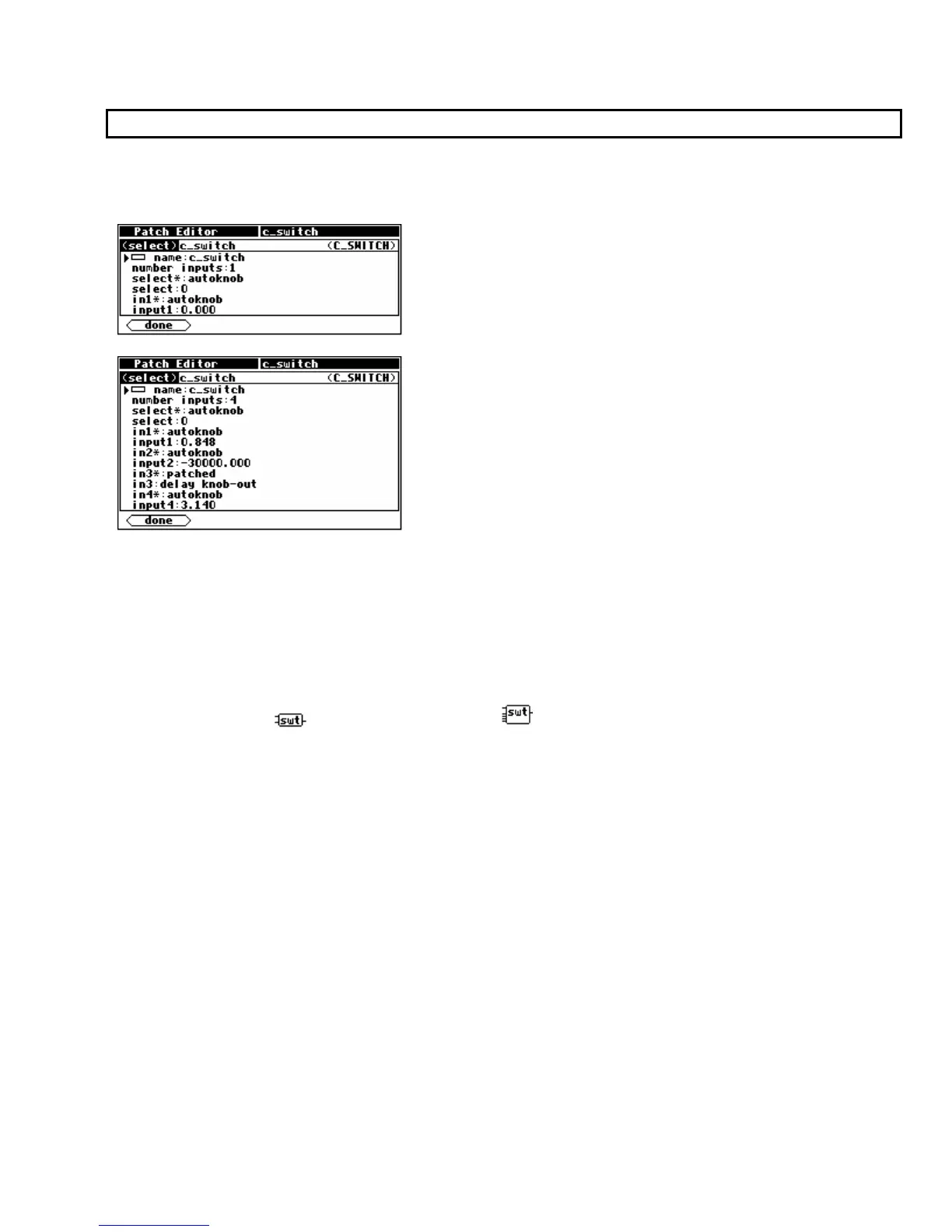
Some modules have specifiers that change the number of remaining specifiers in the module or the
number of some other type of input or output on the module. Consider these two composite screen
images:
The major difference between these two examples of the c_switch module is that the module on the
left has its number inputs: specifier set to 1 whereas the module on the right has its number inputs:
specifier set to 4. Since the c_switch module will always have its number inputs: specifier set to 1
when it is first inserted, the <modify> menu must be used to enable more inputs. Note that since the
number of control inputs in the c_switch module has changed, basic Patch Editor area display will
show a different icon for the module:
1 input c_switch: 4 input c_switch:



 To Next Page