The Harmonizer
®
Programmer’s Manual
© 1999-2008 Eventide, Inc. Page 48 of 97 Release 1.3
TUTORIAL 2 -PRETTY IN DEPTH
OK, now you’ve got just about all the tricks at hand. It’s time to build a serious program, complete with
custom menu pages. We’ll build a dual flanger with a changeable rate, depth, feedback, and waveform.
Flangers work by modulating a short delay and then recombining that signal with the original signal.
The interference that results from the recombination produces that classic “whooshing” effect.
Recall our three “cornerstones” of program construction:
1. We must connect appropriate modules to achieve a desired, overall audio effect.
2. We must control the parameters of the modules in a program so that the desired audio effect is
achieved.
3. We must make some of the parameters available in the PARAMETER area so that the user can
“tweak” the program to fit a particular situation.
We’ll clearly
tackle
“cornerstone one”
first. We’ll then
tackle “two” and
“three” at the
same time because
they’re quite
intertwined.
The audio
modules we will
need for a single
channel of our
flanger are as
follows:
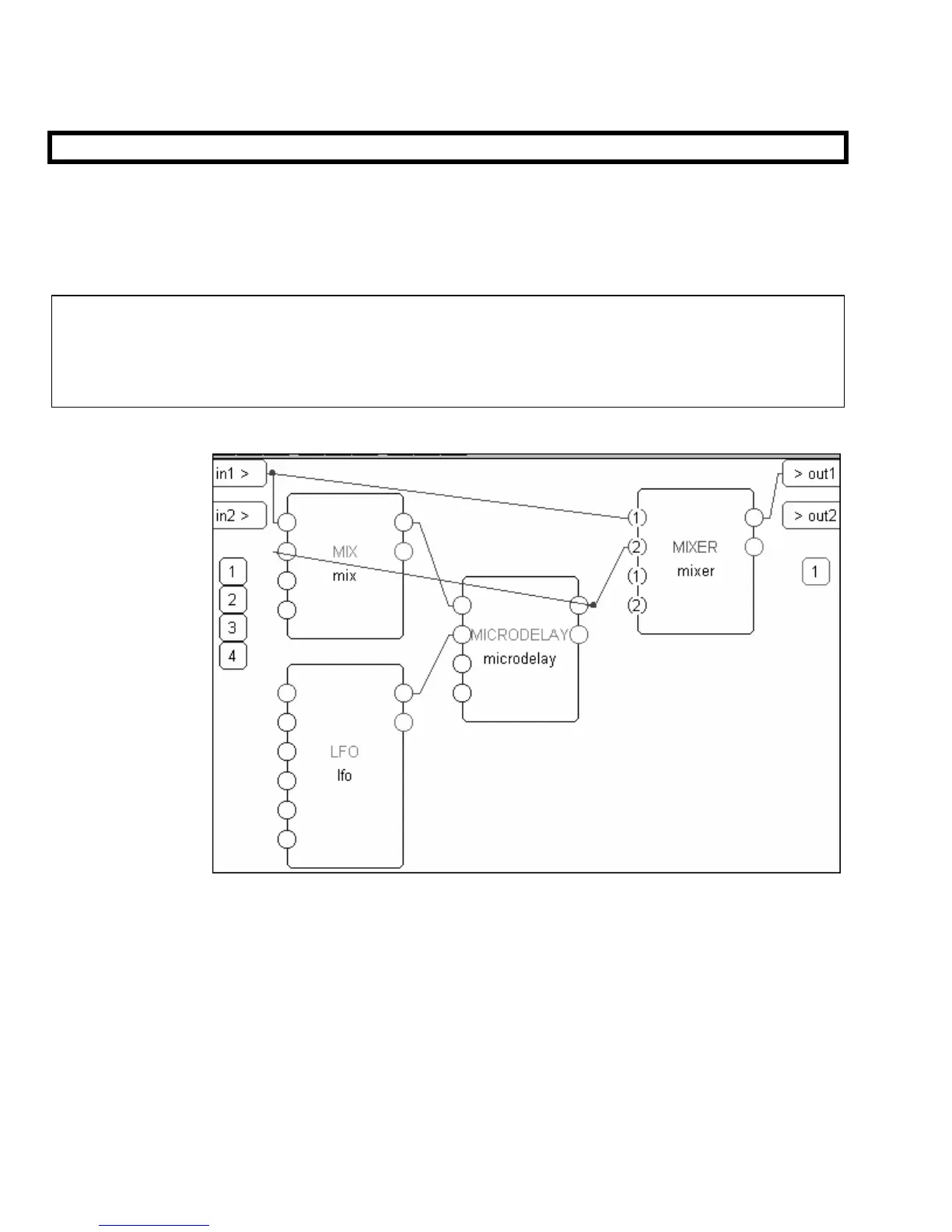
mix module to mix back part of our modulating delay’s output to produce “feedback."
microdelay module to modulate the signal.
LFO module to modulate the microdelay module’s delay time.
mixer module to combine the modulated signal with the original signal.
Go ahead and add these modules and connect them as shown above. The mix module and the mixer
module are both found in the “Mixer” group. The microdelay module is found in the “Delay” group.
The LFO module is found in the “Oscillator” group. Remember to add a repeating field to the mixer
module by clicking on the first input and then selecting the Add Repeating Field command under the Edit menu.



 To Next Page