The Harmonizer
®
Programmer’s Manual
© 1999-2008 Eventide, Inc. Page 40 of 97 Release 1.3
Simple “Parameter Adjusters”
There are seven simple “parameter adjusters” modules:
• A knob module for simple numeric values.
• An rfader module for “rotary” graphical display instead of numeric values.
• An hfader module for “horizontal” graphical display instead of numeric values.
• A vfader module for “vertical” graphical display instead of numeric values.
• A textknob module for “text-valued” parameters.
• A tapknob module for “tapered” (or non-linear) values.
• A percentknob module for percentage display that corresponds to fractional control output.
They have several things in common:
• All have a single control output and no other signal inputs or outputs.
• All have a userobject output that can be connected to a menupage, gang, or head module.
• All have a menu statement and an 8 char name.
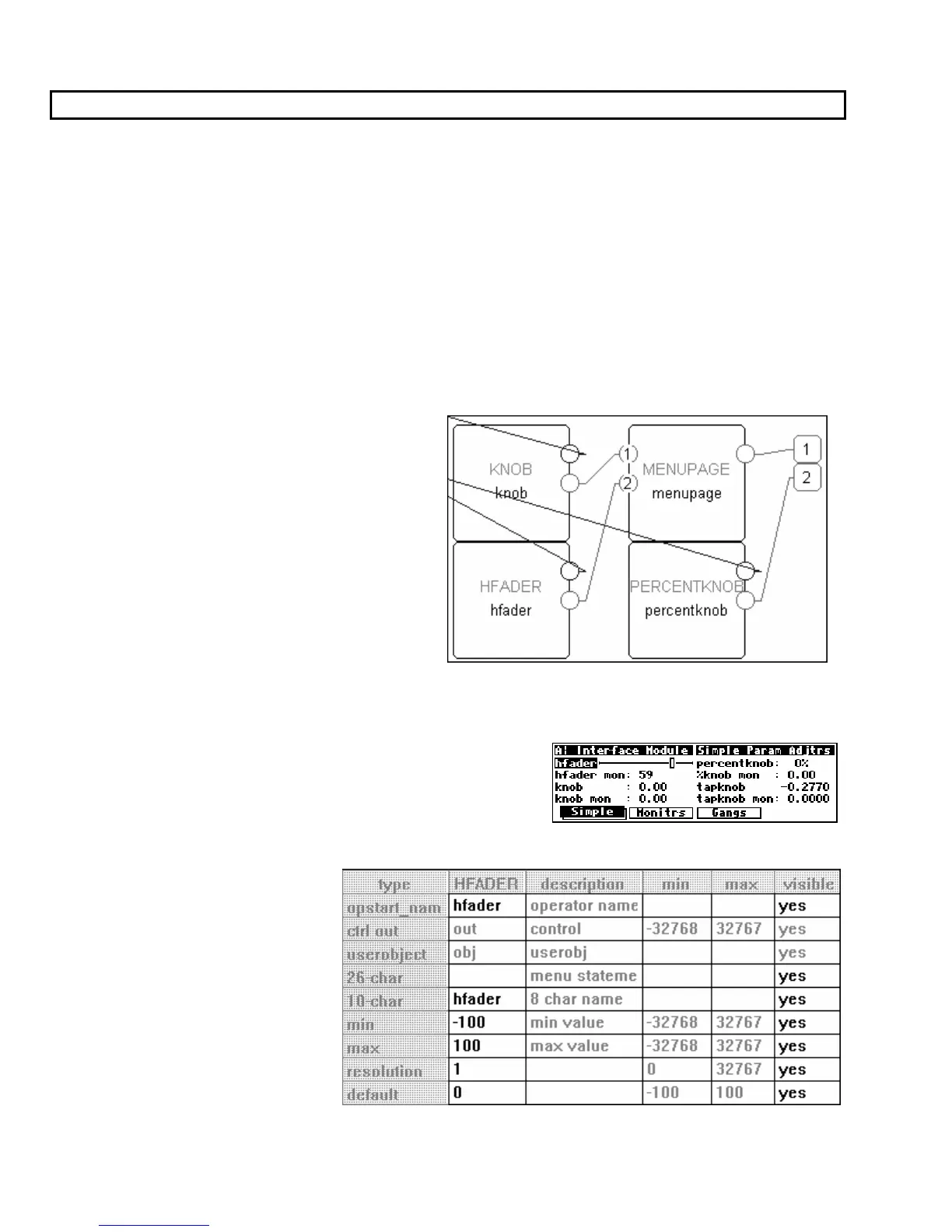
These modules are used by connecting their
userobject outputs to a menupage module or the
head module. The PARAMETER area menu
pages will then show the text or graphic menu
statements for the connected “parameter adjuster”
modules.
The following pages describe the simple
“parameter adjusters." To play along at home,
load and then Get the program Interface Modules
from the Harmonizer (it’s in the “Programming”
bank)
.
Hfader Module
The hfader module creates a horizontal graphic on a
PARAMETER area menu page. In the example screen to the
right it is the highlighted, upper left parameter. The area taken
up by the graphic is one half of the width of the screen and one
text line long. Eight of these can fit on a single menu page.
Six characters of the 8 char name are
presented on the display to the left
of the graphic. The menu statement is
not used. Refer to the Modules
Section for complete information.



 To Next Page