The Harmonizer
®
Programmer’s Manual
© 1999-2008 Eventide, Inc. Page 70 of 97 Release 1.3
The Patch Editor Area SOFT KEY Functions
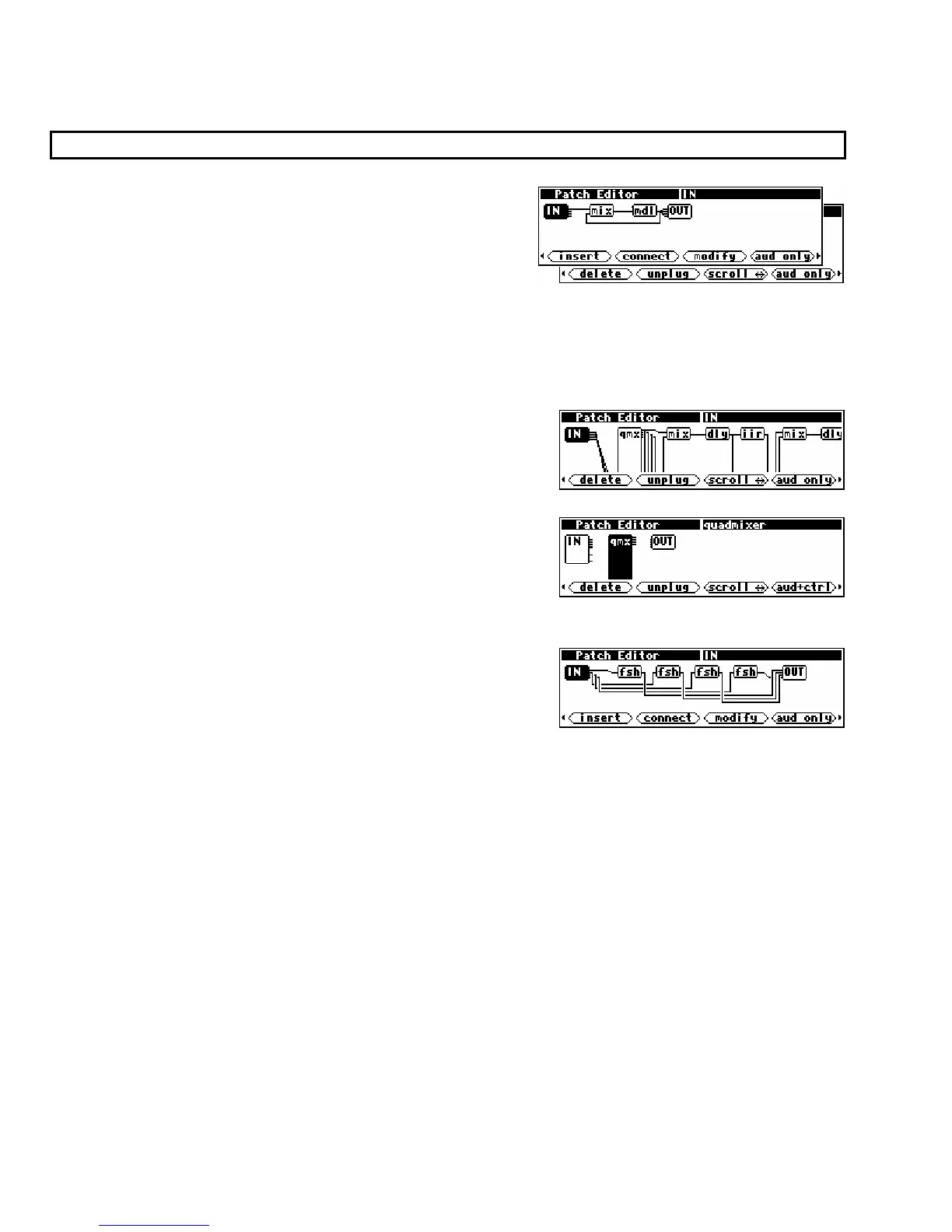
In the Patch Editor area, there are seven SOFT KEY functions. <insert> and <delete> add and remove
modules from a program. <connect> and <unplug> add,
remove, or change a signal connection.
<scroll> changes the
direction that the
KNOB moves the display. <aud-only>
changes the display mode to show audio and control lines
instead of just audio lines or to show menupage modules.
<modify> makes changes to internal module details and userobject information. Let’s take a closer look
at the functions of all these SOFT KEYS.
Scroll Direction
<scroll>
The
<scroll> SOFT KEY selects the direction of motion that the
KNOB causes. This is useful if the program you are editing has
so many signals that they dip below the level of the screen. . .
. . .or if one or more modules have enough inputs that they are
taller than the screen. Here, the qmx module has inputs that
exist “below” this screen.
The <scroll> SOFT KEY changes to reflect current scroll mode,
allowing you to scroll either horizontally or vertically.
The screen will not move if there is no off-screen information in
the direction that you are spinning the KNOB. Thus, in the case
of a simple program such as the one shown to the right, selecting
scroll motion up and down and then rotating the KNOB will cause
no change.
Display Mode
<aud only>
It is quite possible to construct a complex program without using control signals. Eventually however,
you’ll want to create custom
PARAMETER area menu pages. This is accomplished by using knob
modules, fader modules, and other interface modules that use control signals. Most of the factory
presets that come with the Harmonizer were created using these modules. One of the consequences of
using interface modules is that there are usually more control signals than audio signals. As a result,
what might have been a fairly “viewable” “patch” in terms of its audio signals becomes quite complex in
terms of its control signals. To allow the patch to be viewed in a simplified manner, a feature exists that
excludes control signals from the Patch Editor area display. Furthermore, modules that have no audio
signals (this includes knobs, faders, etc.) are not shown in the
aud only view. Note that mod signals
are treated like audio signals by the editor; they will show up in the
aud only view.



 To Next Page