The Harmonizer
®
Programmer’s Manual
© 1999-2008 Eventide, Inc. Page 36 of 97 Release 1.3
Note that these equate to the title and SOFT KEY
when the menu page is viewed in the
PARAMETER area.
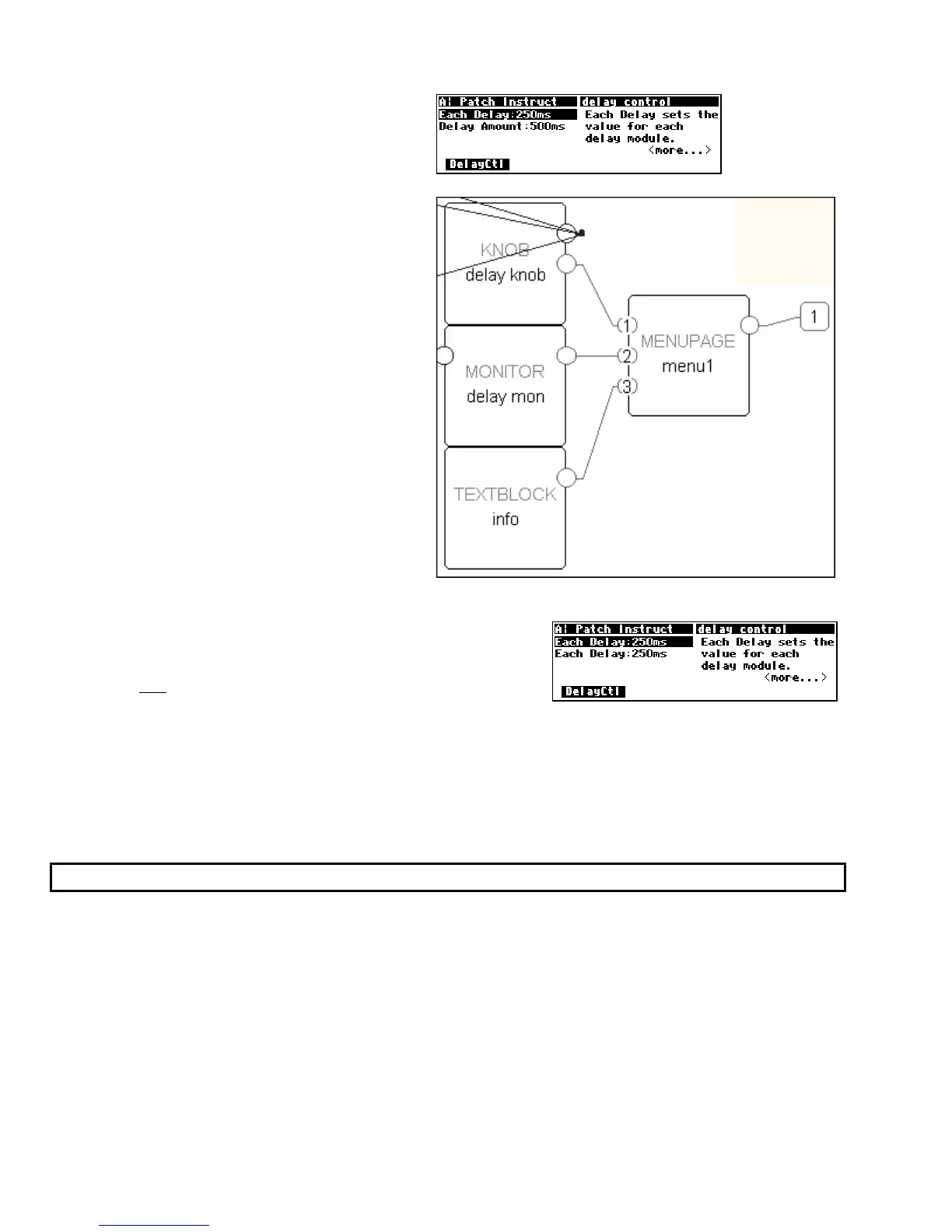
The obj rows indicate which userobject outputs
are connected to this menupage module’s
userobject inputs. In this case, the userobjects
of the module named “delay knob." the module
named “delay mon." and the module named “info”
are all connected to this menupage module’s
userobject inputs.
To the right is a close-up of what’s actually
going on.
For the fun of it (and what fun it is!) exit the Vsigfile
Specifier
Display and
connect the
userobject
output of the knob module to
userobject
input 2 of the menupage module (so that it is
connected to both
1 and 2!). Then select the Send command under
the Midi menu to upload the program to the Harmonizer.
You should see that indeed, the Each Delay parameter is now doubled on the menu page. Change one
version and then highlight the second version; you’ll see that they are the same even if they do exhibit
some peculiar behavior. You won’t normally have any reason to put the same parameter on the same
menu page more than once!
(But you may want to put the same parameter on different menu pages in the same
program so that it will be accessible from more than one “place” in the program.)
Interface Modules
Control inputs are used to send a parameter value into a module. The parameter value is generated by
another module, perhaps a knob module. One common use for this capability is the creation of custom
“parameter adjusters” to adjust the parameters for the modules in a program. The custom “parameter
adjusters” are special purpose modules from the “interface” module group. This group includes the
common text/numerical parameter adjuster that is generated by the knob module, as well as several
graphical “parameter adjusters” (hfader module, vfader module, and rfader module).



 To Next Page