The Harmonizer
®
Programmer’s Manual
© 1999-2008 Eventide, Inc. Page 27 of 97 Release 1.3
ADVANCED FEATURES
The Specifier Display
Some mention was made in the General
Principles Chapter of “Specifiers." The astute
reader will note that no mention has been made of
these creatures since! Well, now’s the time. Go
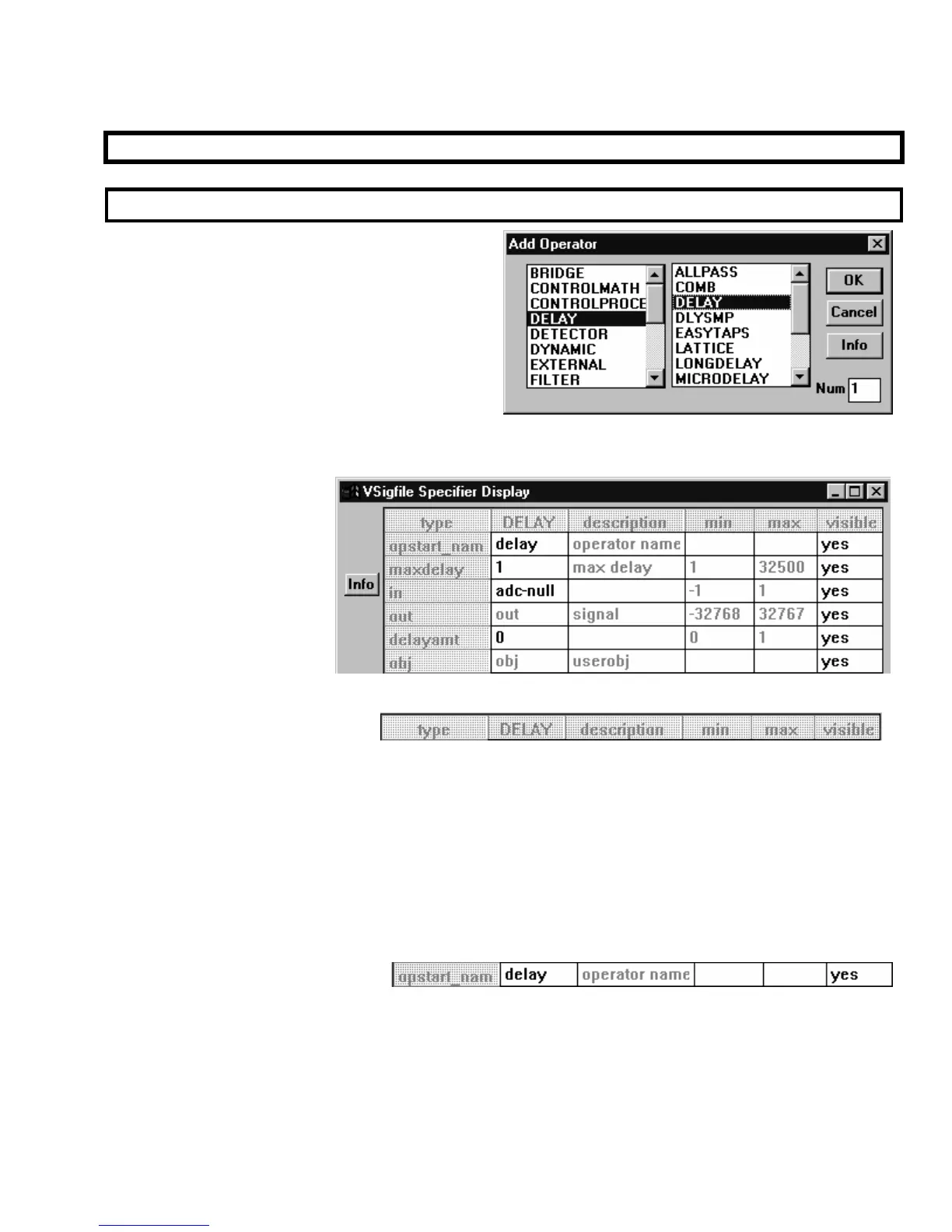
ahead and add a delay module from the “Delay”
group.
Once it’s added, double-
click on it. You will call
up the “Vsigfile
Specifier
Display”
shown to the right. We’ve
entered the “guts” of the
module. Here we have
access to all kinds of cool
stuff. Cells that contain
black type can be altered,
while those that contain
gray type cannot. Let’s take each row in turn. . .
Title Line
The first row gives a general description of each column (more or less).
• The type column describes what type of input or output a row pertains to
(if a row doesn’t have anything to
do with inputs or outputs (like the first two shown above), the ‘type’ column is of little value)
.
• The MODULE column contains most of the alterable information in the Display. The title of the column
(in this case, “DELAY”) is the module type.
• The description column gives a marginally useful description of each row.
• The min and max columns list the minimum and maximum values that can be entered in the MODULE
column.
• The visible column allows you to “hide” input or outputs in the normal Vsigfile display.
Module Name
The second row, MODULE column cell allows you to alter the name of the module. The module name is a
text string that is stored with a particular module. There is a default module name that is usually the
same as the module type. It is helpful to change the module name immediately after adding a module so
that modules of the same type can be told apart. Choose a name that reflects both the purpose of the
module within the patch, and the module type. The name may be up to 18 characters in length, and no
two modules in a given patch may share the same name.



 To Next Page