The Harmonizer
®
Programmer’s Manual
© 1999-2008 Eventide, Inc. Page 7 of 97 Release 1.3
HOW A PROGRAM INTERFACES WITH THE PARAMETER AREA
Simple Interface
Because you really shouldn’t be reading this manual if you
haven’t already read the User Guide, we’ll assume you’ve seen
menu pages in the PARAMETER area.
A menu page, with an associated SOFT KEY, is created by connecting a module’s userobject output to a
userobject input on something called the “head” module. Every program has one (and only one) head
module. The actual parameters that will appear on a menu page created this way depend on the module
being connected. They will usually be the values of all unconnected control inputs.
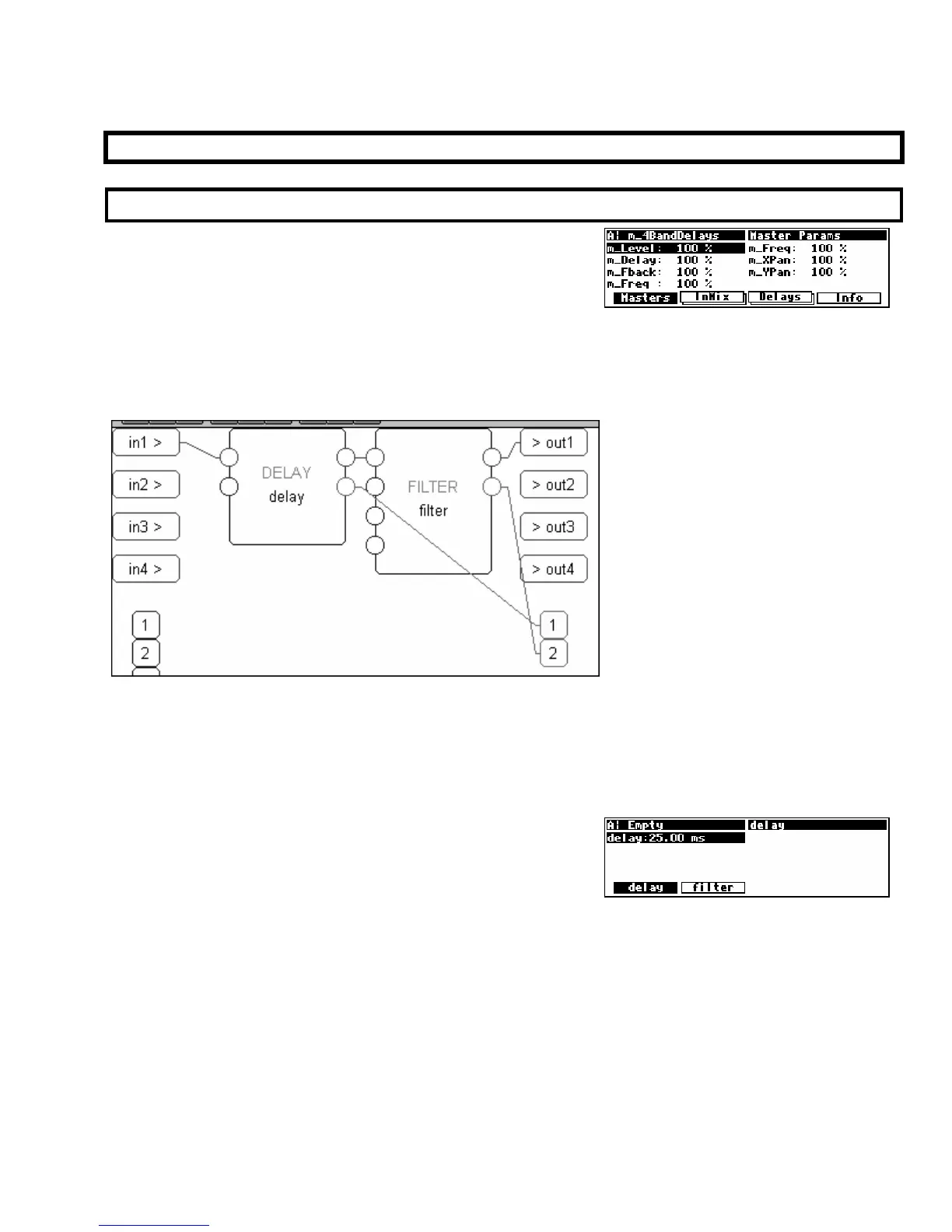
For example, consider the simple delay module connected to a filter module we started this
chapter out with (again, as shown in Vsigfile). Now that you’ve learned a little more, we’ve “unhidden” the
control inputs for these modules (the unconnected ones on the left) and the userobject outputs (the ones on the
lower right)
. As you can see, we’ve connected their userobject outputs to the userobject inputs on the
head module
(the disembodied “1” and “2” in the lower right corner. The observant user will spot that the head
“module” doesn’t really look like the other modules)
.
If we run this program and go to the
PARAMETER area, we see
the screen to the right. A menu page exists for each module
that contains parameters pertinent to its functioning.
Note that the order of the connections to the head module’s userobject inputs dictates the order of the
SOFT KEYS.
Constructing programs this way is fast and easy. Just concentrate on the audio connections and then
connect every module’s userobject output to the head module. However, the user interface isn’t very
“slick” and may be cumbersome to use. That’s where “custom” interface construction comes in. . .



 To Next Page