The Harmonizer
®
Programmer’s Manual
© 1999-2008 Eventide, Inc. Page 76 of 97 Release 1.3
THE <MODIFY>
SOFT KEY
The <modify> SOFT KEY gives you the ability to directly change the “internals” of a module. This is
necessary to create complex, highly customized programs. The <modify> SOFT KEY works on one
module at a time and is needed to change the following:
• the module name
• specifiers
• connections between userobjects and userobject inputs
• control inputs that are not “patched” and that are not controlled via their userobject
Modifying a delay module
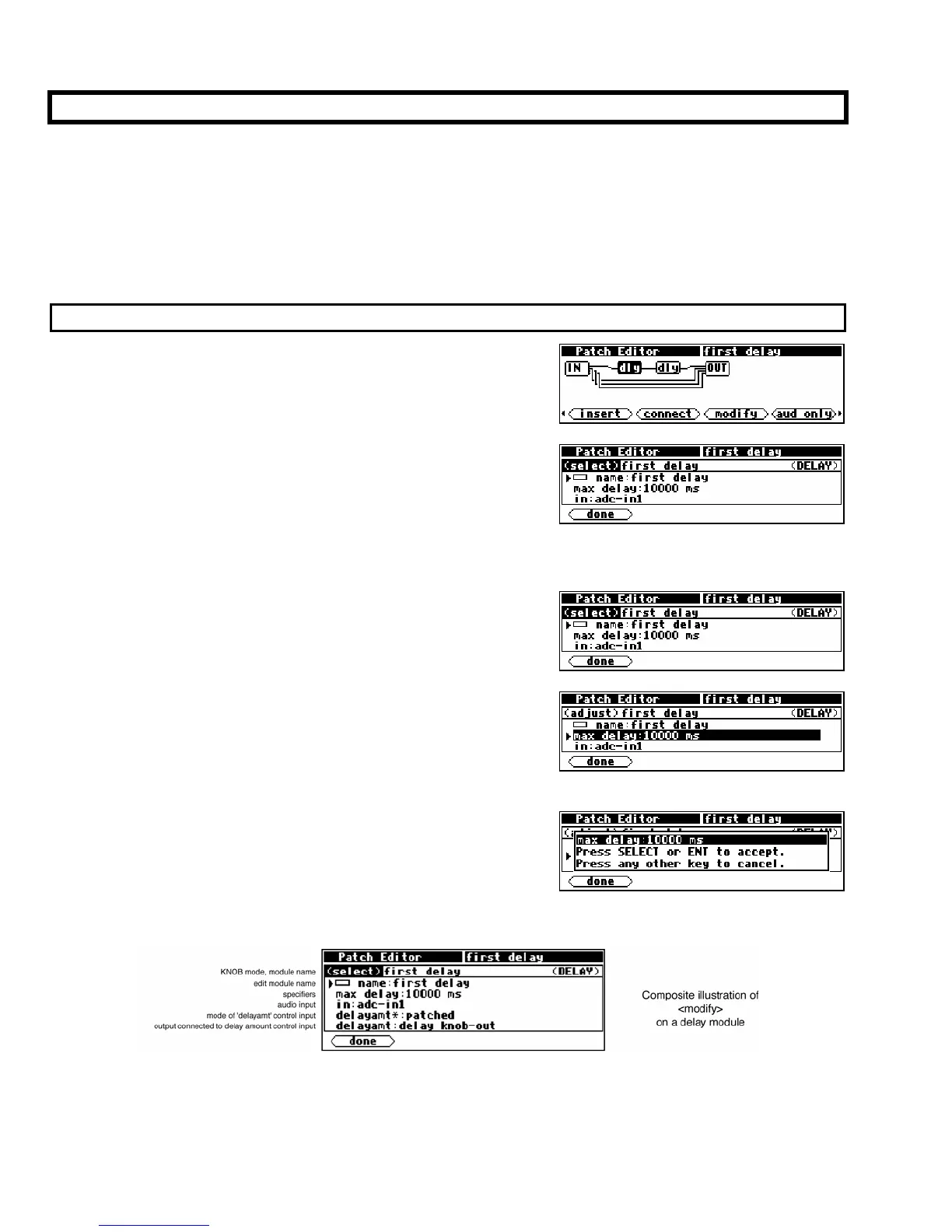
To use the <modify> SOFT KEY in the Patch Editor display,
simply select the desired module using the LEFT and RIGHT
CURSOR control keys. . .
. . .and then press the <modify> SOFT KEY. On entry to the
<modify> menu, the display shows the current KNOB mode
(select or adjust), the name of the module, the module type,
and the first three lines of module information.
The <modify> menu scrolls and behaves much like things in the PROGRAM area do.
• To scroll through the data for the module use the CURSOR
keys. If the KNOB mode reads (select) (as shown to the right)
you can also use the KNOB to scroll through the data for the
module.
• To change any of the data in the module, first ensure that the
line of data you want to change is highlighted and that the
KNOB mode reads (adjust) (these two requirements are actually
one in the same)
. You highlight a line by either pressing the
RIGHT or DOWN CURSOR key OR by pressing the SELECT
key.
• Once a line of data is highlighted, spin the KNOB or use the
numeric keypad to adjust the data. A pop-up menu appears
that prompts you to either press the
SELECT key or the ENT
key when you are satisfied with the change.
Below is a composite of the information for the first delay module in the
Patch Instruct program.
The above example includes several details that are familiar and a few that aren’t. The following is a
breakdown of each line.



 To Next Page