The Harmonizer
®
Programmer’s Manual
© 1999-2008 Eventide, Inc. Page 35 of 97 Release 1.3
Creating the User Interface
In our first tutorial in this chapter, we used an LFO module and a modfilter module. To allow the
user to control the parameters of these modules in the PARAMETER area, we simply connected their
userobject outputs to the head module. You can create a wealth of programs this way. In the
PARAMETER area, parameters will automatically be grouped by module and SOFT KEYS will appear -
one per module. A program created this way will be fully functional and have all of the audio
characteristics of a factory preset. Audio, however, is where the similarities end. A program created this
way will not look as slick, nor be as easy to use, as the factory presets are. Factory presets are created
by hand-connecting the userobjects of knob modules to menupage modules and then hand-connecting
the userobjects of those menupage modules to the head module. This section details how this is
done.
Viewing Menupages and Menupage Modules
A menupage module has a single userobject output and any number of userobject inputs. Normally a
menupage module is connected to the head module. If so, the menupage module shows up in the
PARAMETER area as one or more pages of parameters, a title line, and a SOFT KEY. The information for
the title line and SOFT KEY and the list of connected userobjects that comprise the parameters seen in the
PARAMETER area are accessible by using the Vsigfile
Specifier
Display on the menupage module (by double
clicking on it)
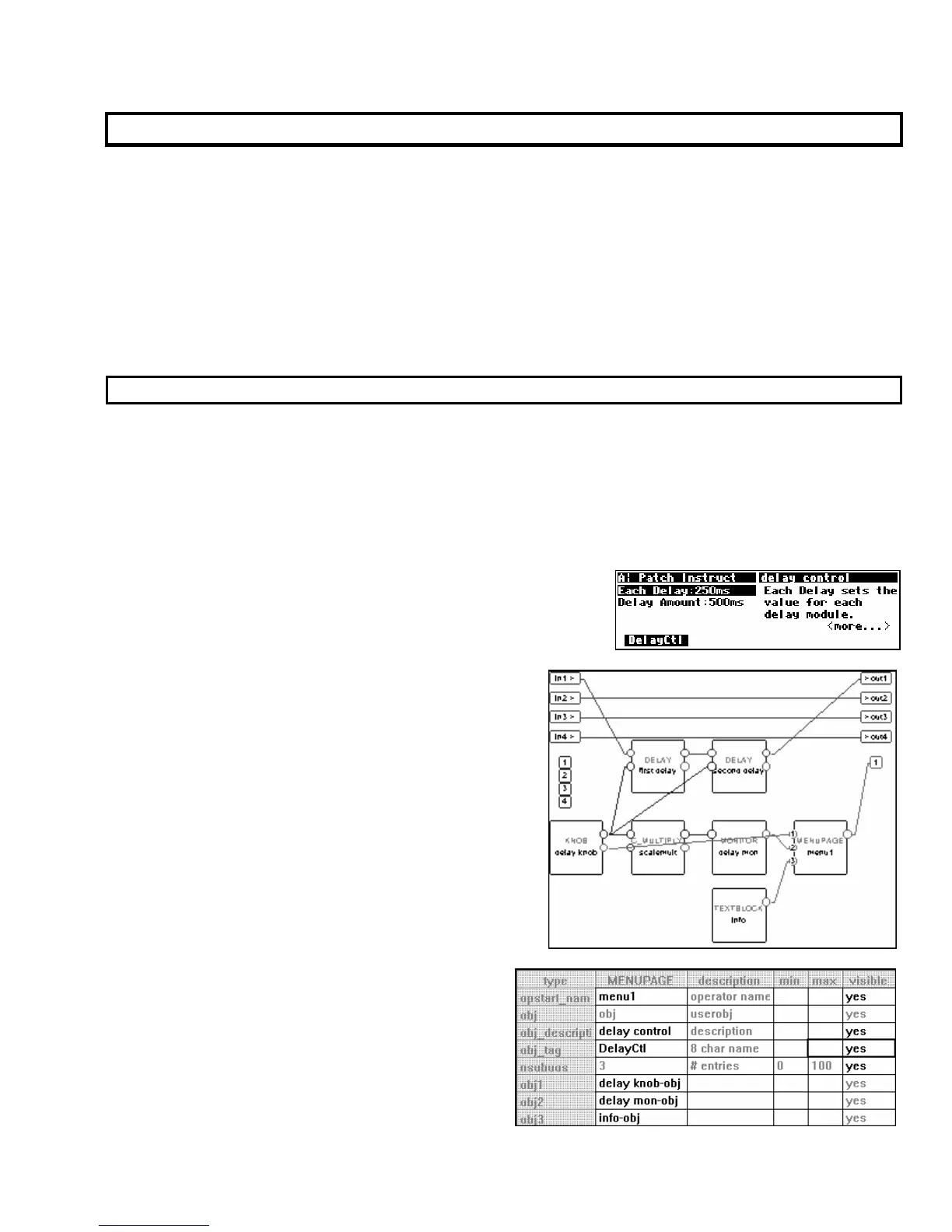
. For example, load the program Patch Instruct from the “Programming” bank in the
Harmonizer.
The menu page shown to the right is visible in the PARAMETER
area. It is created with a menupage module, a knob module, a
monitor module, and a textblock module (we’ll see how in a
minute)
.
Use the Get command under the Midi menu to download
this program into VSigfile. Then select the re-Position
command under the Edit menu. Move the modules
around until they look similar to what is shown on the
right.
Double click on the menupage module to enter
the Vsigfile
Specifier
Display. From here, we can see the
description “delay control” and the 8 char name “DelayCtl."



 To Next Page