The Harmonizer
®
Programmer’s Manual
© 1999-2008 Eventide, Inc. Page 83 of 97 Release 1.3
Interface Modules
Control inputs are used to send a parameter value into a module. The parameter value is generated by
another module, perhaps a knob module. One common use for this capability is the creation of custom
“parameter adjusters” to adjust the parameters for the modules in a program. The custom “parameter
adjusters” are special purpose modules from the “interface” module group. This group includes the
common text/numerical parameter adjuster that is generated by the knob module, as well as several
graphical “parameter adjusters” (hfader module, vfader module, and rfader module).
PARAMETER ADJUSTERS
“Parameter adjuster” modules have a single control output and a
userobject output. If connected to a menupage module, a
“parameter adjuster” will show up on the menu page in the
PARAMETER area as a parameter.
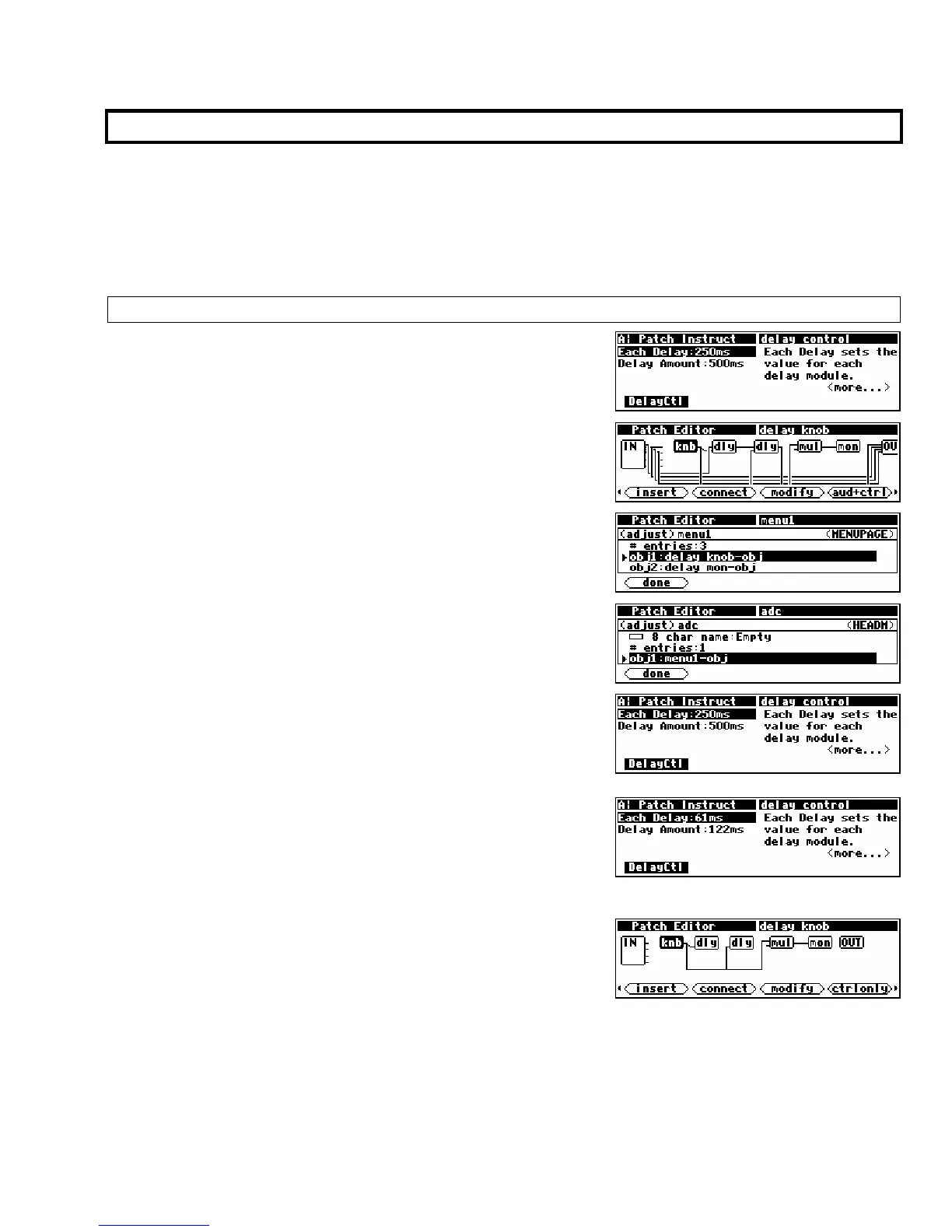
For example, in the now infamous program
Patch Instruct
shown to the right, the module named “
delay knob” is a
“parameter adjuster."
Its userobject is connected to a menupage module. . .
. . .which is in turn connected to the head module.
Thus, the module named “delay knob” shows up in the
PARAMETER area as a parameter (Each Delay).
Selecting a parameter in the
PARAMETER area and rotating the
KNOB will change the value of the “parameter adjuster’s” control
output. The change will also be reflected in a textual or
graphical display change. In this case, rotating the KNOB
changes the
Each Delay parameter in the PARAMETER area. . .
. . .and it changes the value sent from the “
delay knob’s”
control output into both dly modules and the mul module (of
course this screen doesn’t show the change, but the value has
changed nonetheless!) .



 To Next Page