The Harmonizer
®
Programmer’s Manual
© 1999-2008 Eventide, Inc. Page 31 of 97 Release 1.3
Repeating Fields
The term “repeating fields” is easier to define by example than to explain in mere words, so here are a
few examples of repeating fields:
• A diatonicshift module can have one, two, three, or four pitchshifting voices. The parameters
associated with each pitchshifting voice are repeating fields.
• A menupage module can have any number of userobject inputs. Each input is a repeating field.
• A quadmixer module can have as many as fifty audio inputs. Each input is a repeating field.
• A sequencer module can have between two and fifty “steps” in its sequence. Each step is a
repeating field.
• The DSP inputs and outputs can have two, three, or four connections (DSP7000 users will want to restrict
this to two
). Each input or output is a repeating field.
• The head module can have any number of userobject inputs. Each input is a repeating field.
Get the idea? If not, you will. Read on. . .
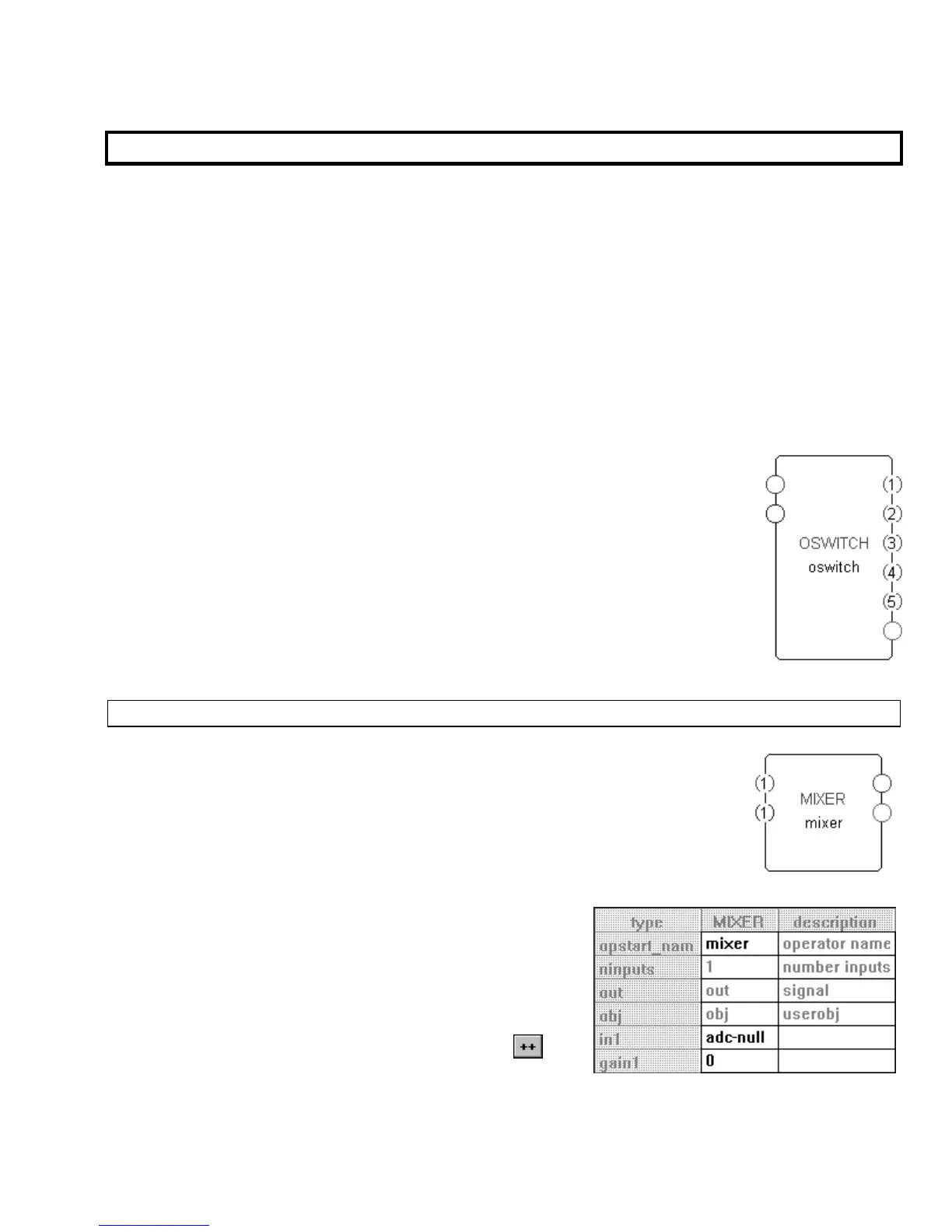
If the repeating field on a module pertains to the number of inputs or outputs (of any
type) on the module, each repeating field will be numbered. The oswitch module
shown to the right has a variable number of outputs. In this case it is set to five.
There are three distinct techniques used to increase or decrease the number of
repeating fields. In most cases, the number of repeating fields can be altered via any
of the techniques. In a few modules however, the number of repeating fields can
only be altered via one of the techniques. We’ll look at each technique in turn.
ALTERING THE NUMBER OF REPEATING FIELDS IN THE SPECIFIER DISPLAY
To demonstrate the first technique, we’ll add a mixer module. Each audio input
on this module is a repeating field. There can be as few as one input
(as shown to the
right)
or as many as fifty. The top input is an audio input, and the bottom input is a
control input that controls the level of the audio input.
Double click on the module, and the Vsigfile
Specifier
Display
window pops up as shown to the right. To alter the number of
repeating fields, click on any existing example of the
repeating field. In this case, we want to alter the number of
inputs. Clicking on “adc-null” associated with in1 or “0”
associated with gain1 will be sufficient. Click on either of
these fields. In the upper left border of the window a
button appears.



 To Next Page