The Harmonizer
®
Programmer’s Manual
© 1999-2008 Eventide, Inc. Page 45 of 97 Release 1.3
Menupages and Parameter Placement
The use of menupage modules to create menu pages in the
PARAMETER area is crucial for creating easy to use programs.
This section discusses many of the fine points of menu creation.
There are several important points regarding
PARAMETER area
menu pages and their construction in Vsigfile:
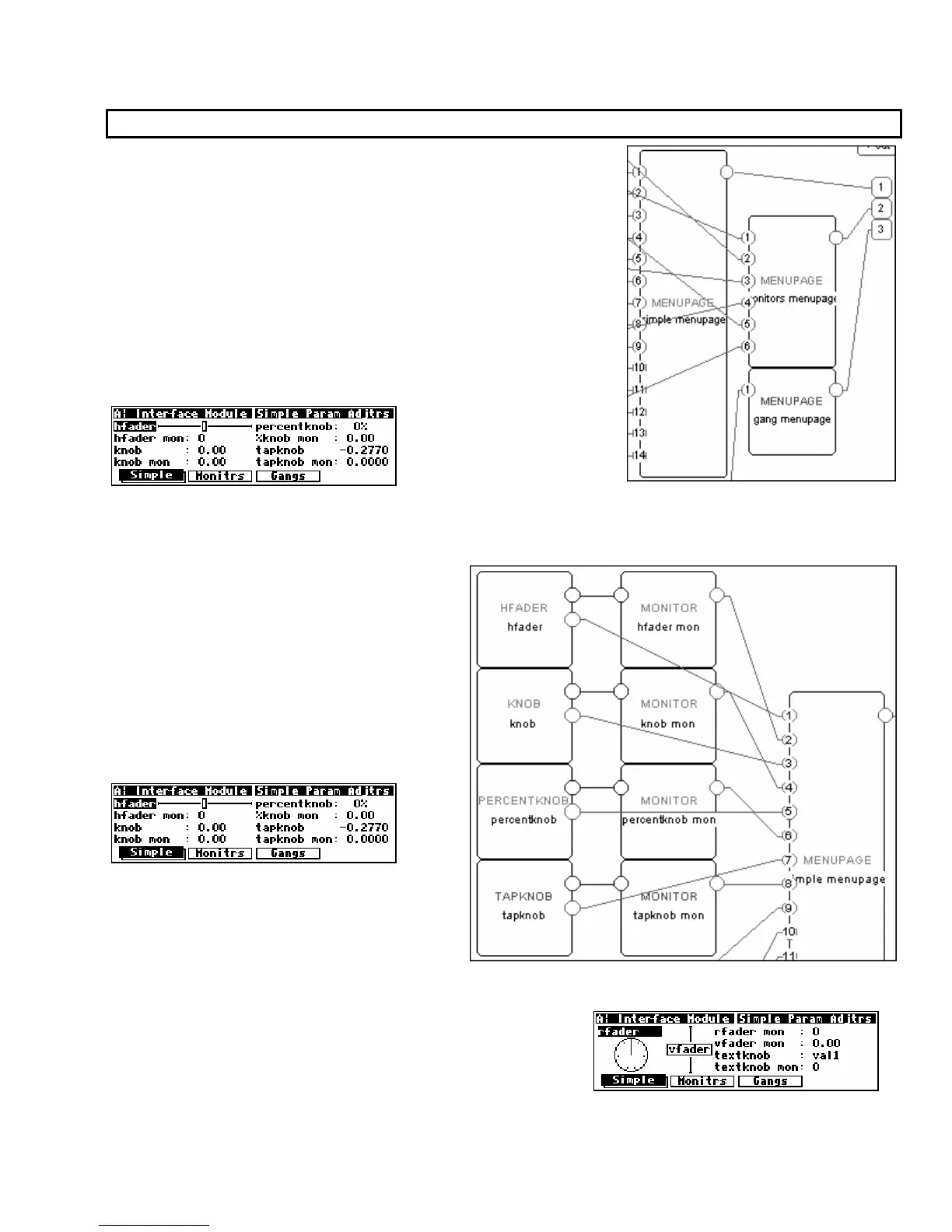
• Unconnected userobject inputs have no effect on the way
things look in the
PARAMETER area.
• Any userobject output that is connected to the head module
creates a SOFT KEY.
The order that a userobject is connected to the head module determines what location the SOFT KEY
will appear in the PARAMETER menu. The first userobject output gets the first SOFT KEY. The fifth
userobject gets the fifth SOFT KEY and so on.
• The order that a userobject is connected
to a menupage module determines
where on a PARAMETER area menu page
it will appear.
Objects are placed on a menu in upper left to
lower right order, as listed in the menupage
module.
If a module’s
PARAMETER area graphic is too
large to appear on a menu page with other
modules’ graphics, it is placed on a later
menu page in a menu stack, thus creating a
SOFT KEY stack.
• menupage modules may be connected to other
menupage modules! A menupage userobject output is the
same as any other module’s userobject output, except that a
menupage userobject output is always big enough to
warrant being placed on its own menu page or pages in the
PARAMETER area.



 To Next Page