The Harmonizer
®
Programmer’s Manual
© 1999-2008 Eventide, Inc. Page 39 of 97 Release 1.3
Refer to the separate User’s Manual on entering text for a list of the characters included in the text insert
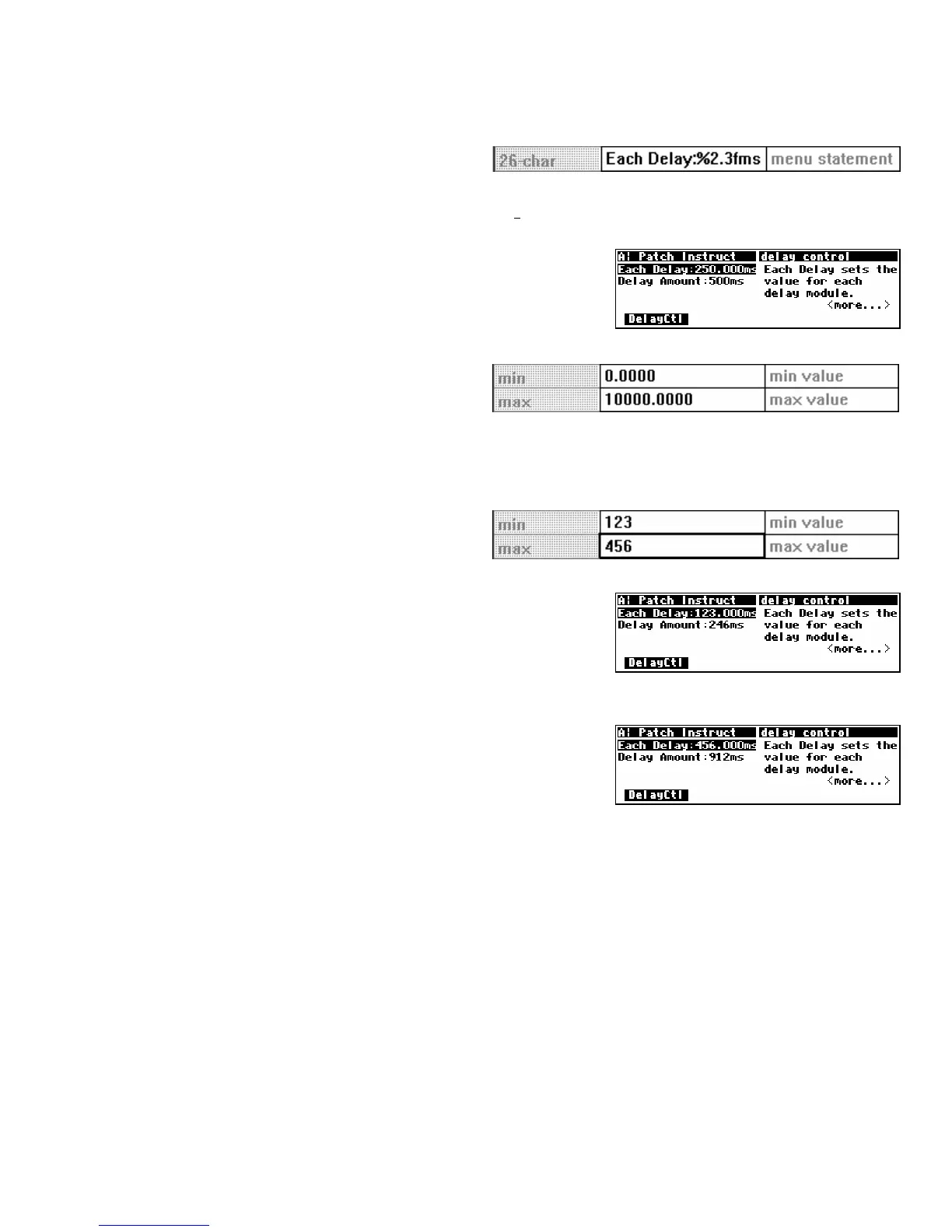
menus. The formats shown here can be created using the % character, numbers, a small f, and a period(.).
As an wee exercise, Get the Patch Instruct
program from the Harmonizer (it’s found in the “Programming” bank”), and double click on the knob
module. Then change the menu statement to “Each Delay:%2.3fms” as shown above.
Now Send the program back to the Harmonizer, and see the
difference that made to the display. Note the decimal value in
the “Each Delay” parameter. It used to read 250. Now it reads
250.000. Contain yourself. . .
Min and Max Values
The lower and upper limits of a numeric
parameter value are set as specifiers in the
module that controls the parameter. In the example program Patch Instruct, the “delay knob” parameter
value has a range of 0.0000 to 10000.0000 set by the min value and max value specifiers. You can adjust these
limits if you wish.
As another wee exercise, Get the Patch Instruct
program from the Harmonizer (it’s found in the
“Programming” bank”)
, and double click on the
knob module. Change the min value and max value to set different
limits as shown above.
Now Send the program back to the Harmonizer and test the Each
Delay
parameter. To the right we bump up against the new min
value.
And on this screen we bump up against the new max value.
You will find min value and max value specifiers in most of the
“interface” group modules.
Resolution
The resolution specifier controls what minimum change in a parameter value can be achieved by turning
the
KNOB or by using the INC or DEC key on the numeric keypad. The resolution specifier also controls the
“rate of change” as the
KNOB is spun. If the resolution is very fine, the parameter value will increment in
“baby steps” as the
KNOB is spun. If the resolution is very course, the parameter value will increment in
“great leaps” as the KNOB is spun.
For example, if the selected parameter displays a value of
45.30 and the resolution is 1.0000, then slow
motion clockwise rotation on the KNOB will change the value to 46.30 (unless the max value is less than
46.30!)
. If the selected parameter displays a value of 45.30 and the resolution is 0.1000, then slow motion
clockwise rotation on the
KNOB will change the value to 45.40.
As yet another wee exercise, double click on the knob module the same way as in the Min and Max Value
section and adjust the resolution specifier. Notice the difference this makes in the “step size” of the Each
Delay
parameter value. (You’ll have to walk yourself through this one. . .)



 To Next Page