The Harmonizer
®
Programmer’s Manual
© 1999-2008 Eventide, Inc. Page 61 of 97 Release 1.3
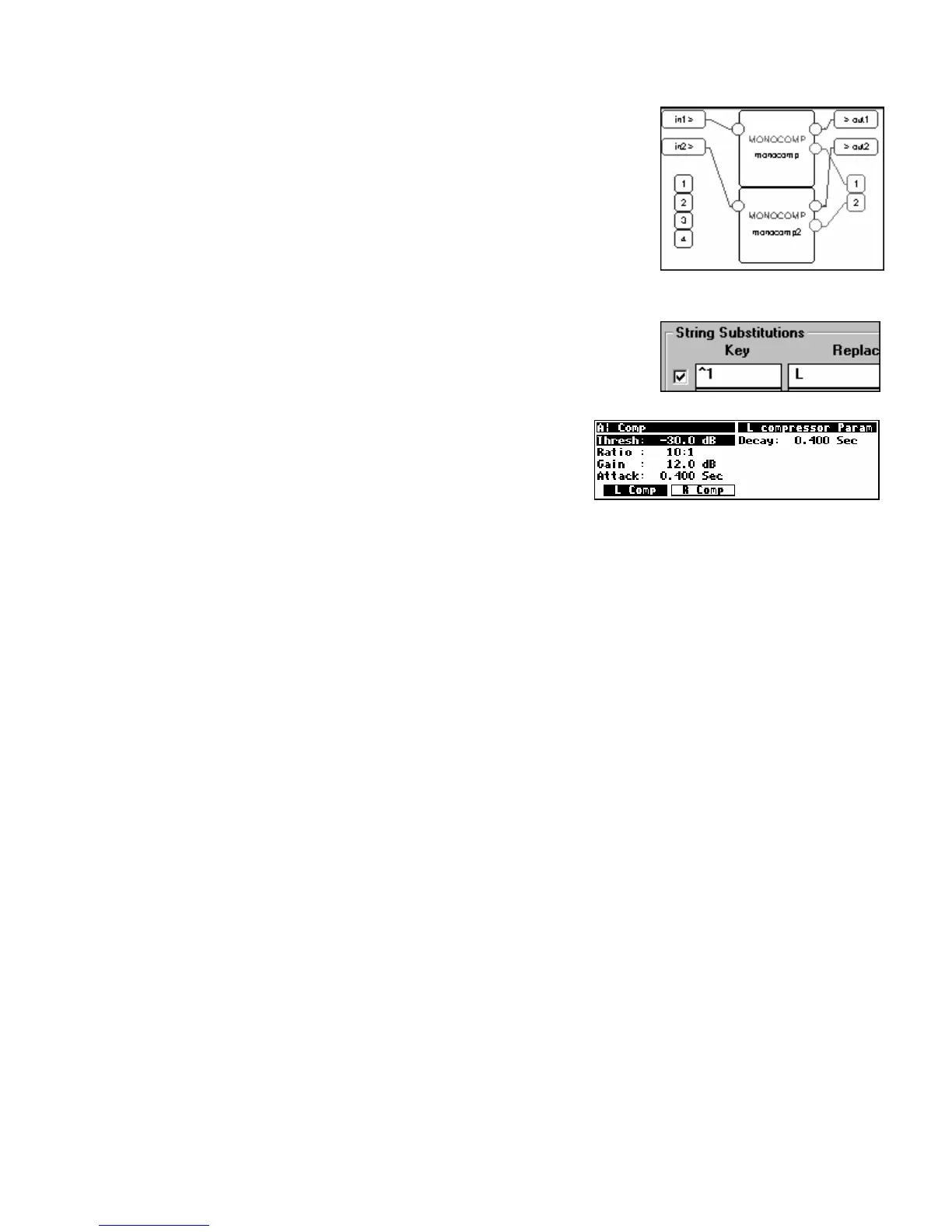
Now we will create a two channel version of our compressor. If you
did in fact add the monocomp Supermodule to the “Library” module
group, then you may simply add a second instance of the Supermodule
as you would a normal module (by selecting the “Add Module” command
under the Edit menu)
. Alternatively, you may highlight the monocomp
Supermodule, Copy, and Paste. Connect the new monocomp
Supermodule’s audio input to DSP in 2, its audio output to DSP out 2,
and its userobject output to the head module’s userobject input 2
(adding a repeating field).
We will now highlight each Supermodule in turn and select Rename
under the SuperMod menu. In the Replacement field enter “L ” and “R ”
respectively.
Send the file to the Harmonizer and enjoy your dual
compressor!



 To Next Page