The Harmonizer
®
Programmer’s Manual
© 1999-2008 Eventide, Inc. Page 89 of 97 Release 1.3
Vfader Module
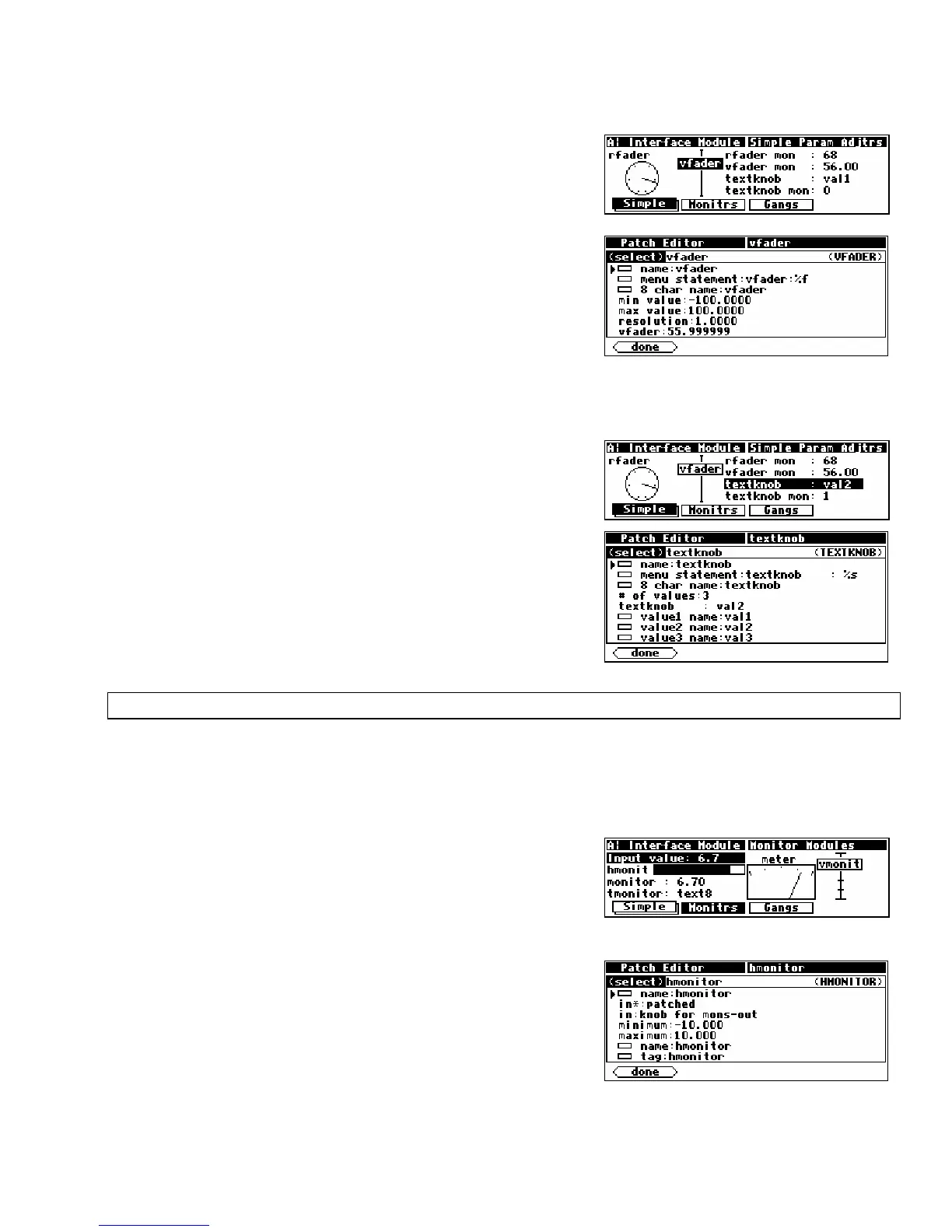
The vfader module creates a graphic on the PARAMETER
screen. The graphic, including title, takes up four lines of the
screen and one sixth of the width of the screen. Up to six of
these modules can fit on one menu page.
Six characters of the 8 char name are displayed in the graphic
as a title. Refer to the Modules Section for complete
information.
Textknob Module
The textknob module creates a multiple choice selection in a
single line by half screen width area of a PARAMETER area
menu page.
The choices appear in place of the %s in the menu
statement
. The 8 char name is only used if the module’s
userobject is connected to the head module. The control
output reflects which selection is made. If the 1st selection is
made the output will equal 0. If the 3rd selection is made, the
output value will equal 2. Refer to the Modules Section for
complete information.
CONTROL SIGNAL MONITORS
Just as “parameter adjuster” modules are used to generate control signals and are displayed as
parameters in PARAMETER area menu pages, control signal monitor modules monitor the value of
control signals and may be displayed on those same menu pages.
Graphical Control Signal Monitors
There are five different monitor modules. Three of these, the
hmonitor, meter, and vmonitor modules, produce
graphical displays. The screen to the right (taken from the program
Interface Modules
from the “
Programming
” bank) shows the three
graphical monitors (among others).
Each of the graphical control signal monitor modules has a
control signal input and four specifiers:
minimum, maximum,
name and tag.
•
minimum sets the lowest value that may be indicated by
the monitor.
• maximum sets the highest value that may be indicated by
the monitor.



 To Next Page